Transkriptor - Speech to Text icon

Phone

Transkriptor - Speech to Text

Productivity Tor.App ⭐ 4.40 5,000,000+
Version 2.1.15 Everyone

Screenshots

Transkriptor - Speech to Text screenshot
Permissions Explained 14 permissions requested View details

This app requests 14 permissions. The table below explains what each permission may allow and what users should review before installing.

Status Permission What it means Why it may be used User safety note
ℹ️ Review Read Phone Status And Identity read phone status and identity This is an Android permission or app-specific permission requested by the app. The app may use this permission for features related to its category, device support, background behavior, storage, connectivity, or system integration. Review this permission before installing, especially if it does not match the app’s expected purpose.
ℹ️ Review Read The Contents Of Your Usb Storage read the contents of your USB storage This is an Android permission or app-specific permission requested by the app. The app may use this permission for features related to its category, device support, background behavior, storage, connectivity, or system integration. Review this permission before installing, especially if it does not match the app’s expected purpose.
ℹ️ Review Modify Or Delete The Contents Of Your Usb Storage modify or delete the contents of your USB storage This is an Android permission or app-specific permission requested by the app. The app may use this permission for features related to its category, device support, background behavior, storage, connectivity, or system integration. Review this permission before installing, especially if it does not match the app’s expected purpose.
ℹ️ Review Record Audio record audio This is an Android permission or app-specific permission requested by the app. The app may use this permission for features related to its category, device support, background behavior, storage, connectivity, or system integration. Review this permission before installing, especially if it does not match the app’s expected purpose.
ℹ️ Review View Network Connections view network connections This is an Android permission or app-specific permission requested by the app. The app may use this permission for features related to its category, device support, background behavior, storage, connectivity, or system integration. Review this permission before installing, especially if it does not match the app’s expected purpose.
ℹ️ Review Pair With Bluetooth Devices pair with Bluetooth devices This is an Android permission or app-specific permission requested by the app. The app may use this permission for features related to its category, device support, background behavior, storage, connectivity, or system integration. Review this permission before installing, especially if it does not match the app’s expected purpose.
ℹ️ Review Full Network Access full network access This is an Android permission or app-specific permission requested by the app. The app may use this permission for features related to its category, device support, background behavior, storage, connectivity, or system integration. Review this permission before installing, especially if it does not match the app’s expected purpose.
ℹ️ Review Change Your Audio Settings change your audio settings This is an Android permission or app-specific permission requested by the app. The app may use this permission for features related to its category, device support, background behavior, storage, connectivity, or system integration. Review this permission before installing, especially if it does not match the app’s expected purpose.
ℹ️ Review Run At Startup run at startup This is an Android permission or app-specific permission requested by the app. The app may use this permission for features related to its category, device support, background behavior, storage, connectivity, or system integration. Review this permission before installing, especially if it does not match the app’s expected purpose.
ℹ️ Review Draw Over Other Apps draw over other apps This is an Android permission or app-specific permission requested by the app. The app may use this permission for features related to its category, device support, background behavior, storage, connectivity, or system integration. Review this permission before installing, especially if it does not match the app’s expected purpose.
ℹ️ Review Control Vibration control vibration This is an Android permission or app-specific permission requested by the app. The app may use this permission for features related to its category, device support, background behavior, storage, connectivity, or system integration. Review this permission before installing, especially if it does not match the app’s expected purpose.
ℹ️ Review Prevent Device From Sleeping prevent device from sleeping This is an Android permission or app-specific permission requested by the app. The app may use this permission for features related to its category, device support, background behavior, storage, connectivity, or system integration. Review this permission before installing, especially if it does not match the app’s expected purpose.
ℹ️ Review Read Google Service Configuration read Google service configuration This is an Android permission or app-specific permission requested by the app. The app may use this permission for features related to its category, device support, background behavior, storage, connectivity, or system integration. Review this permission before installing, especially if it does not match the app’s expected purpose.
ℹ️ Review Receive Data From Internet receive data from Internet This is an Android permission or app-specific permission requested by the app. The app may use this permission for features related to its category, device support, background behavior, storage, connectivity, or system integration. Review this permission before installing, especially if it does not match the app’s expected purpose.

About Transkriptor - Speech to Text

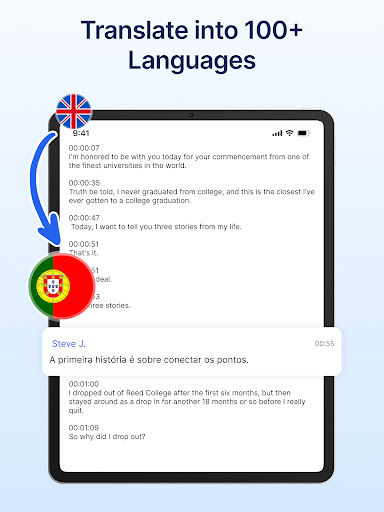
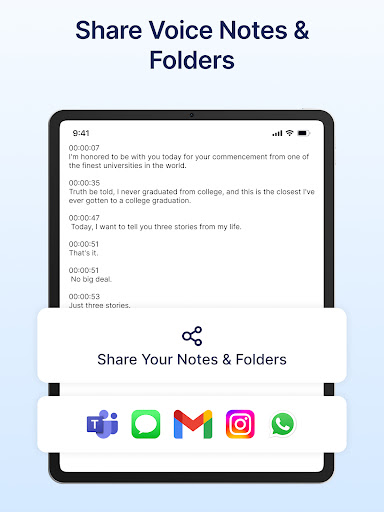
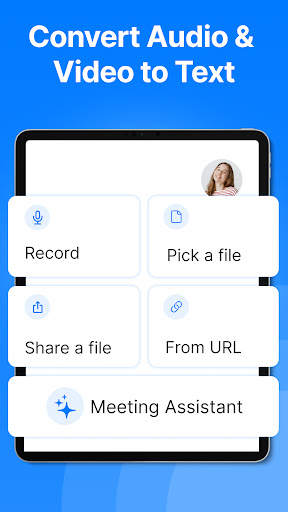
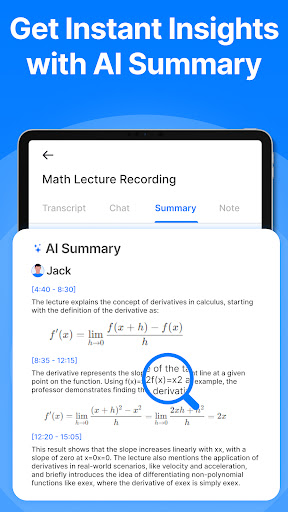
Transkriptor: The Ultimate AI-Powered Speech-to-Text App and Productivity Tool Save time with Transkriptor, your all-in-one AI assistant for transcription and AI note-taking. Easily transcribe meetings, convert voice notes and memos to text, and transform videos into written notes. Transkriptor combines powerful AI features with convenience and speed for a seamless experience. Key Features of Transkriptor: ★ AI Assistant: Transkriptor’s AI assistant enhances your workflow by generating AI summaries, drafting emails, and converting voice memos into text, helping you efficiently manage and interact with your transcripts. ★ AI Chat: Interact directly with your transcripts using AI chat. Ask questions, extract important details, and get summaries—all through a user-friendly chat interface that saves time and boosts productivity. ★ AI Voice Memos: Automatically transcribe voice memos with AI-powered precision. Capture every detail from your voice recordings, turning them into easy-to-read text that saves time and keeps your notes organized. ★ Convert Voice Notes to Text: Effortlessly convert voice notes to text with high accuracy, supporting various formats like MP3, WAV, and M4A. Ideal for transcribing voice memos, meetings, lectures, interviews, and more. ★ Convert Video to Text: Perfect for creating captions, transcribing video content, or generating notes from webinars and Youtube videos ensuring nothing is missed. ★ Take Notes with Voice:Use Transkriptor’s integrated audio recorder to capture lectures, personal thoughts, or any spoken content directly from your device. Easily take notes with voice, then navigate your recordings and transcripts with AI chat for quick access to key points. ★ Transcribe Voice Memos to Text: Convert voice memos into clear, organized notes with exceptional accuracy. Use our meeting assistant to capture every detail and create knowledge bases from transcriptions, ensuring all important information is documented and accessible. Why Choose Transkriptor? 1. Save Time and Enhance Efficiency: Transkriptor’s AI features like the AI assistant, AI chat, and voice memo transcription reduce the time spent on manual note-taking and transcription. Let our AI handle the details while you focus on what matters most. 2. Versatility Across Formats: Whether transcribing voice notes, converting audio to text, or converting video to text, Transkriptor provides a comprehensive solution for all your transcription needs in one intuitive app. 3. Flexible and Affordable Plans: Start with our free plan, offering 90 minutes of transcription to explore our features, including AI chat and AI summary. 4. Secure and Private: Transkriptor ensures your data is securely stored and kept confidential, never shared with third parties. Additional Features to Enhance Your Experience: ※ Import and Transcribe: Easily upload audio and video files for transcription. Transkriptor supports multiple formats, catering to a variety of use cases. ※ Export in…

What Transkriptor - Speech to Text Is Used For

Transkriptor - Speech to Text appears to be a productivity app for turning spoken audio into written text on a phone. Based on the metadata, it is commonly used to transcribe meetings, voice memos, lectures, interviews, and other recordings into readable notes that are easier to search and organize.

The app also seems designed for users who want to work with transcripts after they are created. Its listed AI features suggest it may help summarize text, draft emails, and answer questions about transcripts, which could be useful for review and follow-up tasks. The permission list includes recording audio, storage access, and network access, which fits an app that captures recordings, saves files, and processes them online. Because it can also convert video to text, it may be used for captions or written notes from webinars and similar content.

Common uses

  • Transcribing meetings into written notes
  • Converting voice memos into text
  • Turning lectures or interviews into searchable transcripts
  • Summarizing transcript content for quick review
  • Drafting follow-up notes or emails from spoken content
  • Transcribing video audio into text notes or captions
  • Organizing recordings and transcripts on a phone
Best for:
students meeting notes voice memos interviews productivity users

App Details

Package:
com.transkriptor.app
Category:
Productivity
Developer:
Tor.App
Version:
2.1.15
Updated:
Mar 20, 2026
Min Android:
7.0
Age Rating:
Everyone
Contains Ads:
Yes
In-App Purchases:
Yes

Official Listing

  • Official listing available on Google Play
  • Package name: com.transkriptor.app
  • Age rating: Everyone

Explore More

Browse more apps in Productivity or explore the Phone hub .

Related Productivity Apps

How to Download Transkriptor - Speech to Text

If this app is not hosted directly on APKApps official link, then for the safest and most up-to-date version, install it from its official Google Play listing.