About Blacklight- UV Light Simulator
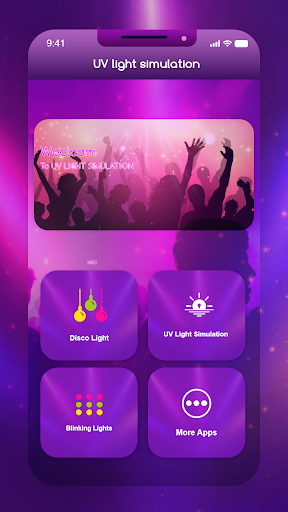
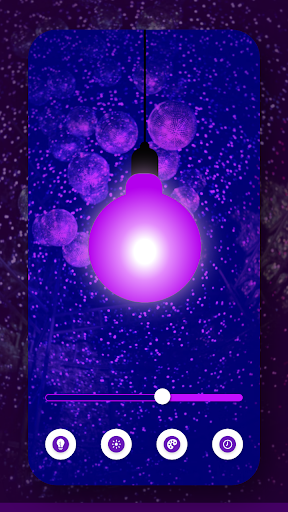
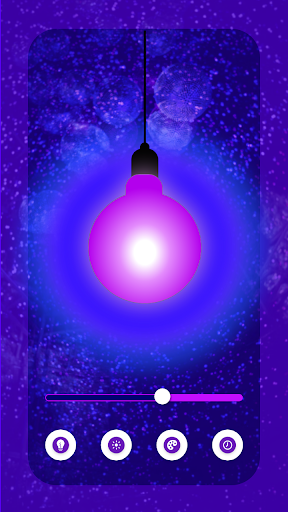
Backlight - UV Light Simulator produces different lights for fun. Backlight - UV Light Simulator has been designed for entertainment purposes. The Backlight - UV Light Simulator is merely meant for fun. The Ultraviolet Lam Inducer doesn't induce ultraviolet light in the real sense. UV Light lamps change different colors of different lights (table lamps, neon signs, outdoor lights, outdoor Christmas lights, car lights, led lights, led, lamps, floor lamps, led strip lights), and many more. UV Light Producer app primarily emits ultraviolet (UV). Manually, the user of the Ultraviolet Stimulator can change and select a color by choice. UV Light Ultraviolet is optimized to show a powerful radiant effect. UV Light is the best app ever. It produces deep purple light. It also creates a bright shining black light by changing the colors manually. UV Light Simulator - UV Lamp produces an attractive wavelength of light which makes it easy to simulate UV rays with just a single click and your different types of colors are ready. The Backlight - UV Light Simulator was built for entertainment purposes and allows you to choose from a variety of colors without much difficulty. And while the Ultraviolet Lam Inducer doesn't create ultraviolet (UV) light in the traditional sense, it still manages to produce visible effects. This app primarily uses ultraviolet (UV)s for its source of illumination! You'll find yourself immersed in deep purple hues in no time at all--or you can use manual settings to change and select your favorite color at will! This is hands down one of our most useful apps yet, so we hope you enjoy using it as much as we do! Feature — Induces ultraviolet light. — Produces light in the form of a bulb. — Changes color manually. — Serves for entertaining purposes. — Produces different colors of light. — The users can set whatever color they want. — Easy-to-use app. — Doesn't hang while working. — Works with a single tap.
What Blacklight- UV Light Simulator Is Used For
Blacklight- UV Light Simulator appears to be an entertainment app for creating simulated UV or blacklight-style visuals on a phone. Based on the metadata, it is meant to show purple, neon-like, or other manually selected light colors rather than producing real ultraviolet light. That makes it more of a visual effect app than a practical lighting tool.
Common use cases may include playing with colorful light effects, showing a blacklight-style screen for fun, or using it as a simple tap-to-change light display. The permissions for network access suggest the app may load ads or connect to online content, and the keep-awake permission may help keep the light effect visible while the app is open. Since it is listed under House & Home, it may be used in casual home settings or as a novelty app on a phone.
Common uses
- Simulating a blacklight-style screen effect
- Displaying purple or other selected colors
- Using as a simple novelty light app on a phone
- Creating visual effects for casual entertainment
- Keeping the screen active while the effect is shown
- Switching colors manually with a tap-based interface
App Details
Package:
com.uvlight.simulation
Developer:
That Smile
Version:
1.1.25
Updated:
Aug 4, 2025
Min Android:
7.0
Age Rating:
Everyone
Contains Ads:
Yes
In-App Purchases:
Yes
Official Listing
-
Official listing available on
Google Play
-
Package name:
com.uvlight.simulation
-
Age rating:
Everyone
Related House & Home Apps
Business
•
Shenzhen Junan Technology Co., Ltd
Version 6.0.1
⭐ 4.60
100,000+ installs
How to Download Blacklight- UV Light Simulator
If this app is not hosted directly on APKApps official link,
then for the safest and most up-to-date version, install it from its official Google Play listing.