About JSON & XML Tool (Premium)
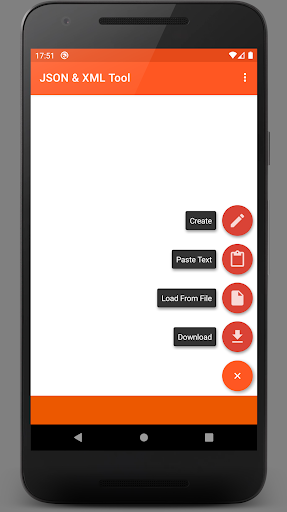
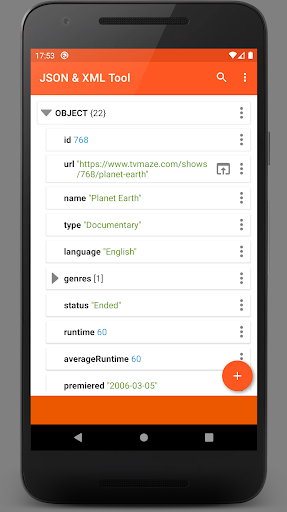
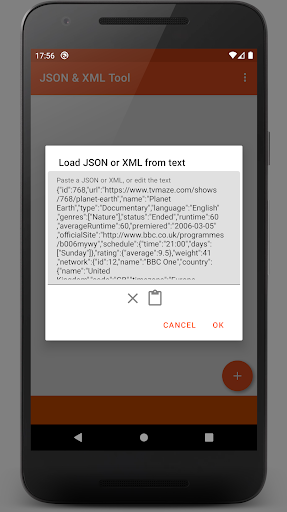
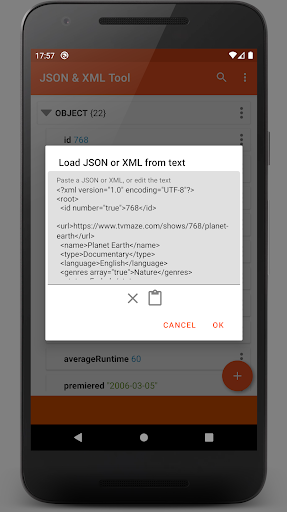
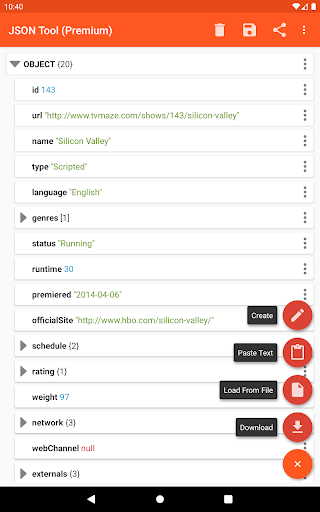
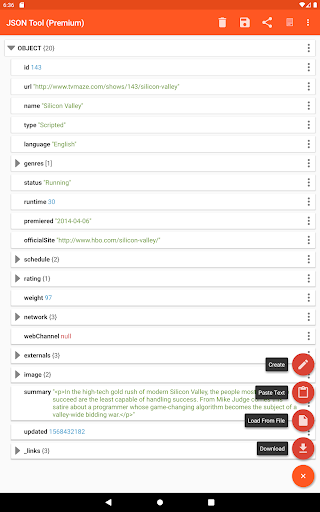
The JSON & XML Tool Premium app lets you view, create and edit JSON and XML files with ease, by using its simple hierarchical view. The tool is useful for various scenarios, for example, it lets you edit and make game addons. In addition, the app can be used for conversion between types, for example, loading a JSON and then saving it as an XML. The app uses the storage browser provided by the SAF (Storage Access Framework) and does not require storage permissions (read-and-write access). However, the app will request storage permissions in some cases, such as when a file was loaded using an external file picker without providing proper access. View a JSON / XML File • Load a file using the internal file picker (Storage Access Framework) • Load a file using an external file picker (might require storage permissions) • Download from the web by providing a URL • Paste text and parse it • Receive the text of the file from other applications (via ACTION_SEND) • Create a new file from scratch Edit a JSON / XML File • Rename node elements • Modify node element value • Easily switch between value types: Boolean, Number & String • Add, duplicate & remove node elements • Move elements up & down within an array • Save as a new file or overwrite the current one Additional Features • Dark theme support • Share the JSON / XML text to an external application (via ACTION_SEND) • Preview as text • Formatted text output instead of a single line • The app registers itself as a JSON / XML file handler upon installation • Export as a PDF document • Extract and transform elements using the JMESPath query language
What JSON & XML Tool (Premium) Is Used For
JSON & XML Tool (Premium) appears to be a productivity app for viewing, creating, and editing JSON and XML files on Android phones. Based on the metadata, it is aimed at users who work with structured data and want a hierarchical editor instead of handling everything as plain text. The app also appears to support common file-handling tasks such as opening files through Android’s Storage Access Framework, pasting text for parsing, receiving content from other apps, and creating new files from scratch.
The metadata suggests it is also useful for converting between JSON and XML formats, which may help when moving data between tools or systems that use different markup styles. It includes network access permissions, so it may be able to load files from a web URL, and it offers a dark theme, formatted output, and sharing or export options such as saving as a new file or exporting to PDF. Because it can rename, add, duplicate, remove, and reorder elements, it may be practical for editing configuration files, app data, or similar structured content, including the game addon example mentioned in the description.
Common uses
- View JSON and XML files in a hierarchical tree format
- Create structured JSON or XML files from scratch
- Edit nodes, values, and array order directly
- Convert between JSON and XML file types
- Load content from local files, pasted text, shared text, or a web URL
- Save changes as a new file or overwrite an existing one
- Export or share formatted text and PDF output
App Details
Package:
com.vibo.jsontool.premium
Developer:
ViBO
Version:
0.26.2
Updated:
Sep 15, 2025
Min Android:
6.0
Age Rating:
Everyone
Contains Ads:
No
In-App Purchases:
No
Official Listing
-
Official listing available on
Google Play
-
Package name:
com.vibo.jsontool.premium
-
Age rating:
Everyone
Related Productivity Apps
Productivity
•
Microsoft Corporation
Securely save and share your favorite memories and files across your devices.
Version Varies with device
89.8 MB
⭐ 4.60
5,000,000,000+ installs
Productivity
•
Google LLC
Cloud storage, automatic phone backup, and more.
Version 1.302.885140631
25.5 MB
⭐ 4.10
1,000,000,000+ installs
Productivity
•
Microsoft Corporation
Craft your story with formatting and grammar tools to ensure it’s right, always
Version Varies with device
120.4 MB
⭐ 4.80
1,000,000,000+ installs
Productivity
•
Microsoft Corporation
Use powerful, industry-leading AI tools to generate visual charts from any data
Version Varies with device
230.4 MB
⭐ 4.80
1,000,000,000+ installs
Productivity
•
Microsoft Corporation
Seamlessly integrate data and reports to build your presentation to impress
Version Varies with device
226.3 MB
⭐ 4.80
1,000,000,000+ installs
Productivity
•
Microsoft Corporation
Stay on top of multiple accounts with emails, calendars & contacts in one place
Version 5.2611.0
106.4 MB
⭐ 4.40
1,000,000,000+ installs
How to Download JSON & XML Tool (Premium)
If this app is not hosted directly on APKApps official link,
then for the safest and most up-to-date version, install it from its official Google Play listing.