Home Security Camera WardenCam icon

Phone

Home Security Camera WardenCam

House & Home WardenCam360 - Home Security, Video Monitoring ⭐ 4.10 10,000,000+

Turn old phones to home security cameras with Motion Detection & Cloud Recording

Version 2.8.27 32.8 MB Everyone

Screenshots

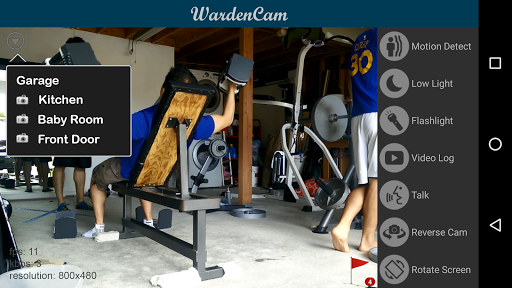
Home Security Camera WardenCam screenshot
Permissions Explained 16 permissions requested View details

This app requests 16 permissions. The table below explains what each permission may allow and what users should review before installing.

Status Permission What it means Why it may be used User safety note
ℹ️ Review Com Warden Cam Permission C2d Message com.warden.cam.permission.C2D_MESSAGE This is an Android permission or app-specific permission requested by the app. The app may use this permission for features related to its category, device support, background behavior, storage, connectivity, or system integration. Review this permission before installing, especially if it does not match the app’s expected purpose.
⚠️ Sensitive Modify external storage android.permission.WRITE_EXTERNAL_STORAGE Allows the app to write or modify files in shared device storage. Used for saving downloads, media files, exports, edited documents, backups, or cached content. Sensitive permission. Make sure file access matches the app’s purpose.
⚠️ Sensitive Camera access android.permission.CAMERA Allows the app to use the device camera. Used for QR scanning, taking photos, video calls, document capture, AR features, or profile images. Sensitive permission. Grant only when camera features are expected.
⚠️ Sensitive Microphone access android.permission.RECORD_AUDIO Allows the app to record audio from the device microphone. Used for voice messages, calls, video chat, speech search, audio recording, or voice commands. Sensitive permission. Only grant it to apps where microphone use is expected.
ℹ️ Review Keep device awake android.permission.WAKE_LOCK Allows the app to prevent the device from sleeping while a task is running. Used for media playback, downloads, navigation, alarms, calls, or long-running background tasks. Review battery usage if the app keeps the device awake too often.
Common Internet access android.permission.INTERNET Allows the app to open network connections and communicate with online services. Commonly used for streaming, syncing, login, ads, analytics, downloads, cloud features, and app updates. Common permission. Review the app’s behavior if it does not appear to need online access.
Common View network status android.permission.ACCESS_NETWORK_STATE Allows the app to check whether the device is connected to Wi-Fi, mobile data, or another network. Often used to avoid loading content when offline or to adjust loading based on connection quality. Generally low risk by itself.
ℹ️ Review Access Wifi State android.permission.ACCESS_WIFI_STATE This is an Android permission or app-specific permission requested by the app. The app may use this permission for features related to its category, device support, background behavior, storage, connectivity, or system integration. Review this permission before installing, especially if it does not match the app’s expected purpose.
Common Vibration control android.permission.VIBRATE Allows the app to control device vibration. Used for notifications, alerts, haptic feedback, timers, alarms, or game feedback. Generally low risk by itself.
ℹ️ Review Foreground Service android.permission.FOREGROUND_SERVICE This is an Android permission or app-specific permission requested by the app. The app may use this permission for features related to its category, device support, background behavior, storage, connectivity, or system integration. Review this permission before installing, especially if it does not match the app’s expected purpose.
ℹ️ Review Vending Billing com.android.vending.BILLING This is an Android permission or app-specific permission requested by the app. The app may use this permission for features related to its category, device support, background behavior, storage, connectivity, or system integration. Review this permission before installing, especially if it does not match the app’s expected purpose.
ℹ️ Review Receive Boot Completed android.permission.RECEIVE_BOOT_COMPLETED This is an Android permission or app-specific permission requested by the app. The app may use this permission for features related to its category, device support, background behavior, storage, connectivity, or system integration. Review this permission before installing, especially if it does not match the app’s expected purpose.
ℹ️ Review C2dm Permission Receive com.google.android.c2dm.permission.RECEIVE This is an Android permission or app-specific permission requested by the app. The app may use this permission for features related to its category, device support, background behavior, storage, connectivity, or system integration. Review this permission before installing, especially if it does not match the app’s expected purpose.
ℹ️ Review Finsky Permission Bind Get Install Referrer Service com.google.android.finsky.permission.BIND_GET_INSTALL_REFERRER_SERVICE This is an Android permission or app-specific permission requested by the app. The app may use this permission for features related to its category, device support, background behavior, storage, connectivity, or system integration. Review this permission before installing, especially if it does not match the app’s expected purpose.
ℹ️ Review Gms Permission Ad Id com.google.android.gms.permission.AD_ID This is an Android permission or app-specific permission requested by the app. The app may use this permission for features related to its category, device support, background behavior, storage, connectivity, or system integration. Review this permission before installing, especially if it does not match the app’s expected purpose.
⚠️ Sensitive Read external storage android.permission.READ_EXTERNAL_STORAGE Allows the app to read files from shared device storage. Used by media players, file managers, backup apps, editors, upload tools, and document apps. Sensitive permission. Review carefully if the app does not need access to files or media.

About Home Security Camera WardenCam

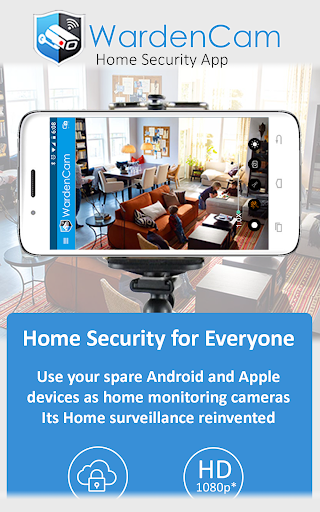
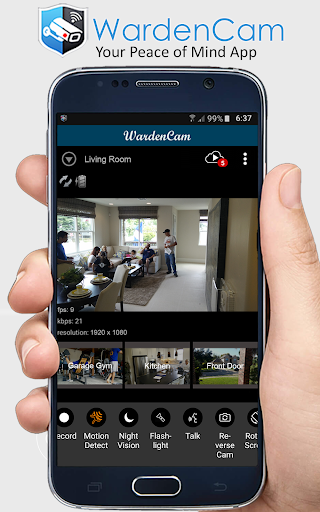
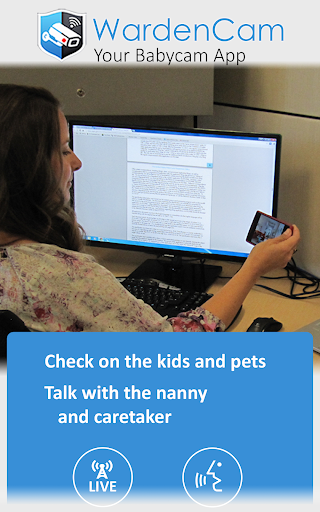
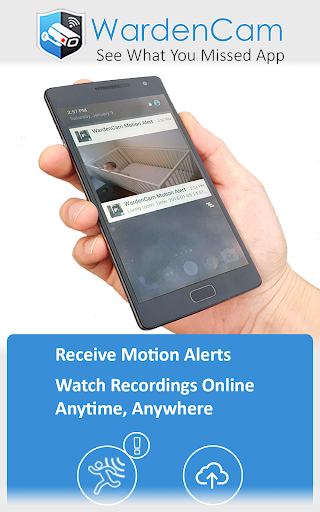
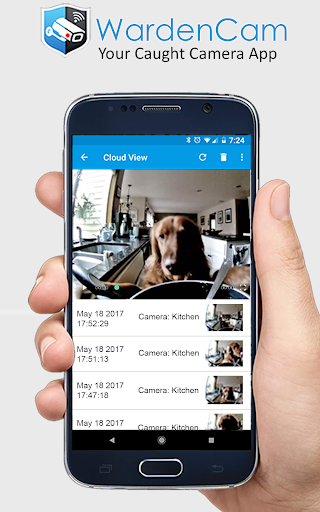
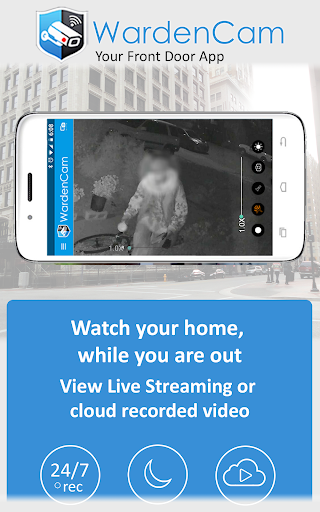
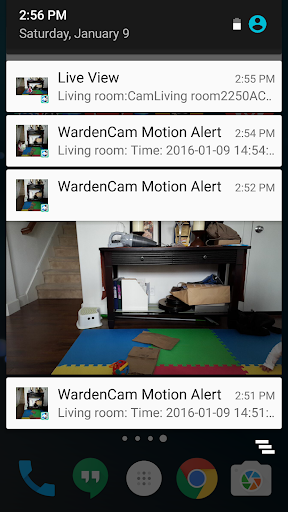
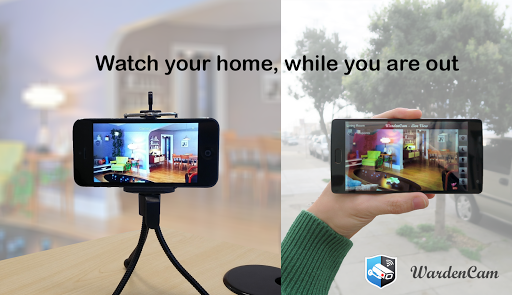
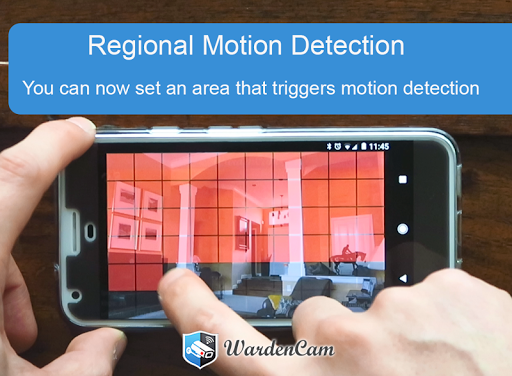
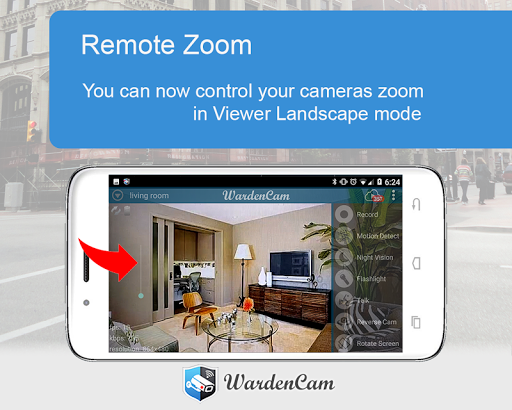
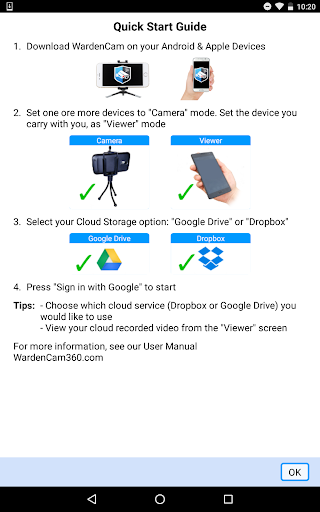
WardenCam turns your spare smartphones and tablets into home security cameras that you can watch while you are away. You can view live streaming, and past events through motion captured recordings. WardenCam can help you find out if your package arrived, help check on your loved ones health and safety, or find out what your pets are up to. Getting Started: Install the Free WardenCam App on your phone and your spare android devices. In the App, set your spare device to "Camera" mode, sign in with your Google Account, and place your device where you want to watch. In your phone's WardenCam App, set it to "Viewer" Mode, sign in with the same Google Account, and that’s it! Please Log in with the same Google account, that's how the 2 devices can find each other. You are now connected to your loved ones. With WardenCam's motion detection feature and Google Drive and Dropbox integration, you can enjoy peace of mind without keeping a constant eye on things. FEATURES - Works anywhere with WiFi, 3G, 4G, and LTE - Motion detection & alerts (push notification and email) - Free cloud storage (directly to your Google Drive or Dropbox) - Replay recordings, to see what you missed - Setup multiple cameras all in one system - Live streaming all day and night - Talk and listen from the viewer console to any of the cameras VIDEO MONITORING 24/7: Install WardenCam on your spare devices and pocket phone. Sign in with any gmail account as "camera" & "viewer". Place the spare device anywhere of interest at home, in the kitchen, the garage, your office. Monitor live on the pocket phone anywhere with internet. MOTION DETECTION: Enjoy peace of mind without keeping a constant eye on things. WardenCam provides automated motion detection schedule. Once a motion is detected, it starts siren alarm to scare the intruder away. Link your Google Drive and Dropbox on both the camera and viewer so that WardenCam can also upload the motion video to your cloud storage. You may even enable 24/7 recording to cloud. Simple and secure! CLOUD STORAGE: All videos are stored directly to your personal cloud storage in Google Drive or Dropbox. You can sign up for free and use GBs of Free Cloud Storage with Wardencam. We never analyze and store your data on our WardenCam servers. RECEIVE ALERT: Receive a push notification immediately when an intruder is detected, or your elderly relatives are moving about their day. Play back event recordings from the cloud storage. TWO-WAY AUDIO: Talk while watching the live streaming. Send voice to the camera device. Prevent a negative action before it ever happens Upgrade: If you like to use the app for 24/7 video monitoring, please upgrade to premium version with one single payment of USD $5.99. No monthly fee! Visit our website wardencam360.com for more details. Follow us on facebook to get more user tips from developer! https://www.facebook.com/WardenCam360

What Home Security Camera WardenCam Is Used For

Home Security Camera WardenCam appears to be a home monitoring app that turns spare Android phones or tablets into security cameras. Based on the metadata, it is commonly used to watch live video from another device, review motion-triggered recordings, and keep an eye on spaces like entryways, rooms, garages, or an office when the user is away.

The app’s permissions and feature list suggest it needs camera, microphone, storage, internet, and background service access to support video capture, audio, alerts, and remote viewing. It also appears to support motion detection, push or email notifications, cloud uploads to services like Google Drive or Dropbox, and two-way talk between the camera device and the viewer device. That makes it relevant for checking on packages, pets, children, older relatives, or general home activity from a phone app context.

Common uses

  • Set a spare Android device in a room to act as a camera
  • View live video from another phone while away from home
  • Review motion-triggered clips after an event is detected
  • Use alerts to notice movement without watching continuously
  • Check on packages, pets, or household activity remotely
  • Link cloud storage for saving recordings and replays
  • Monitor multiple camera devices in one setup
Best for:
home monitoring spare phone setup remote viewing motion alerts pet watching family check-ins

App Details

Package:
com.warden.cam
Category:
House & Home
Developer:
WardenCam360 - Home Security, Video Monitoring
Version:
2.8.27
Updated:
Jun 17, 2023
Min Android:
4.4
Age Rating:
Everyone
Contains Ads:
Yes
In-App Purchases:
Yes

Official Listing

  • Official listing available on Google Play
  • Package name: com.warden.cam
  • Age rating: Everyone

Explore More

Browse more apps in House & Home or explore the Phone hub .

Related House & Home Apps

AlfredCamera Home Security app icon

AlfredCamera Home Security app

House & Home Alfred Systems Inc.

Turn old phones into security cameras, baby monitors, pet cams, and more.

Version 2026.6.1 82.5 MB ⭐ 4.70 50,000,000+ installs
Planner 5D: AI Home Design icon

Planner 5D: AI Home Design

House & Home Planner 5D

House Design & AI Room planner tool. Create 3D Floor Plans and Interior designs

Version 2.69.0 206.0 MB ⭐ 4.50 50,000,000+ installs
Home Planner AI: Room Interior icon

Home Planner AI: Room Interior

House & Home Room Planner Ltd

AI floor creator to design your dream house, plan rooms & style your home

Version 2612 95.9 MB ⭐ 4.00 10,000,000+ installs
Universal TV Remote Control icon

Universal TV Remote Control

House & Home TV Master - Smart TV Remote Control

TV Remote Universal Control App, an All Remote for control universal smart TV

Version 5.6 24.7 MB ⭐ 4.30 10,000,000+ installs

How to Download Home Security Camera WardenCam

If this app is not hosted directly on APKApps official link, then for the safest and most up-to-date version, install it from its official Google Play listing.