PER49 Digital Watch Face icon

Phone

PER49 Digital Watch Face

Personalization PERSONA Watch Face ⭐ 4.10 500+
Version Varies with device Everyone

Screenshots

PER49 Digital Watch Face screenshot
Permissions Explained 6 permissions requested View details

This app requests 6 permissions. The table below explains what each permission may allow and what users should review before installing.

Status Permission What it means Why it may be used User safety note
ℹ️ Review View Network Connections view network connections This is an Android permission or app-specific permission requested by the app. The app may use this permission for features related to its category, device support, background behavior, storage, connectivity, or system integration. Review this permission before installing, especially if it does not match the app’s expected purpose.
ℹ️ Review Full Network Access full network access This is an Android permission or app-specific permission requested by the app. The app may use this permission for features related to its category, device support, background behavior, storage, connectivity, or system integration. Review this permission before installing, especially if it does not match the app’s expected purpose.
ℹ️ Review Run At Startup run at startup This is an Android permission or app-specific permission requested by the app. The app may use this permission for features related to its category, device support, background behavior, storage, connectivity, or system integration. Review this permission before installing, especially if it does not match the app’s expected purpose.
ℹ️ Review Control Vibration control vibration This is an Android permission or app-specific permission requested by the app. The app may use this permission for features related to its category, device support, background behavior, storage, connectivity, or system integration. Review this permission before installing, especially if it does not match the app’s expected purpose.
ℹ️ Review Prevent Device From Sleeping prevent device from sleeping This is an Android permission or app-specific permission requested by the app. The app may use this permission for features related to its category, device support, background behavior, storage, connectivity, or system integration. Review this permission before installing, especially if it does not match the app’s expected purpose.
ℹ️ Review Receive Data From Internet receive data from Internet This is an Android permission or app-specific permission requested by the app. The app may use this permission for features related to its category, device support, background behavior, storage, connectivity, or system integration. Review this permission before installing, especially if it does not match the app’s expected purpose.

About PER49 Digital Watch Face

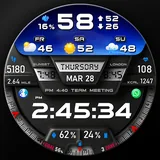
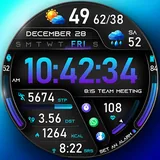
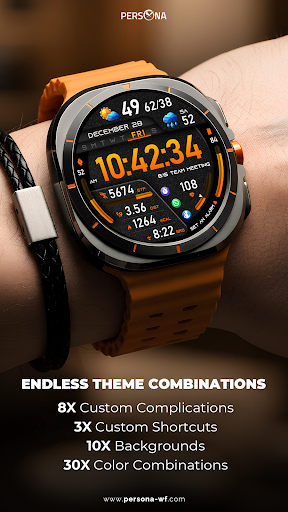
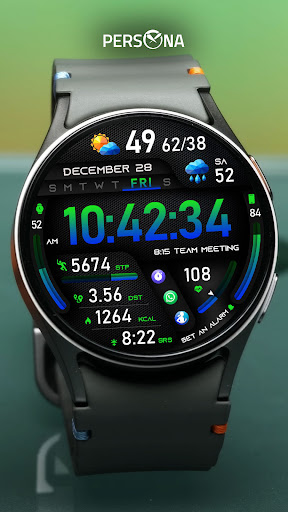
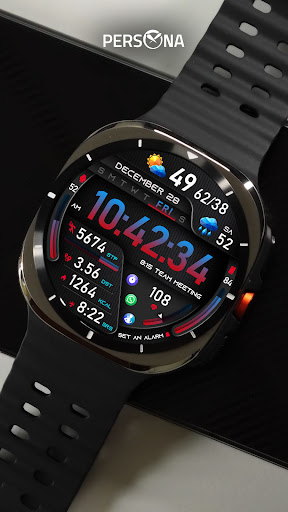
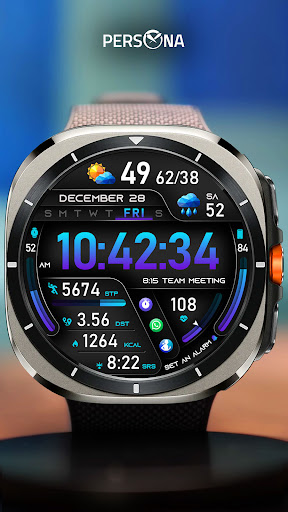
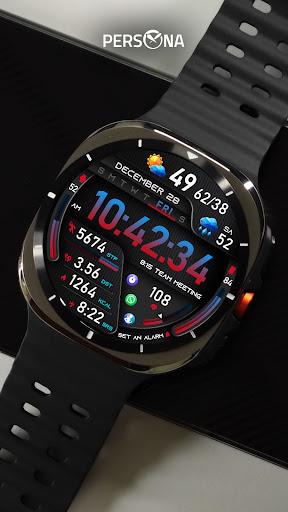
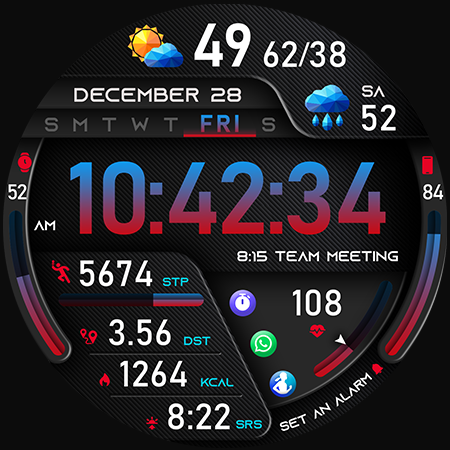
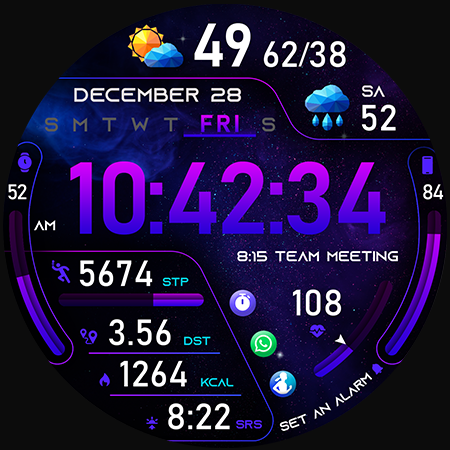
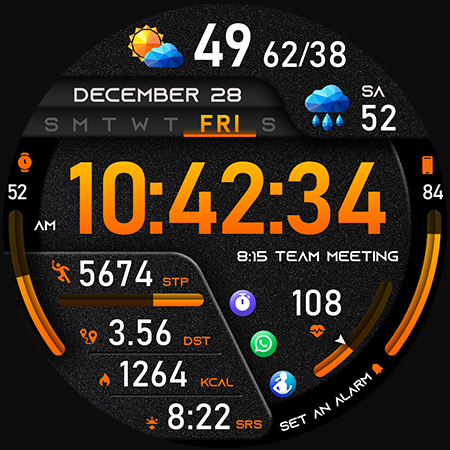
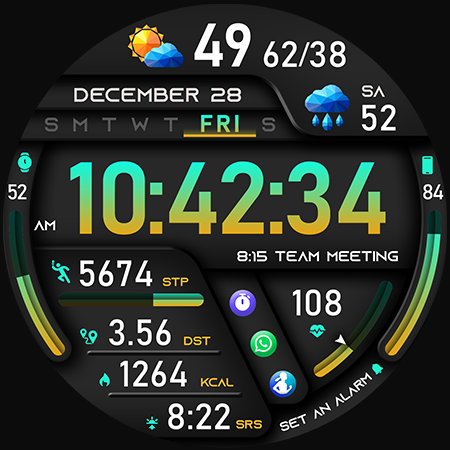
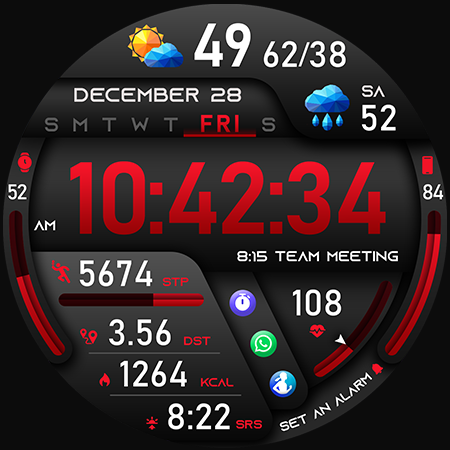
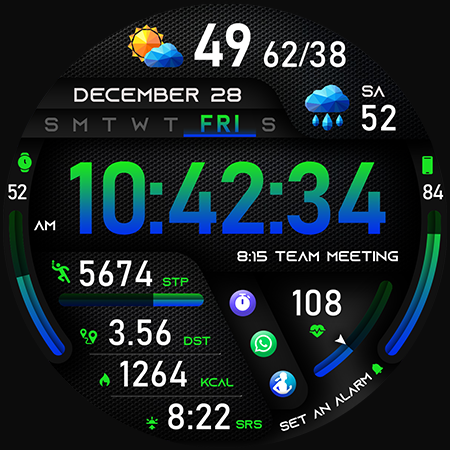
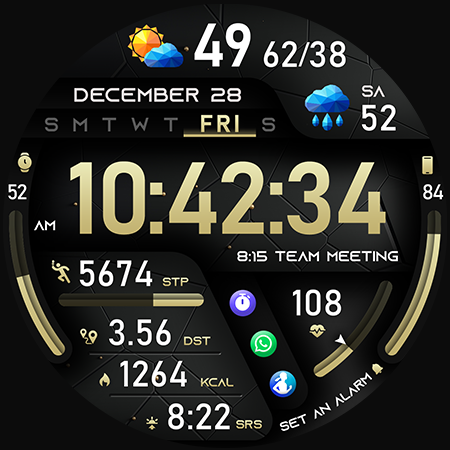
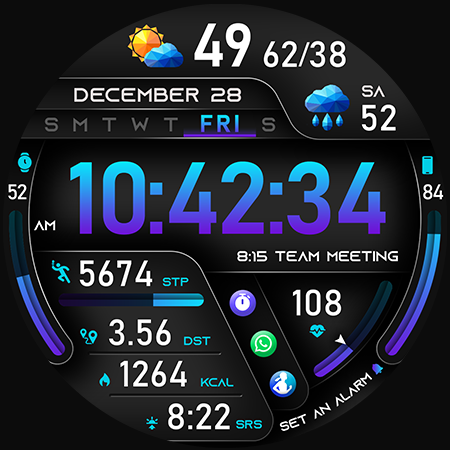
🚀PER49 Digital Watch Face is an advanced digital watch face designed for Wear OS smartwatches. It offers changeable backgrounds, color combinations, stunning visuals, and forecast weather data. 🔹 Key Features of PER49 Digital Watch Face 10 backgrounds 30 color combinations 8 custom complications 3 custom shortcuts Weather type and temperature (°F / °C) High & low temperature (°F / °C) Next day weather type Next day temperature (°F / °C) Steps, daily goal & distance (KM / Miles) Phone & watch battery level Active burned calories, floors Heart rate monitor UV index, rain possibility Moon phase, sunset/sunrise Time zone, barometer Next appointment reminder Always-On display with adjustable colors 🛠️ Customize your PER49 Digital Watch Face Simply touch and hold to personalize what data you see — weather, sunrise/sunset, time zone, and more. 🔋 For extra complications and widgets like phone battery, calories, or floors, please check the setup guide here: 👉 https://persona-wf.com/installation/ ❓ Weather Not Updating? Seeing a “❓” icon? That means your watch can’t get weather data. Check your internet connection and refresh the watch face. 🌐 More Details: https://persona-wf.com/portfolios/per49/ 📖 Installation Guide Before leaving a review, make sure to check the installation guide and FAQ for a smooth experience: 👉 https://persona-wf.com/installation/ ⌚ Supported Devices Compatible with all Wear OS devices (API Level 34+), including: SAMSUNG: Galaxy Watch8 Classic, Galaxy Watch Ultra, Watch8, 7, 6, 5, 4 GOOGLE: Pixel Watch 1, 2, 3, 4 FOSSIL: Gen 7, Gen 6, Gen 5e series MOBVOI: TicWatch Pro 5, Pro 3, E3, C2 🚀 Exceptional Support Need assistance? We’re here for you 📩 [email protected] 💜 Join Our Community Get the latest designs & exclusive offers 🌐 https://persona-wf.com 📩 Newsletter https://persona-wf.com/register 👍 Facebook https://www.facebook.com/Persona-Watch-Face 📸 Instagram https://www.instagram.com/persona_watch_face 💬 Telegram https://t.me/persona_watchface ▶️ YouTube https://www.youtube.com/c/PersonaWatchFace 💖💖💖 Thank You for Choosing PERSONA! We hope our design brightens your day and your wrist 😊 Designed with love by Ayla GOKMEN

What PER49 Digital Watch Face Is Used For

PER49 Digital Watch Face appears to be a customization app for Wear OS smartwatches, based on the title, category, and long description. It is commonly used to change the look of a watch face and show information directly on the wrist, such as time, date, weather, battery level, steps, heart rate, and other health or activity data. The metadata also mentions multiple backgrounds, color combinations, custom complications, and shortcuts, which suggests it is meant for users who want a more personalized smartwatch display.

Because it is designed for Wear OS, this app is most relevant on compatible smartwatches rather than standard phones. The listed permissions, including network access and startup behavior, fit a watch face that may retrieve weather data, update information in the background, and keep the display working smoothly. Based on the metadata, it may be useful for people who want quick-glance details on their watch without opening separate apps. Some features, such as weather and certain complications, may depend on proper setup and connected internet access on the watch.

Common uses

  • Customize the look of a Wear OS watch face
  • Show glanceable data like weather, battery, and steps
  • Display health and activity metrics on the watch
  • Use shortcuts and complications for quick access
  • Adjust colors, backgrounds, and layout options
  • Track useful details such as sunrise, sunset, and appointments
  • Refresh or update data through the watch connection
Best for:
Wear OS users Smartwatch customization Fitness tracking at a glance Weather on wrist Quick-access shortcuts

App Details

Package:
com.watchfacestudio.per49
Developer:
PERSONA Watch Face
Version:
Varies with device
Updated:
Mar 6, 2026
Min Android:
Varies with device
Age Rating:
Everyone
Contains Ads:
No
In-App Purchases:
No

Official Listing

  • Official listing available on Google Play
  • Package name: com.watchfacestudio.per49
  • Age rating: Everyone

Explore More

Browse more apps in Personalization or explore the Phone hub .

Related Personalization Apps

How to Download PER49 Digital Watch Face

If this app is not hosted directly on APKApps official link, then for the safest and most up-to-date version, install it from its official Google Play listing.