Notewise - AI Notes, PDF, Docs icon

Phone

Notewise - AI Notes, PDF, Docs

Productivity Notewise ⭐ 4.50 5,000,000+
Version 3.5.1 Everyone

Screenshots

Notewise - AI Notes, PDF, Docs screenshot
Permissions Explained 11 permissions requested View details

This app requests 11 permissions. The table below explains what each permission may allow and what users should review before installing.

Status Permission What it means Why it may be used User safety note
ℹ️ Review Read The Contents Of Your Usb Storage read the contents of your USB storage This is an Android permission or app-specific permission requested by the app. The app may use this permission for features related to its category, device support, background behavior, storage, connectivity, or system integration. Review this permission before installing, especially if it does not match the app’s expected purpose.
ℹ️ Review Modify Or Delete The Contents Of Your Usb Storage modify or delete the contents of your USB storage This is an Android permission or app-specific permission requested by the app. The app may use this permission for features related to its category, device support, background behavior, storage, connectivity, or system integration. Review this permission before installing, especially if it does not match the app’s expected purpose.
ℹ️ Review Record Audio record audio This is an Android permission or app-specific permission requested by the app. The app may use this permission for features related to its category, device support, background behavior, storage, connectivity, or system integration. Review this permission before installing, especially if it does not match the app’s expected purpose.
ℹ️ Review View Wi Fi Connections view Wi-Fi connections This is an Android permission or app-specific permission requested by the app. The app may use this permission for features related to its category, device support, background behavior, storage, connectivity, or system integration. Review this permission before installing, especially if it does not match the app’s expected purpose.
ℹ️ Review View Network Connections view network connections This is an Android permission or app-specific permission requested by the app. The app may use this permission for features related to its category, device support, background behavior, storage, connectivity, or system integration. Review this permission before installing, especially if it does not match the app’s expected purpose.
ℹ️ Review Full Network Access full network access This is an Android permission or app-specific permission requested by the app. The app may use this permission for features related to its category, device support, background behavior, storage, connectivity, or system integration. Review this permission before installing, especially if it does not match the app’s expected purpose.
ℹ️ Review Run At Startup run at startup This is an Android permission or app-specific permission requested by the app. The app may use this permission for features related to its category, device support, background behavior, storage, connectivity, or system integration. Review this permission before installing, especially if it does not match the app’s expected purpose.
ℹ️ Review Control Vibration control vibration This is an Android permission or app-specific permission requested by the app. The app may use this permission for features related to its category, device support, background behavior, storage, connectivity, or system integration. Review this permission before installing, especially if it does not match the app’s expected purpose.
ℹ️ Review Prevent Device From Sleeping prevent device from sleeping This is an Android permission or app-specific permission requested by the app. The app may use this permission for features related to its category, device support, background behavior, storage, connectivity, or system integration. Review this permission before installing, especially if it does not match the app’s expected purpose.
ℹ️ Review Read Google Service Configuration read Google service configuration This is an Android permission or app-specific permission requested by the app. The app may use this permission for features related to its category, device support, background behavior, storage, connectivity, or system integration. Review this permission before installing, especially if it does not match the app’s expected purpose.
ℹ️ Review Receive Data From Internet receive data from Internet This is an Android permission or app-specific permission requested by the app. The app may use this permission for features related to its category, device support, background behavior, storage, connectivity, or system integration. Review this permission before installing, especially if it does not match the app’s expected purpose.

About Notewise - AI Notes, PDF, Docs

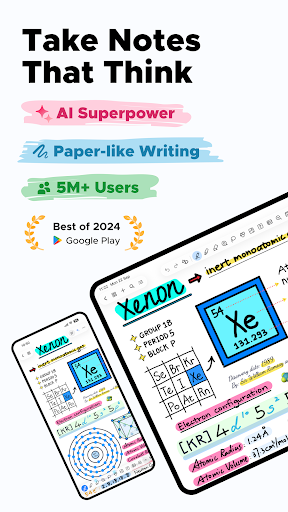
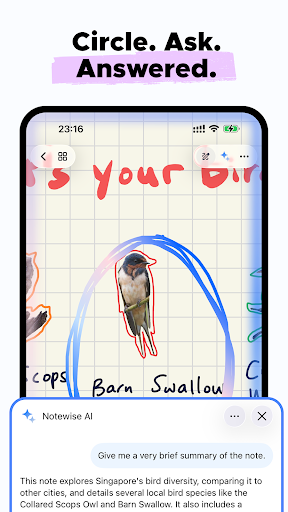
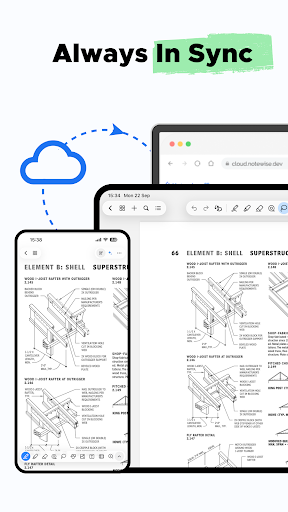
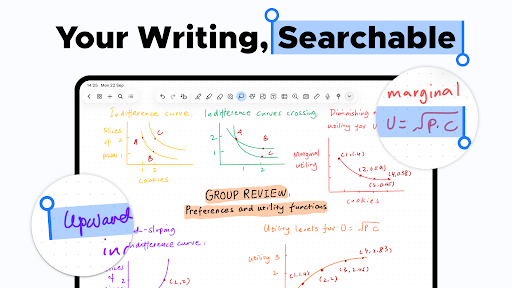
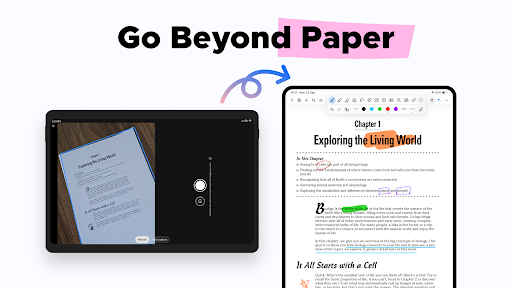
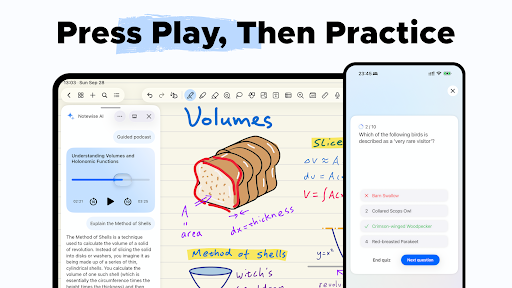
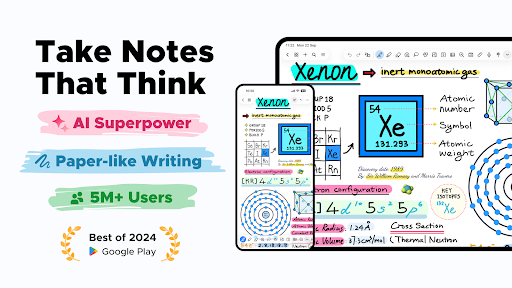
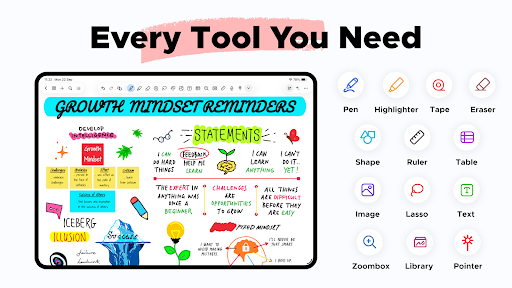
🏆 Google Play’s Best of 2024 Winner Notewise is the future of note-taking on Android. Whether you’re sketching diagrams, annotating PDFs, journaling ideas, or building a second brain—Notewise gives you a freeform canvas that feels like pen and paper—supercharged by AI. With Notewise, you don’t just take notes. You create good notes —searchable, flexible, and future-proof. ✨ AI Superpowers for Your Notes Notewise AI makes your notes smarter—without compromising your privacy. • Chat with your notes: ask questions, summarize content, or review key ideas. • Auto-generate guided podcasts from your writing. • Highlight anywhere—typed or handwritten—and ask context-aware questions. • OCR handwriting, scanned documents, and images in 20+ languages. • Make messy scribbles searchable—instantly. 🚫 No data selling. 🚫 No creepy analytics. 🖊️ Handwriting That Feels Like Magic Designed for stylus-first note-takers, Notewise offers: • Ultra-low-latency writing • Reliable palm rejection • Pressure-sensitive pens and smooth highlighters • Realistic stroke stabilization and smart shape assist Whether you're taking class notes or sketching wireframes, it just works. 🛠️ Tools Built for Power Users Use the full toolbox to create your own system of thinking and learning: Pen, Highlighter, Eraser, Lasso, Tape, Shape, Textbox, Image, Audio Recorder, Table, Zoombox, Ruler, Laser Pointer. Create freely. Every tool is fast, fluid, and purpose-built. 🔍 AI OCR: Your Handwriting, Now Searchable • Extract text from handwritten notes, scans, or imported PDFs • Find formulas, quotes, or action items in seconds • Multilingual support for global users • Works across class notes, whiteboards, worksheets, and more 📂 Organize with Confidence • Unlimited folders, tags, and sorting options • Pin recent notes, merge content, reorder pages • Bulk import/export with smart file handling • Color-code and customize your library 🤝 Sync, Collaborate, Share • Real-time collaboration in shared notebooks • Seamless sync across Android, iOS, and Web • Offline-first with automatic cloud sync • Share via URL, QR code, or export to PDF/image formats 🔒 Privacy-First by Design We’re a small, independent team. We don’t sell your data. We don’t show ads. Your notes are encrypted, secure, and under your control. • Choose one-time purchase or subscription • Notewise Cloud unlocks sync, AI, OCR, and collaboration • Use core features for free—forever No paywall for basics. No lock-in. 🚀 Always Getting Better We ship fast: 20+ major updates in the last year. Recent additions include: • Redesigned UI with adaptive layout • Tape tool to hide and reveal content • Tabbed navigation, note linking, shape editing • Table support, image tools, audio export • Recycle bin, page rotation, and more And we're just getting started. ✍️ Take Good Notes Only Notewise is built for thinkers, tinkerers, students, and builders of all kinds. Whether you’re diagramming an idea, revising a lecture, or designing your own productivity…

What Notewise - AI Notes, PDF, Docs Is Used For

Notewise appears to be a note-taking and document annotation app for Android phones, with a focus on freeform writing, drawing, and organizing ideas. Based on the metadata, people may use it to create handwritten notes, sketch diagrams, mark up PDFs, and keep class notes, meeting notes, or personal journals in one place. The app’s productivity category and stylus-oriented tools suggest it is aimed at users who want a digital notebook that still feels similar to writing on paper.

The app also appears to support AI-assisted note review and search. Based on the description, users may be able to ask questions about their notes, summarize text, search handwriting through OCR, and work with imported documents or images. The listed permissions, such as storage access, audio recording, network access, and running at startup, fit features like saving files, syncing content, and recording voice notes. It also mentions collaboration and cloud sync, so it may be useful for people who want to access notebooks across devices or share them with others.

Common uses

  • Create handwritten or typed notes in a freeform canvas
  • Annotate PDFs and imported documents
  • Search handwritten notes and scanned text with OCR
  • Record audio alongside notes when needed
  • Organize notebooks with folders, tags, and page management
  • Sync notes across devices and share notebooks with others
  • Use stylus tools for diagrams, shapes, highlights, and sketches
Best for:
students stylus users pdf annotation note organization phone app

App Details

Package:
com.yygg.note.app
Category:
Productivity
Developer:
Notewise
Version:
3.5.1
Updated:
Mar 27, 2026
Min Android:
8.0
Age Rating:
Everyone
Contains Ads:
No
In-App Purchases:
Yes

Official Listing

  • Official listing available on Google Play
  • Package name: com.yygg.note.app
  • Age rating: Everyone

Explore More

Browse more apps in Productivity or explore the Phone hub .

Related Productivity Apps

Microsoft OneDrive icon

Microsoft OneDrive

Productivity Microsoft Corporation

Securely save and share your favorite memories and files across your devices.

Version Varies with device 89.8 MB ⭐ 4.60 5,000,000,000+ installs
Google One icon

Google One

Productivity Google LLC

Cloud storage, automatic phone backup, and more.

Version 1.302.885140631 25.5 MB ⭐ 4.10 1,000,000,000+ installs
Microsoft Word: Edit Documents icon

Microsoft Word: Edit Documents

Productivity Microsoft Corporation

Craft your story with formatting and grammar tools to ensure it’s right, always

Version Varies with device 120.4 MB ⭐ 4.80 1,000,000,000+ installs
Microsoft Excel: Spreadsheets icon

Microsoft Excel: Spreadsheets

Productivity Microsoft Corporation

Use powerful, industry-leading AI tools to generate visual charts from any data

Version Varies with device 230.4 MB ⭐ 4.80 1,000,000,000+ installs
Microsoft PowerPoint icon

Microsoft PowerPoint

Productivity Microsoft Corporation

Seamlessly integrate data and reports to build your presentation to impress

Version Varies with device 226.3 MB ⭐ 4.80 1,000,000,000+ installs
Microsoft Outlook icon

Microsoft Outlook

Productivity Microsoft Corporation

Stay on top of multiple accounts with emails, calendars & contacts in one place

Version 5.2611.0 106.4 MB ⭐ 4.40 1,000,000,000+ installs

How to Download Notewise - AI Notes, PDF, Docs

If this app is not hosted directly on APKApps official link, then for the safest and most up-to-date version, install it from its official Google Play listing.