SuperImage Pro - AI Enhancer icon

Phone

SuperImage Pro - AI Enhancer

Photography Zhenxiang Chen ⭐ 4.70 10,000+
Version 3.17.3 Everyone

Screenshots

SuperImage Pro - AI Enhancer screenshot
Permissions Explained 9 permissions requested View details

This app requests 9 permissions. The table below explains what each permission may allow and what users should review before installing.

Status Permission What it means Why it may be used User safety note
ℹ️ Review Read The Contents Of Your Usb Storage read the contents of your USB storage This is an Android permission or app-specific permission requested by the app. The app may use this permission for features related to its category, device support, background behavior, storage, connectivity, or system integration. Review this permission before installing, especially if it does not match the app’s expected purpose.
ℹ️ Review Modify Or Delete The Contents Of Your Usb Storage modify or delete the contents of your USB storage This is an Android permission or app-specific permission requested by the app. The app may use this permission for features related to its category, device support, background behavior, storage, connectivity, or system integration. Review this permission before installing, especially if it does not match the app’s expected purpose.
ℹ️ Review View Network Connections view network connections This is an Android permission or app-specific permission requested by the app. The app may use this permission for features related to its category, device support, background behavior, storage, connectivity, or system integration. Review this permission before installing, especially if it does not match the app’s expected purpose.
ℹ️ Review Full Network Access full network access This is an Android permission or app-specific permission requested by the app. The app may use this permission for features related to its category, device support, background behavior, storage, connectivity, or system integration. Review this permission before installing, especially if it does not match the app’s expected purpose.
ℹ️ Review Reorder Running Apps reorder running apps This is an Android permission or app-specific permission requested by the app. The app may use this permission for features related to its category, device support, background behavior, storage, connectivity, or system integration. Review this permission before installing, especially if it does not match the app’s expected purpose.
ℹ️ Review Control Vibration control vibration This is an Android permission or app-specific permission requested by the app. The app may use this permission for features related to its category, device support, background behavior, storage, connectivity, or system integration. Review this permission before installing, especially if it does not match the app’s expected purpose.
ℹ️ Review Prevent Device From Sleeping prevent device from sleeping This is an Android permission or app-specific permission requested by the app. The app may use this permission for features related to its category, device support, background behavior, storage, connectivity, or system integration. Review this permission before installing, especially if it does not match the app’s expected purpose.
ℹ️ Review Google Play License Check Google Play license check This is an Android permission or app-specific permission requested by the app. The app may use this permission for features related to its category, device support, background behavior, storage, connectivity, or system integration. Review this permission before installing, especially if it does not match the app’s expected purpose.
ℹ️ Review Receive Data From Internet receive data from Internet This is an Android permission or app-specific permission requested by the app. The app may use this permission for features related to its category, device support, background behavior, storage, connectivity, or system integration. Review this permission before installing, especially if it does not match the app’s expected purpose.

About SuperImage Pro - AI Enhancer

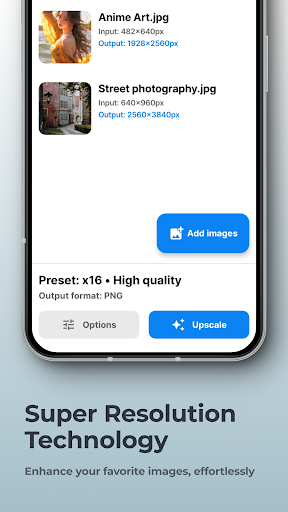
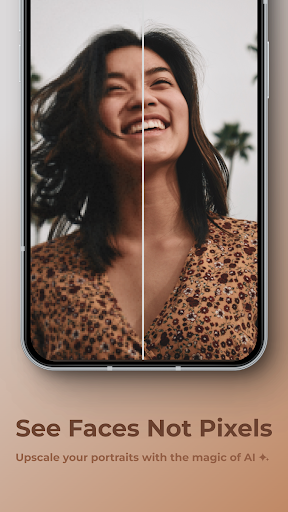
SuperImage is your all-in-one AI photo toolbox — fast, private, and powered by on-device intelligence. ✨ Key Features 🚀 Create Without Limits Enhance, upscale, and transform your images without worrying about credits and subscriptions. Sky is the limit! 📲 On-Device AI Processing SuperImage runs entirely on your device, using advanced AI models optimized for modern hardware. Your photos stay private, and no internet connection is required 🌈 Transform Your Images Remove backgrounds, isolate subjects, or create transparent cutouts — all instantly and securely on your device 👥 Enhance Your Portraits Sharpen details, refine facial features, and enhance background clarity of your low-resolution portraits. Your friends never looked this good before 🖼 Images Sharper Than Ever Upscale your photos, wallpapers and anime waifus up to 16x their original resolution. Blurry pictures are a thing of the past 🛠️ Load Custom Models For advanced users who want a experience more tailored to their needs, you can import your favourite models in PyTorch, ONNX and MNN formats with just one click 🔒 Your Privacy, Our Priority SuperImage never uploads your images to the cloud. Everything happens securely on your device, so your data stays yours

What SuperImage Pro - AI Enhancer Is Used For

SuperImage Pro - AI Enhancer appears to be a photography app for improving and transforming images on a phone. Based on the metadata, it is commonly used to upscale low-resolution photos, sharpen details, and enhance portraits or wallpapers. It also appears to support background removal and subject isolation, which makes it useful for quick image cutouts and simple editing tasks.

The app description suggests it runs its AI processing on-device rather than in the cloud, so it may appeal to people who want to edit photos without uploading them online. The storage permissions fit this use case, since the app needs access to read and modify image files on the device. The mention of custom model import also suggests a more advanced toolset for users who want to work with different AI models for image enhancement. Because it is a phone app in the Photography category, it seems aimed at everyday mobile photo editing rather than desktop-style workflows.

Common uses

  • Upscaling blurry or low-resolution photos
  • Enhancing portrait details and facial clarity
  • Removing backgrounds or isolating subjects
  • Improving wallpapers and image sharpness
  • Working with images directly on the device
  • Importing custom AI models for advanced use
Best for:
photo enhancement portrait editing background removal mobile image editing privacy-focused editing

App Details

Package:
com.zhenxiang.superimage.pro
Category:
Photography
Developer:
Zhenxiang Chen
Version:
3.17.3
Updated:
Mar 21, 2026
Min Android:
6.0
Age Rating:
Everyone
Contains Ads:
No
In-App Purchases:
No

Official Listing

  • Official listing available on Google Play
  • Package name: com.zhenxiang.superimage.pro
  • Age rating: Everyone

Explore More

Browse more apps in Photography or explore the Phone hub .

Related Photography Apps

Picsart AI Photo Editor, Video icon

Picsart AI Photo Editor, Video

Photography PicsArt, Inc.

Remove and swap backgrounds in your photos and remove unwanted objects

Version 29.5.13 34.1 MB ⭐ 4.00 1,000,000,000+ installs
Video Editor & Maker - InShot icon

Video Editor & Maker - InShot

Photography InShot Video Editor

AI video editor with music! Edit video with effects, slideshow & slow motion

Version 2.196.1529 80.1 MB ⭐ 4.80 500,000,000+ installs
B612 AI Photo&Video Editor icon

B612 AI Photo&Video Editor

Photography SNOW Corporation

Meet trendy effects, filters, and stickers!

Version Varies with device 144.8 MB ⭐ 4.10 500,000,000+ installs
FaceApp: Perfect Face Editor icon

FaceApp: Perfect Face Editor

Photography FaceApp Technology Ltd

Natural Beauty, Selfie Retouch

Version Varies with device 84.1 MB ⭐ 4.30 500,000,000+ installs
Remini - AI Photo Enhancer icon

Remini - AI Photo Enhancer

Photography Bending Spoons

Create AI Photos, Improve and restore quality of blurry, old or damaged pics.

Version 3.7.1301.202520348 52.8 MB ⭐ 4.10 500,000,000+ installs
BeautyPlus-Selfie Photo Editor icon

BeautyPlus-Selfie Photo Editor

Photography PIXOCIAL TECHNOLOGY (SINGAPORE) PTE. LTD.

Snap perfect selfies every time. AI Auto-beautification for that flawless look.

Version 7.33.1 269.4 MB ⭐ 4.60 500,000,000+ installs

How to Download SuperImage Pro - AI Enhancer

If this app is not hosted directly on APKApps official link, then for the safest and most up-to-date version, install it from its official Google Play listing.