About RCA TV Remote
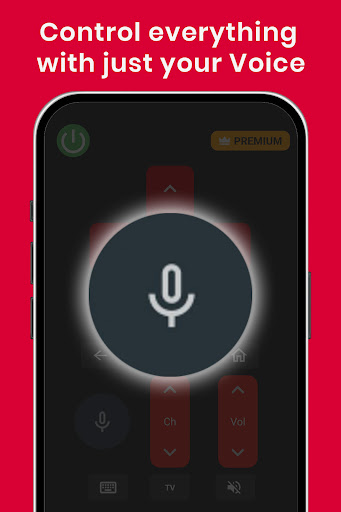
Take full control of your RCA TV with the RCA TV Remote Control app – a smart and reliable universal remote designed for all RCA models. Whether you're using WebOS, Android TV, Roku, or a traditional IR TV, this app turns your smartphone into a powerful remote with advanced features. 📱 All-in-One Device Compatibility Say goodbye to juggling different remotes! This app works effortlessly with RCA TVs across WebOS, Android, Roku, and IR platforms—offering seamless control from one place. 🎮 Clean and Easy-to-Use Interface Navigate your TV effortlessly with an intuitive layout that brings essential controls to your fingertips. Whether it's channel switching, volume adjustment, or smart TV navigation, everything is just a tap away. 🔍 Trackpad Navigation for Smooth Browsing Use the built-in trackpad feature to glide through menus and apps smoothly. It offers responsive and precise control, making your TV browsing experience faster and more enjoyable. 🎙️ Advanced Voice Command Feature Enjoy hands-free control with smart voice commands. Easily adjust the volume, switch inputs, launch apps, or find content using your voice. Just speak and let the app do the work—no more searching for buttons. 🌐 Universal Remote for Every RCA TV Whether your RCA TV is a modern smart model or an older IR-based one, this app adapts to your needs and functions as a complete remote replacement. 🚀 Comprehensive Remote Control Functions From power on/off to input selection, mute, volume, and menu navigation—get access to everything you’d expect from a traditional remote, and more. 📡 Note: Make sure your smartphone and RCA smart TV are connected to the same Wi-Fi network to unlock all advanced features. Disclaimer: This application is not an official RCA product. It has been developed by Mobile Tools Shop to offer a helpful and easy-to-use remote control solution for RCA TV users.
What RCA TV Remote Is Used For
RCA TV Remote appears to be a phone-based remote control app for RCA televisions and related smart TV setups. Based on the metadata, it may be used to replace or supplement a physical remote when controlling common TV functions such as power, volume, channel changes, input selection, and menu navigation.
The app description suggests support for several TV environments, including WebOS, Android TV, Roku, and IR-based TVs, so it may be useful in households with different RCA models or mixed television setups. The listed IR, internet, and network permissions also suggest it may work either through infrared control on compatible devices or over a network connection for smart TV features. It appears intended for everyday couch use on a phone, with controls that may be more convenient for quick browsing, app navigation, and basic TV operation. The mention of trackpad-style navigation and voice control suggests it could be especially helpful when moving through menus or searching without the original remote.
Common uses
- Control RCA TVs from a phone instead of using the original remote
- Adjust common TV settings like volume, channel, power, and mute
- Navigate smart TV menus and apps with a touch-based trackpad layout
- Use voice commands for selected TV actions on supported setups
- Work with different RCA TV types, including smart and IR-based models
- Helpful for households that want one remote-style app for multiple TV platforms
App Details
Package:
mobiletoolsshop.tvremote.rca
Developer:
Mobile Tools Shop
Version:
1.0.10mts
Updated:
Sep 3, 2025
Min Android:
6.0
Age Rating:
Everyone
Contains Ads:
Yes
In-App Purchases:
Yes
Official Listing
-
Official listing available on
Google Play
-
Package name:
mobiletoolsshop.tvremote.rca
-
Age rating:
Everyone
Related House & Home Apps
Business
•
Shenzhen Junan Technology Co., Ltd
Version 6.0.1
⭐ 4.60
100,000+ installs
How to Download RCA TV Remote
If this app is not hosted directly on APKApps official link,
then for the safest and most up-to-date version, install it from its official Google Play listing.