Floating Multitasking icon

Phone

Floating Multitasking

Productivity Geeks Empire ⭐ 4.10 50,000+
Version 7.09.01.2025.910 Everyone

Screenshots

Floating Multitasking screenshot
Permissions Explained 11 permissions requested View details

This app requests 11 permissions. The table below explains what each permission may allow and what users should review before installing.

Status Permission What it means Why it may be used User safety note
ℹ️ Review View Network Connections view network connections This is an Android permission or app-specific permission requested by the app. The app may use this permission for features related to its category, device support, background behavior, storage, connectivity, or system integration. Review this permission before installing, especially if it does not match the app’s expected purpose.
ℹ️ Review Expand/collapse Status Bar expand/collapse status bar This is an Android permission or app-specific permission requested by the app. The app may use this permission for features related to its category, device support, background behavior, storage, connectivity, or system integration. Review this permission before installing, especially if it does not match the app’s expected purpose.
ℹ️ Review Full Network Access full network access This is an Android permission or app-specific permission requested by the app. The app may use this permission for features related to its category, device support, background behavior, storage, connectivity, or system integration. Review this permission before installing, especially if it does not match the app’s expected purpose.
ℹ️ Review Draw Over Other Apps draw over other apps This is an Android permission or app-specific permission requested by the app. The app may use this permission for features related to its category, device support, background behavior, storage, connectivity, or system integration. Review this permission before installing, especially if it does not match the app’s expected purpose.
ℹ️ Review Control Vibration control vibration This is an Android permission or app-specific permission requested by the app. The app may use this permission for features related to its category, device support, background behavior, storage, connectivity, or system integration. Review this permission before installing, especially if it does not match the app’s expected purpose.
ℹ️ Review Prevent Device From Sleeping prevent device from sleeping This is an Android permission or app-specific permission requested by the app. The app may use this permission for features related to its category, device support, background behavior, storage, connectivity, or system integration. Review this permission before installing, especially if it does not match the app’s expected purpose.
ℹ️ Review Install Shortcuts install shortcuts This is an Android permission or app-specific permission requested by the app. The app may use this permission for features related to its category, device support, background behavior, storage, connectivity, or system integration. Review this permission before installing, especially if it does not match the app’s expected purpose.
ℹ️ Review Uninstall Shortcuts uninstall shortcuts This is an Android permission or app-specific permission requested by the app. The app may use this permission for features related to its category, device support, background behavior, storage, connectivity, or system integration. Review this permission before installing, especially if it does not match the app’s expected purpose.
ℹ️ Review Google Play License Check Google Play license check This is an Android permission or app-specific permission requested by the app. The app may use this permission for features related to its category, device support, background behavior, storage, connectivity, or system integration. Review this permission before installing, especially if it does not match the app’s expected purpose.
ℹ️ Review Update Component Usage Statistics update component usage statistics This is an Android permission or app-specific permission requested by the app. The app may use this permission for features related to its category, device support, background behavior, storage, connectivity, or system integration. Review this permission before installing, especially if it does not match the app’s expected purpose.
ℹ️ Review Receive Data From Internet receive data from Internet This is an Android permission or app-specific permission requested by the app. The app may use this permission for features related to its category, device support, background behavior, storage, connectivity, or system integration. Review this permission before installing, especially if it does not match the app’s expected purpose.

About Floating Multitasking

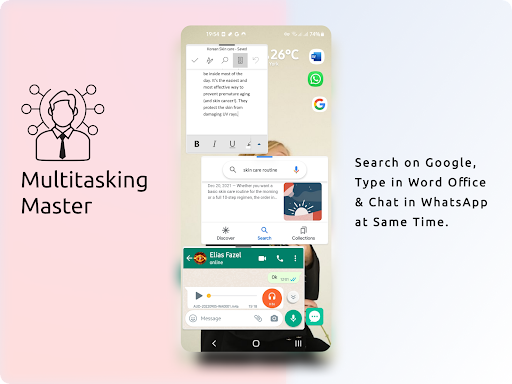
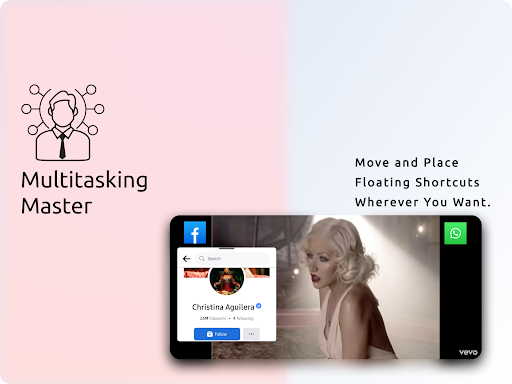
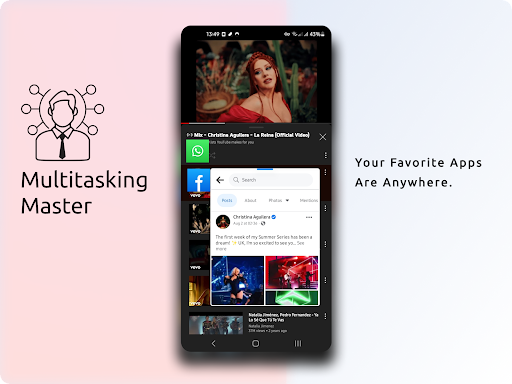
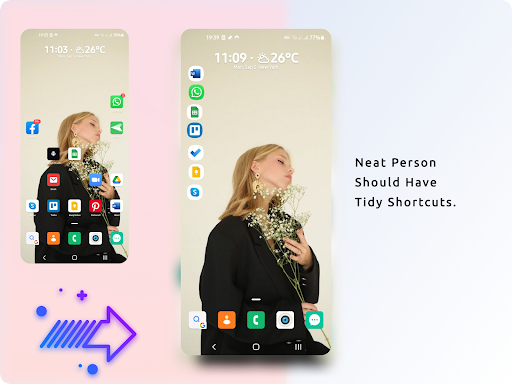
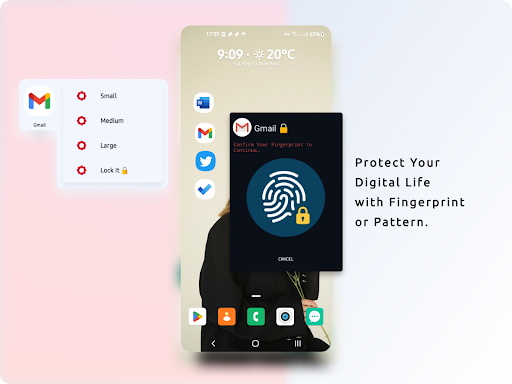
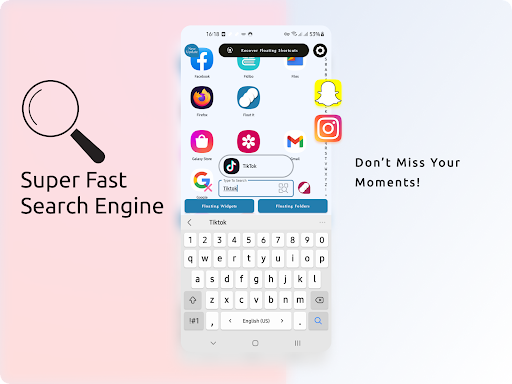
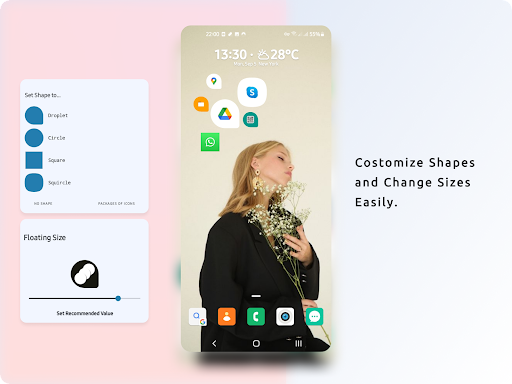
You are tired of constantly switching between apps, losing precious time and focus? Do you dream of true multitasking, seamlessly managing multiple tasks at once? Floating Multitasking is here to revolutionize the way you work and play on your Android devices. Download Floating Multitasking and experience the true multitasking! Easy and Quick Multitasking With Floating Multitasking Open all apps in floating windows from floating shortcuts. And Super charge your productivity with floating widgets, floating folders When we are working with several applications, there are too many small actions that may affect our time management and distract us. You have to do 8 or even more steps! 1️⃣ To switch in to Keep Note you should close Zoom, 2️⃣ Back to the App Drawer 3️⃣ or Home Screen 4️⃣ Find Keep Note among many applications. 5️⃣ Click for opening and taking note 6️⃣ Then close note taking 7️⃣ After that you can come back to Zoom! 8️⃣ Oops! You Should take another note! OMG! Repeating this again & again is waste of the golden time! 😤 😴 You do these actions many times per day with different applications without releasing how much time you are wasting. Stop switching, start multitasking. Download Floating Multitasking today and experience the future of mobile productivity! How Does This Application, Floating Multitasking, Helps You? It makes Floating Shortcuts of all applications to have a quick access to them and open applications in Floating Windows. How Does It Work? First Step; Open Floating Multitasking application and Click to create Floating Shortcuts of applications. That’s It! 😎 Also, there is a fast Search Engine to find an app quickly All of us have many applications. So, to find one of them in a long list is frustrating. Quickly locate and create floating shortcuts for any app with our integrated search engine. Secure Floating Shortcuts Protect Your Digital Life with Your Fingerprint Privacy and security is very important to all of us. we should protect our personal messages, important data, online wallets & etc. You can lock every Floating Shortcut with a pattern or fingerprint. Floating Widgets Widgets can be very handy as they allow you to put your favorite applications on your home screen in order to quickly access them. Now if they be floating, you can see and use them everywhere. Floating Multitasking Tutorials https://www.youtube.com/watch?v=cEeaajEFL1k&list=PLTs5v2BrWyWkStqKF9_9R3ewgR3AifcZO Note: I recommend this to all users with higher IQ 😎 Disclaimer: Floating Shortcuts and Floating Widgets are easy to configure. Extended Floating Apps feature required pro users. ℹ️ Accessibility Service Permission Have Used To Create Multi-Windows & Open Applications in Split Screen Simultaneously.

What Floating Multitasking Is Used For

Floating Multitasking appears to be a productivity app for opening apps in floating windows and creating floating shortcuts for quicker access. Based on the metadata, it is designed for people who switch between several apps during the day and want to reduce repeated steps when moving from one task to another on a phone.

The app also seems to include floating widgets, floating folders, and an integrated search feature to help users locate apps more quickly. Its permission to draw over other apps fits this overlay-style use case, since floating windows and shortcuts need to appear on top of other apps. The metadata also mentions optional protection for shortcuts with a pattern or fingerprint, which may be useful for keeping certain shortcuts less accessible. It looks most relevant for everyday multitasking, note taking, messaging, and other situations where quick app switching matters.

Common uses

  • Open apps in floating windows while using other apps
  • Create floating shortcuts for faster app access
  • Use floating widgets or folders to organize frequent tools
  • Search for apps quickly instead of scrolling through long lists
  • Lock selected shortcuts with a pattern or fingerprint
  • Keep multitasking tools available on a phone screen
  • Reduce repeated app-switching steps during work or study
Best for:
Quick app switching Phone multitasking Productivity shortcuts Overlay window use Organizing frequent apps

App Details

Package:
net.geekstools.floatshort.PRO
Category:
Productivity
Developer:
Geeks Empire
Version:
7.09.01.2025.910
Updated:
Sep 1, 2025
Min Android:
7.1
Age Rating:
Everyone
Contains Ads:
No
In-App Purchases:
Yes

Official Listing

  • Official listing available on Google Play
  • Package name: net.geekstools.floatshort.PRO
  • Age rating: Everyone

Explore More

Browse more apps in Productivity or explore the Phone hub .

Related Productivity Apps

Explorer icon

Explorer

Productivity Speed Software

Fast, lightweight and easy to use file manager.

Version 3.12.3 4.1 MB ⭐ 4.00 10,000,000+ installs
Floating Apps icon

Floating Apps

Productivity LWi s.r.o.

Experience real multitasking on your Android!

Version 4.22 30.4 MB ⭐ 3.92 10,000,000+ installs

How to Download Floating Multitasking

If this app is not hosted directly on APKApps official link, then for the safest and most up-to-date version, install it from its official Google Play listing.