neurolist꞉ AI Planner for ADHD icon

Phone

neurolist꞉ AI Planner for ADHD

Productivity System Two GmbH ⭐ 4.60 100,000+
Version 1.5.57 Everyone

Screenshots

neurolist꞉ AI Planner for ADHD screenshot
Permissions Explained 9 permissions requested View details

This app requests 9 permissions. The table below explains what each permission may allow and what users should review before installing.

Status Permission What it means Why it may be used User safety note
ℹ️ Review View Network Connections view network connections This is an Android permission or app-specific permission requested by the app. The app may use this permission for features related to its category, device support, background behavior, storage, connectivity, or system integration. Review this permission before installing, especially if it does not match the app’s expected purpose.
ℹ️ Review Full Network Access full network access This is an Android permission or app-specific permission requested by the app. The app may use this permission for features related to its category, device support, background behavior, storage, connectivity, or system integration. Review this permission before installing, especially if it does not match the app’s expected purpose.
ℹ️ Review Run At Startup run at startup This is an Android permission or app-specific permission requested by the app. The app may use this permission for features related to its category, device support, background behavior, storage, connectivity, or system integration. Review this permission before installing, especially if it does not match the app’s expected purpose.
ℹ️ Review Control Vibration control vibration This is an Android permission or app-specific permission requested by the app. The app may use this permission for features related to its category, device support, background behavior, storage, connectivity, or system integration. Review this permission before installing, especially if it does not match the app’s expected purpose.
ℹ️ Review Prevent Device From Sleeping prevent device from sleeping This is an Android permission or app-specific permission requested by the app. The app may use this permission for features related to its category, device support, background behavior, storage, connectivity, or system integration. Review this permission before installing, especially if it does not match the app’s expected purpose.
ℹ️ Review Google Play License Check Google Play license check This is an Android permission or app-specific permission requested by the app. The app may use this permission for features related to its category, device support, background behavior, storage, connectivity, or system integration. Review this permission before installing, especially if it does not match the app’s expected purpose.
ℹ️ Review Read Google Service Configuration read Google service configuration This is an Android permission or app-specific permission requested by the app. The app may use this permission for features related to its category, device support, background behavior, storage, connectivity, or system integration. Review this permission before installing, especially if it does not match the app’s expected purpose.
ℹ️ Review Bind To A Notification Listener Service bind to a notification listener service This is an Android permission or app-specific permission requested by the app. The app may use this permission for features related to its category, device support, background behavior, storage, connectivity, or system integration. Review this permission before installing, especially if it does not match the app’s expected purpose.
ℹ️ Review Receive Data From Internet receive data from Internet This is an Android permission or app-specific permission requested by the app. The app may use this permission for features related to its category, device support, background behavior, storage, connectivity, or system integration. Review this permission before installing, especially if it does not match the app’s expected purpose.

About neurolist꞉ AI Planner for ADHD

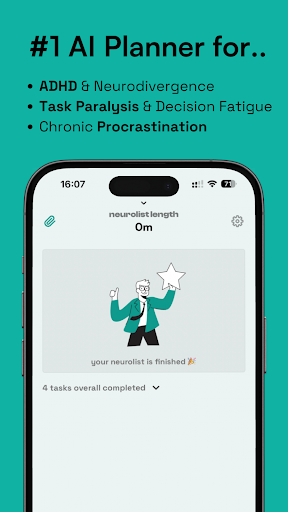
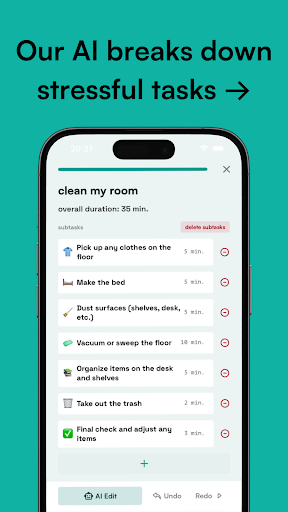
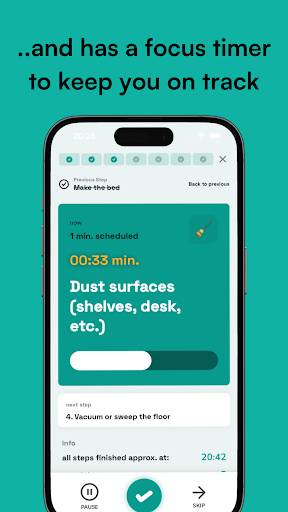
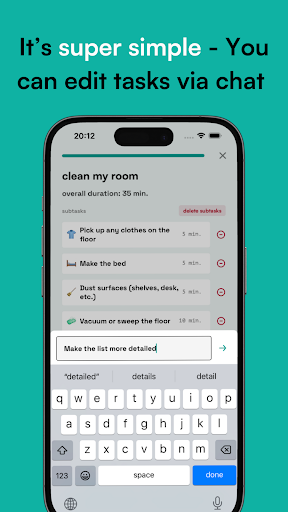
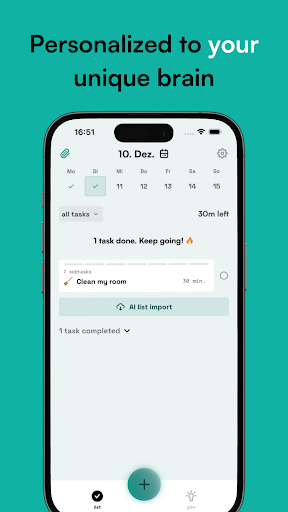
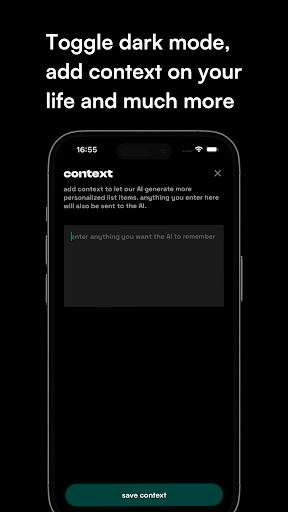
neurolist is an ADHD planner created specifically for neurodivergent people who need a way to organize their tasks without feeling overwhelmed. If you’re living with ADHD or navigating life as a neurodivergent person, this is the planner that’s got your back. Why neurolist is the Best ADHD Planner for Neurodivergent Folks: Break Down Big Tasks With ADHD, even small tasks can feel huge. Our AI list maker understands this and helps you break down those big, scary tasks into manageable steps. No more ADHD task paralysis. Just add a to-do, and our AI generates a checklist—estimating how long it will take and organizing it into your planner. One tap turns it into a simple, step-by-step list that’s easier to tackle. Perfect for Brain Dumps ADHD and neurodivergent brains often have lots of unstructured thoughts. neurolist’s AI Import feature is designed for this—it takes your brain dumps and converts them into a clear, organized list that you can import into your planner. It’s the perfect tool for any neurodivergent user who needs a planner that is able to turn chaos into clarity. Simple Design, Big Impact The interface of neurolist is kept intentionally simple & calm, making it the ideal ADHD planner for neurodivergent users. It’s straightforward and easy to navigate, so you can focus on making lists, planning and doing, without getting lost in complicated menus. Keep Every Task Safe Even though ADHD brains can sometimes misplace tasks, neurolist’s task library has you covered. This ADHD planner lets you recover saved tasks with a single tap, giving neurodivergent users the peace of mind that they can reuse important AI-made lists. Smart Timing for ADHD neurolist helps neurodivergent folks overcome time-blindness. With its smart timer, each task becomes part of a playlist, with dedicated time slots for each subtask. Voice notifications keep you on track, so neurodivergent users can focus on getting things done without constant distractions. Flexible and Adaptable Whether you have ADHD, autism, or another neurodivergent condition, this is the planner that adapts to your needs. It evolves as you do, offering a flexible AI planner experience. And this is just the beginning—soon, neurolist will let you add even more context to your tasks and provide advanced productivity insights tailored for ADHD and neurodivergent users. neurolist is more than just a planner. It’s your ADHD-friendly list maker, designed to make life easier for neurodivergent people. Ready to transform how you plan? Download neurolist (neurodivergent + list) today and finally work with an ADHD planner / organizer that understands your brain.

What neurolist︹ AI Planner for ADHD Is Used For

neurolist︹ AI Planner for ADHD appears to be a productivity app for Android phones that focuses on task planning for people with ADHD or other neurodivergent needs. Based on the metadata, it is commonly used to turn rough ideas, brain dumps, or large tasks into smaller steps that are easier to manage in a daily to-do list.

The app description suggests it may be useful for organizing personal routines, estimating task timing, and keeping plans visible in one place. The included permissions point to internet-based features and background behavior such as startup handling, notifications, vibration, and preventing sleep, which fits an app that may send reminders, maintain timers, or support task-following workflows. Its phone app format also suggests it is meant for everyday, on-the-go planning rather than a desktop-style organizer.

Common use cases likely include breaking down chores, schoolwork, work tasks, or errands into simpler checklists; saving frequently used task templates; and using timed task sequences to stay on schedule. The simple interface mentioned in the metadata suggests it is designed to reduce overwhelm rather than add extra complexity.

Common uses

  • Break down large tasks into smaller checklist steps
  • Convert brain dumps into organized to-do lists
  • Plan daily routines with time estimates
  • Use task timers to follow step-by-step workflows
  • Save and reuse frequently needed task lists
  • Support reminders and notifications for ongoing tasks
Best for:
ADHD planning Task breakdown Daily organization Phone productivity Neurodivergent users

App Details

Package:
neurolist.app.neurolist
Category:
Productivity
Developer:
System Two GmbH
Version:
1.5.57
Updated:
Feb 13, 2026
Min Android:
8.0
Age Rating:
Everyone
Contains Ads:
No
In-App Purchases:
Yes

Official Listing

  • Official listing available on Google Play
  • Package name: neurolist.app.neurolist
  • Age rating: Everyone

Explore More

Browse more apps in Productivity or explore the Phone hub .

Related Productivity Apps

Todoist: To Do List & Calendar icon

Todoist: To Do List & Calendar

Productivity Doist Inc.

Simple yet powerful to do list, habit tracker & reminders. Organize work & life.

Version Varies with device 55.2 MB ⭐ 4.60 10,000,000+ installs
Fabulous Daily Routine Planner icon

Fabulous Daily Routine Planner

Health & Fitness TheFabulous

Self-care routine for lifestyle change, setting life goals & personal growth

Version 18.2 114.0 MB ⭐ 4.00 10,000,000+ installs
TickTick:To Do List & Calendar icon

TickTick:To Do List & Calendar

Productivity TickTick Limited

Your second brain for organizing your life: to-do, calendar, reminder.

Version Varies with device 45.6 MB ⭐ 4.60 10,000,000+ installs

How to Download neurolist꞉ AI Planner for ADHD

If this app is not hosted directly on APKApps official link, then for the safest and most up-to-date version, install it from its official Google Play listing.