About aWallet Cloud Password Manager
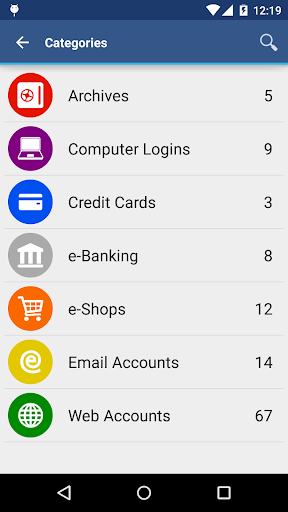
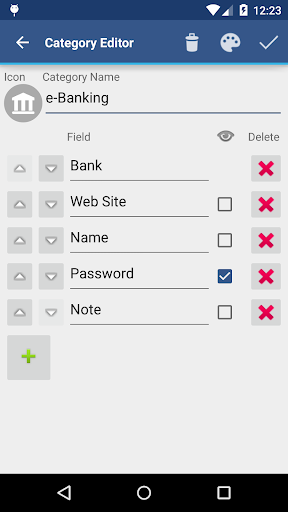
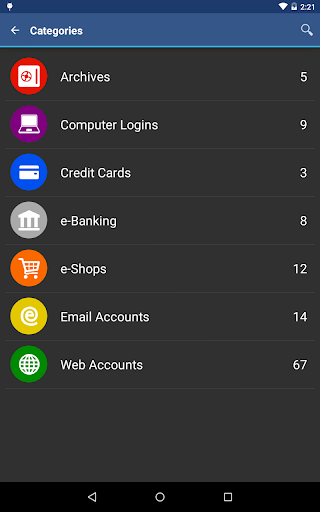
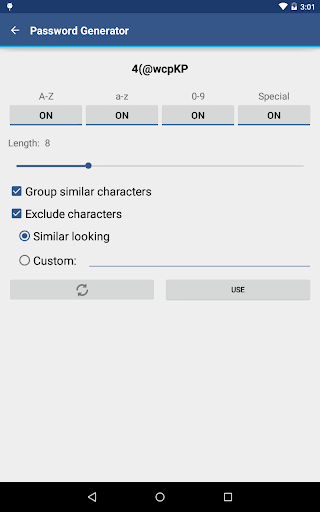
• Securely stores your passwords, credit card information, e-banking credentials, web accounts and other custom data. • Synchronizes encrypted data with your own cloud account: Dropbox or Google Drive. • There is a built-in Editor for changing or creating new data Categories with custom icons. • Search within fields. • Contains no advertisements. • Supports backup and restore of the encrypted data file to the Android USB device. • Export of unencrypted data in CSV format to the USB device. • There is an Auto lock feature that can be preconfigured for a specific period of time. PRO FEATURES, included: • Unlock with fingerprint (on a compatible device with Android 6 or later) • Unlock with face (on a compatible device with Android 10 or later) • Password Generator • CSV Import SECURITY FEATURES • All data is encrypted, including Entry names, Category definitions and the data itself. • Encrypts data using AES or Blowfish algorithms with key sizes of 256, 192 or 128 bits. • When the data file is decrypted, up to all combinations of algorithm and key size are tried with the Master password to unlock the data file. This makes brute force attacks longer. The app itself does not store any hint to the actual cipher or key size. • Uses a randomly generated 'salt' combined with the Master password. Salt helps to protect from off-line dictionary attacks. • The key to open the data file is created by combining your master password with the 512-bit 'salt'. The result is hashed 1000 times by SHA-256. Repetitive hashing makes a brute force attack more difficult. • Supports auto destruction of the data file after a predefined number of unsuccessful unlocks have been tried. For more info see http://www.awallet.org/ If you like this App, rate it in Google Play. If you have any suggestions, just let me know.
What aWallet Cloud Password Manager Is Used For
aWallet Cloud Password Manager appears to be a phone app for storing and organizing sensitive personal information in one place. Based on the metadata, people commonly use it for passwords, credit card details, e-banking login data, web accounts, and other custom records, making it useful as a productivity-oriented password vault on Android devices.
The app also appears to support syncing encrypted data with a personal cloud account such as Dropbox or Google Drive, which may help users keep the same vault available across devices. Its permission set and listed features suggest practical use for backup and restore through USB storage, network-based syncing, and account access on the device. It also includes search, auto-lock, and options for exporting or importing data, so it may suit users who want more control over how their stored information is managed. The metadata indicates built-in biometric unlock options on compatible devices, along with a password generator in the Pro features.
Common uses
- Store passwords, card details, and other private records in an encrypted vault
- Sync encrypted data with a personal cloud account like Dropbox or Google Drive
- Back up and restore the encrypted data file using USB storage
- Search stored entries and fields more easily
- Use auto-lock to help limit access after inactivity
- Create custom data categories with icons for organizing different record types
- Access biometric unlock features on compatible devices with supported Android versions
App Details
Package:
org.awallet.cloud
Developer:
Synpet
Version:
11.1.1
Updated:
Feb 24, 2026
Min Android:
8.0
Age Rating:
Everyone
Contains Ads:
No
In-App Purchases:
No
Official Listing
-
Official listing available on
Google Play
-
Package name:
org.awallet.cloud
-
Age rating:
Everyone
Related Productivity Apps
Productivity
•
Microsoft Corporation
Securely save and share your favorite memories and files across your devices.
Version Varies with device
89.8 MB
⭐ 4.60
5,000,000,000+ installs
Productivity
•
Google LLC
Cloud storage, automatic phone backup, and more.
Version 1.302.885140631
25.5 MB
⭐ 4.10
1,000,000,000+ installs
Productivity
•
Microsoft Corporation
Craft your story with formatting and grammar tools to ensure it’s right, always
Version Varies with device
120.4 MB
⭐ 4.80
1,000,000,000+ installs
Productivity
•
Microsoft Corporation
Use powerful, industry-leading AI tools to generate visual charts from any data
Version Varies with device
230.4 MB
⭐ 4.80
1,000,000,000+ installs
Productivity
•
Microsoft Corporation
Seamlessly integrate data and reports to build your presentation to impress
Version Varies with device
226.3 MB
⭐ 4.80
1,000,000,000+ installs
Productivity
•
Microsoft Corporation
Stay on top of multiple accounts with emails, calendars & contacts in one place
Version 5.2611.0
106.4 MB
⭐ 4.40
1,000,000,000+ installs
How to Download aWallet Cloud Password Manager
If this app is not hosted directly on APKApps official link,
then for the safest and most up-to-date version, install it from its official Google Play listing.