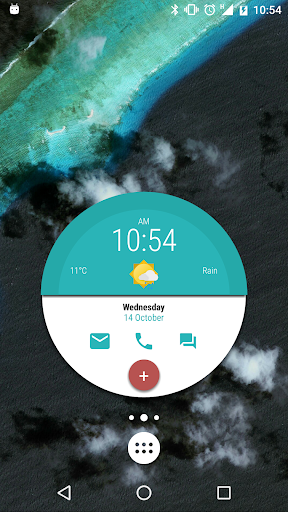
About Kustom Weather Plugin
This is just a Plugin you will also need either KWGT or KLWP installed to use this! Once installed it will add Darksky (Forecast.io) and AccuWeather (beta) providers to weather sources personal API key can not be used because of source terms of service, the price just covers API costs, more providers will be added in the future. Main features: - Dark sky: forecast 8 days, up to 168 hours of hourly forecast, chance of rain and precipitations - Accu Weather: forecast 5 days, 12 hours hourly forecast, chance of rain and precipitations
What Kustom Weather Plugin Is Used For
Kustom Weather Plugin appears to be an add-on for people who already use KWGT or KLWP and want weather data inside custom widgets or live wallpapers. Based on the metadata, it adds extra weather sources rather than functioning as a stand-alone weather app. That means it is commonly used when someone wants weather information to appear as part of a personalized home screen setup.
The plugin may be useful for users who want forecast details such as hourly outlooks, multi-day forecasts, and rain or precipitation chances in a Kustom setup. The listed permissions suggest it needs network access to fetch weather data and may use device power management while updating in the background. Because it is a plugin, it is most relevant on phones running a Kustom widget or wallpaper configuration rather than for general weather browsing.
Common uses
- Adds weather providers for KWGT or KLWP setups
- May display forecast data in custom home screen widgets
- May support hourly and multi-day weather views
- Can be used to show rain and precipitation chances
- Requires an existing Kustom app to be useful
- Uses network access to retrieve weather information
- May update weather data in the background
App Details
Package:
org.kustom.weather
Developer:
Kustom Industries
Version:
1.21b308210
Updated:
Jul 29, 2025
Min Android:
6.0
Age Rating:
Everyone
Contains Ads:
No
In-App Purchases:
Yes
Official Listing
-
Official listing available on
Google Play
-
Package name:
org.kustom.weather
-
Age rating:
Everyone
Related Weather Apps
Personalization
•
UNVOID
Version 2.190.0
⭐ 4.70
100,000+ installs
Personalization
•
One4Studio
Version 6.5.1
⭐ 4.80
10,000+ installs
How to Download Kustom Weather Plugin
If this app is not hosted directly on APKApps official link,
then for the safest and most up-to-date version, install it from its official Google Play listing.