Manus AI icon

Phone

Manus AI

Productivity BUTTERFLY EFFECT PTE. LTD. ⭐ 4.60 5,000,000+
Version 1.75.12 Everyone

Screenshots

Manus AI screenshot
Manus AI screenshot
Manus AI screenshot
Manus AI screenshot
Manus AI screenshot
Manus AI screenshot
Manus AI screenshot
Permissions Explained 13 permissions requested View details

This app requests 13 permissions. The table below explains what each permission may allow and what users should review before installing.

Status Permission What it means Why it may be used User safety note
ℹ️ Review Read The Contents Of Your Usb Storage read the contents of your USB storage This is an Android permission or app-specific permission requested by the app. The app may use this permission for features related to its category, device support, background behavior, storage, connectivity, or system integration. Review this permission before installing, especially if it does not match the app’s expected purpose.
ℹ️ Review Modify Or Delete The Contents Of Your Usb Storage modify or delete the contents of your USB storage This is an Android permission or app-specific permission requested by the app. The app may use this permission for features related to its category, device support, background behavior, storage, connectivity, or system integration. Review this permission before installing, especially if it does not match the app’s expected purpose.
ℹ️ Review Take Pictures And Videos take pictures and videos This is an Android permission or app-specific permission requested by the app. The app may use this permission for features related to its category, device support, background behavior, storage, connectivity, or system integration. Review this permission before installing, especially if it does not match the app’s expected purpose.
ℹ️ Review Record Audio record audio This is an Android permission or app-specific permission requested by the app. The app may use this permission for features related to its category, device support, background behavior, storage, connectivity, or system integration. Review this permission before installing, especially if it does not match the app’s expected purpose.
ℹ️ Review View Network Connections view network connections This is an Android permission or app-specific permission requested by the app. The app may use this permission for features related to its category, device support, background behavior, storage, connectivity, or system integration. Review this permission before installing, especially if it does not match the app’s expected purpose.
ℹ️ Review Full Network Access full network access This is an Android permission or app-specific permission requested by the app. The app may use this permission for features related to its category, device support, background behavior, storage, connectivity, or system integration. Review this permission before installing, especially if it does not match the app’s expected purpose.
ℹ️ Review Control Near Field Communication control Near Field Communication This is an Android permission or app-specific permission requested by the app. The app may use this permission for features related to its category, device support, background behavior, storage, connectivity, or system integration. Review this permission before installing, especially if it does not match the app’s expected purpose.
ℹ️ Review Run At Startup run at startup This is an Android permission or app-specific permission requested by the app. The app may use this permission for features related to its category, device support, background behavior, storage, connectivity, or system integration. Review this permission before installing, especially if it does not match the app’s expected purpose.
ℹ️ Review Control Vibration control vibration This is an Android permission or app-specific permission requested by the app. The app may use this permission for features related to its category, device support, background behavior, storage, connectivity, or system integration. Review this permission before installing, especially if it does not match the app’s expected purpose.
ℹ️ Review Prevent Device From Sleeping prevent device from sleeping This is an Android permission or app-specific permission requested by the app. The app may use this permission for features related to its category, device support, background behavior, storage, connectivity, or system integration. Review this permission before installing, especially if it does not match the app’s expected purpose.
ℹ️ Review Google Play License Check Google Play license check This is an Android permission or app-specific permission requested by the app. The app may use this permission for features related to its category, device support, background behavior, storage, connectivity, or system integration. Review this permission before installing, especially if it does not match the app’s expected purpose.
ℹ️ Review Read Google Service Configuration read Google service configuration This is an Android permission or app-specific permission requested by the app. The app may use this permission for features related to its category, device support, background behavior, storage, connectivity, or system integration. Review this permission before installing, especially if it does not match the app’s expected purpose.
ℹ️ Review Receive Data From Internet receive data from Internet This is an Android permission or app-specific permission requested by the app. The app may use this permission for features related to its category, device support, background behavior, storage, connectivity, or system integration. Review this permission before installing, especially if it does not match the app’s expected purpose.

About Manus AI

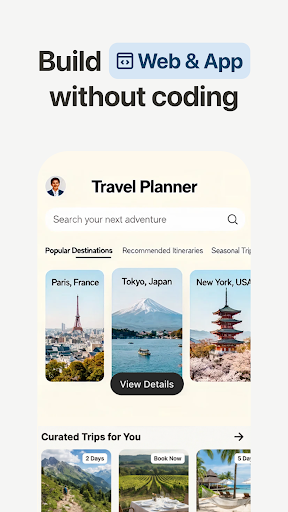
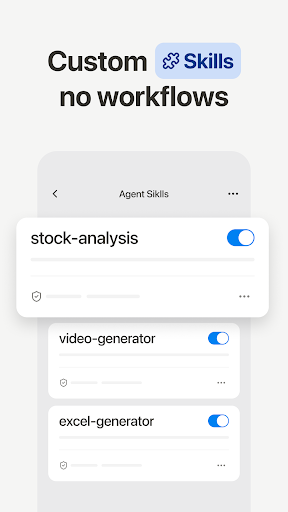
Leave it to Manus Manus from Meta is a general AI agent that bridges mind and action: it doesn't just think, it delivers results. Manus excels at various tasks in work and life, getting everything done while you rest. From Idea to Execution Whereas other AI tools stop at brainstorming, Manus sees your ideas to execution. Using its own "computer", Manus breaks down your task into a to-do list, executes these subtasks, and delivers your final result. Your Trusted Colleague Manus works asynchronously in the cloud, meaning that you can simply close your devices and Manus will notify you when your task is complete. You can also stop and edit your prompt at any time. Stunning & Structured Slides With a single prompt, Manus generates entire slide decks tailored to your needs. Whether you're presenting in a boardroom, a classroom, or online, Manus ensures your message lands. Once you are done, export or share it with colleagues and peers. Free & Unlimited Chat Ask any question, get instant answers. Need more power? One-click upgrade to Agent Mode with advanced capabilities from asking simple questions to creating comprehensive outputs. Design & Deploy Websites Manus turns any file into an engaging website with one prompt. Spreadsheets, slides, images, resumes, books... All your files can be more sharable, interactive, and visually impressive as a website. Image & Video Generation For both image and video, Manus transforms simple prompts into complete stories. Whether it's creating a poster froma piece of crumpled paper or a high fashion concept, Manus brings your inner artist to life. Reclaim your time Tasks that used to take 20 hours can be reduced to one with Manus. Whether that's turning complex data into visual representations or automating repetitive routines, leave it to Manus so that you can turn your attention to engaging tasks. Privacy Policy: https://manus.im/privacy Terms of Use: https://manus.im/terms

What Manus AI Is Used For

Manus AI appears to be a productivity-focused AI assistant for phone use that helps turn prompts into finished outputs. Based on the metadata, it is designed for people who want help with planning, drafting, and organizing tasks across work or personal projects rather than just generating ideas. It may be useful when you want a single app to help move from a request to a more complete deliverable.

The app description suggests common use cases such as creating slide decks, turning files into web pages, answering questions in chat, and generating image or video content from prompts. It also mentions asynchronous cloud-based task handling, which may mean some jobs can continue while you are away from the device. Permissions like network access, storage access, and camera/audio support appear consistent with importing files, sharing outputs, and generating or handling media content.

Because the app is categorized as Productivity and is listed as a phone app, it may fit everyday mobile workflows such as quick content creation, task automation, and on-the-go editing. Users who work with documents, presentations, visual content, or repetitive tasks may find it relevant.

Common uses

  • Generate slide decks from a prompt
  • Turn files into shareable web pages
  • Ask questions in a chat-style interface
  • Create image or video outputs from text prompts
  • Help organize and break down tasks into steps
  • Support cloud-based work that can finish while you are away
  • Import or handle local media and documents
Best for:
Content creation Task automation Presentation help Mobile productivity AI-assisted workflows

App Details

Package:
tech.butterfly.app
Category:
Productivity
Developer:
BUTTERFLY EFFECT PTE. LTD.
Version:
1.75.12
Updated:
Mar 28, 2026
Min Android:
7.0
Age Rating:
Everyone
Contains Ads:
No
In-App Purchases:
Yes

Official Listing

  • Official listing available on Google Play
  • Package name: tech.butterfly.app
  • Age rating: Everyone

Explore More

Browse more apps in Productivity or explore the Phone hub .

Related Productivity Apps

Microsoft OneDrive icon

Microsoft OneDrive

Productivity Microsoft Corporation

Securely save and share your favorite memories and files across your devices.

Version Varies with device 89.8 MB ⭐ 4.60 5,000,000,000+ installs
Google One icon

Google One

Productivity Google LLC

Cloud storage, automatic phone backup, and more.

Version 1.302.885140631 25.5 MB ⭐ 4.10 1,000,000,000+ installs
Microsoft Word: Edit Documents icon

Microsoft Word: Edit Documents

Productivity Microsoft Corporation

Craft your story with formatting and grammar tools to ensure it’s right, always

Version Varies with device 120.4 MB ⭐ 4.80 1,000,000,000+ installs
Microsoft Excel: Spreadsheets icon

Microsoft Excel: Spreadsheets

Productivity Microsoft Corporation

Use powerful, industry-leading AI tools to generate visual charts from any data

Version Varies with device 230.4 MB ⭐ 4.80 1,000,000,000+ installs
Microsoft PowerPoint icon

Microsoft PowerPoint

Productivity Microsoft Corporation

Seamlessly integrate data and reports to build your presentation to impress

Version Varies with device 226.3 MB ⭐ 4.80 1,000,000,000+ installs
Microsoft Outlook icon

Microsoft Outlook

Productivity Microsoft Corporation

Stay on top of multiple accounts with emails, calendars & contacts in one place

Version 5.2611.0 106.4 MB ⭐ 4.40 1,000,000,000+ installs

How to Download Manus AI

If this app is not hosted directly on APKApps official link, then for the safest and most up-to-date version, install it from its official Google Play listing.