About Voice Recorder & Transcriber
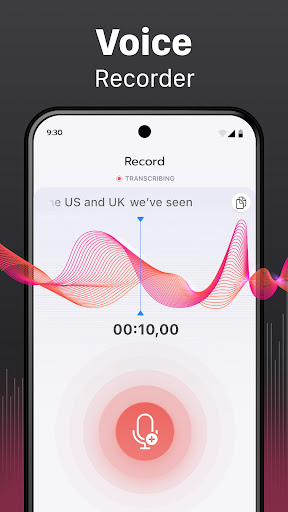
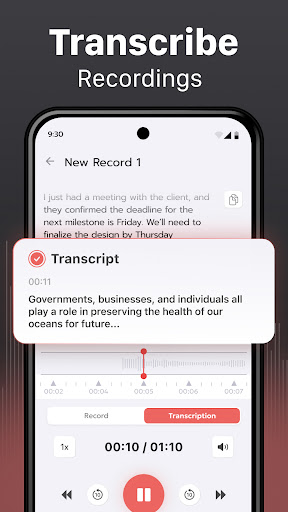
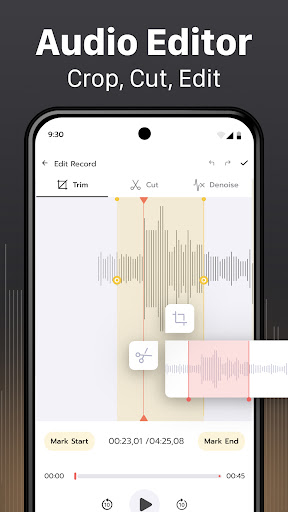
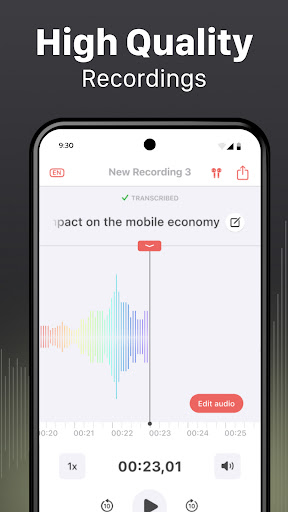
Voice Recorder & Transcriber is your all-in-one tool for recording, transcribing, editing, and sharing voice and audio files. Whether you're capturing voice memos, recording lectures, or converting audio into readable text, this app offers the simplicity and power you need. 🎧 High-Quality Voice Recording Easily record voice, sounds, or conversations with just a tap. Designed for clarity and speed, it's ideal for interviews, podcasts, lectures, meetings, and personal notes. Your recordings are saved locally and can be used offline. 📝 Accurate Speech-to-Text Transcription Turn your audio into clear, editable text with our built-in transcriber. Supports 100+ languages with smart formatting and punctuation. Great for documenting interviews, summarizing meetings, or creating voice-based content without typing. ✏️ Edit Transcripts in App Quickly review and edit your transcriptions directly within the app. Make corrections, highlight key points, and organize your text before exporting. 📁 Import & Export Made Easy Import existing audio files or export both audio and text formats in seconds. Share via email, messaging apps, or store in your favorite cloud service. 🔐 Private & Offline Your data stays on your device unless you choose to share it. No account required. No cloud syncing. 100% private and secure. 💡 Perfect for: • Students recording lectures • Journalists conducting interviews • Business professionals in meetings • Podcasters and content creators • Everyday users making voice memos 🌟 Key Features: • One-tap voice recording • Speech-to-text transcriber (100+ languages) • Transcript editing tools • Import existing audio • Export audio & text • Simple offline interface • Secure & private – no sign-up required Voice Recorder & Transcriber combines high-quality recording with smart transcription — making it easy to capture and convert your voice into text anytime, anywhere. Download now and transform your voice into written insight.
What Voice Recorder & Transcriber Is Used For
Voice Recorder & Transcriber appears to be a productivity app for capturing spoken audio and turning it into editable text. Based on the metadata, it is commonly used for voice memos, lectures, interviews, meetings, and other situations where a quick audio record may be more practical than typing. Because it is a phone app, it seems aimed at everyday mobile use when someone wants to save notes or conversations on the go.
The app also includes speech-to-text transcription, so users may rely on it to convert recordings into readable text for review, editing, and sharing. The listed audio recording permission matches this core function, while network access suggests some features may connect online, likely for transcription or file handling. The description also indicates local storage and offline use, which may be useful when users want recordings kept on-device unless they choose to export or share them.
Common use cases may include documenting class lectures, capturing interview quotes, creating personal reminders, or preparing transcripts from recorded audio. Import and export support means it can also fit workflows where users move audio files between apps or share text summaries with others.
Common uses
- Record voice notes, meetings, or lectures on a phone
- Convert spoken audio into editable text
- Review and correct transcripts before exporting
- Import existing audio files for transcription
- Share recordings or text through messaging or email apps
- Keep recordings stored locally for offline access
App Details
Package:
voice.tech.one
Developer:
Albert Gerassimov
Version:
1.5.0
Updated:
Mar 27, 2026
Min Android:
9
Age Rating:
Everyone
Contains Ads:
No
In-App Purchases:
Yes
Official Listing
-
Official listing available on
Google Play
-
Package name:
voice.tech.one
-
Age rating:
Everyone
Related Productivity Apps
Productivity
•
Microsoft Corporation
Securely save and share your favorite memories and files across your devices.
Version Varies with device
89.8 MB
⭐ 4.60
5,000,000,000+ installs
Productivity
•
Google LLC
Cloud storage, automatic phone backup, and more.
Version 1.302.885140631
25.5 MB
⭐ 4.10
1,000,000,000+ installs
Productivity
•
Microsoft Corporation
Craft your story with formatting and grammar tools to ensure it’s right, always
Version Varies with device
120.4 MB
⭐ 4.80
1,000,000,000+ installs
Productivity
•
Microsoft Corporation
Use powerful, industry-leading AI tools to generate visual charts from any data
Version Varies with device
230.4 MB
⭐ 4.80
1,000,000,000+ installs
Productivity
•
Microsoft Corporation
Seamlessly integrate data and reports to build your presentation to impress
Version Varies with device
226.3 MB
⭐ 4.80
1,000,000,000+ installs
Productivity
•
Microsoft Corporation
Stay on top of multiple accounts with emails, calendars & contacts in one place
Version 5.2611.0
106.4 MB
⭐ 4.40
1,000,000,000+ installs
How to Download Voice Recorder & Transcriber
If this app is not hosted directly on APKApps official link,
then for the safest and most up-to-date version, install it from its official Google Play listing.