Watch Sync App - BT Notifier icon

Phone

Watch Sync App - BT Notifier

Communication AceTools Team ⭐ 4.20 10,000,000+
Version Varies with device Everyone

Screenshots

Watch Sync App - BT Notifier screenshot
Permissions Explained 15 permissions requested View details

This app requests 15 permissions. The table below explains what each permission may allow and what users should review before installing.

Status Permission What it means Why it may be used User safety note
ℹ️ Review Approximate Location (network Based) approximate location (network-based) This is an Android permission or app-specific permission requested by the app. The app may use this permission for features related to its category, device support, background behavior, storage, connectivity, or system integration. Review this permission before installing, especially if it does not match the app’s expected purpose.
ℹ️ Review Precise Location (gps And Network Based) precise location (GPS and network-based) This is an Android permission or app-specific permission requested by the app. The app may use this permission for features related to its category, device support, background behavior, storage, connectivity, or system integration. Review this permission before installing, especially if it does not match the app’s expected purpose.
ℹ️ Review Read The Contents Of Your Usb Storage read the contents of your USB storage This is an Android permission or app-specific permission requested by the app. The app may use this permission for features related to its category, device support, background behavior, storage, connectivity, or system integration. Review this permission before installing, especially if it does not match the app’s expected purpose.
ℹ️ Review Modify Or Delete The Contents Of Your Usb Storage modify or delete the contents of your USB storage This is an Android permission or app-specific permission requested by the app. The app may use this permission for features related to its category, device support, background behavior, storage, connectivity, or system integration. Review this permission before installing, especially if it does not match the app’s expected purpose.
ℹ️ Review Take Pictures And Videos take pictures and videos This is an Android permission or app-specific permission requested by the app. The app may use this permission for features related to its category, device support, background behavior, storage, connectivity, or system integration. Review this permission before installing, especially if it does not match the app’s expected purpose.
ℹ️ Review Record Audio record audio This is an Android permission or app-specific permission requested by the app. The app may use this permission for features related to its category, device support, background behavior, storage, connectivity, or system integration. Review this permission before installing, especially if it does not match the app’s expected purpose.
ℹ️ Review View Network Connections view network connections This is an Android permission or app-specific permission requested by the app. The app may use this permission for features related to its category, device support, background behavior, storage, connectivity, or system integration. Review this permission before installing, especially if it does not match the app’s expected purpose.
ℹ️ Review Pair With Bluetooth Devices pair with Bluetooth devices This is an Android permission or app-specific permission requested by the app. The app may use this permission for features related to its category, device support, background behavior, storage, connectivity, or system integration. Review this permission before installing, especially if it does not match the app’s expected purpose.
ℹ️ Review Access Bluetooth Settings access Bluetooth settings This is an Android permission or app-specific permission requested by the app. The app may use this permission for features related to its category, device support, background behavior, storage, connectivity, or system integration. Review this permission before installing, especially if it does not match the app’s expected purpose.
ℹ️ Review Control Flashlight control flashlight This is an Android permission or app-specific permission requested by the app. The app may use this permission for features related to its category, device support, background behavior, storage, connectivity, or system integration. Review this permission before installing, especially if it does not match the app’s expected purpose.
ℹ️ Review Full Network Access full network access This is an Android permission or app-specific permission requested by the app. The app may use this permission for features related to its category, device support, background behavior, storage, connectivity, or system integration. Review this permission before installing, especially if it does not match the app’s expected purpose.
ℹ️ Review Run At Startup run at startup This is an Android permission or app-specific permission requested by the app. The app may use this permission for features related to its category, device support, background behavior, storage, connectivity, or system integration. Review this permission before installing, especially if it does not match the app’s expected purpose.
ℹ️ Review Control Vibration control vibration This is an Android permission or app-specific permission requested by the app. The app may use this permission for features related to its category, device support, background behavior, storage, connectivity, or system integration. Review this permission before installing, especially if it does not match the app’s expected purpose.
ℹ️ Review Prevent Device From Sleeping prevent device from sleeping This is an Android permission or app-specific permission requested by the app. The app may use this permission for features related to its category, device support, background behavior, storage, connectivity, or system integration. Review this permission before installing, especially if it does not match the app’s expected purpose.
ℹ️ Review Receive Data From Internet receive data from Internet This is an Android permission or app-specific permission requested by the app. The app may use this permission for features related to its category, device support, background behavior, storage, connectivity, or system integration. Review this permission before installing, especially if it does not match the app’s expected purpose.

About Watch Sync App - BT Notifier

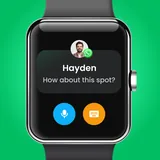
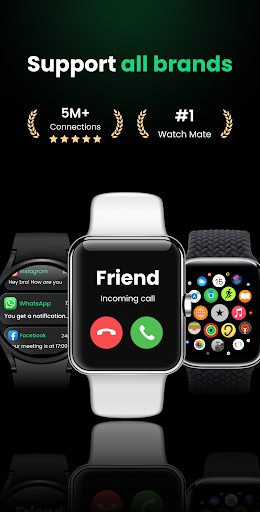
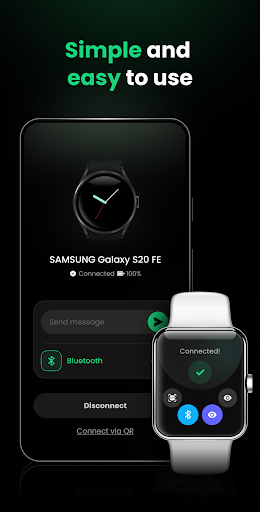
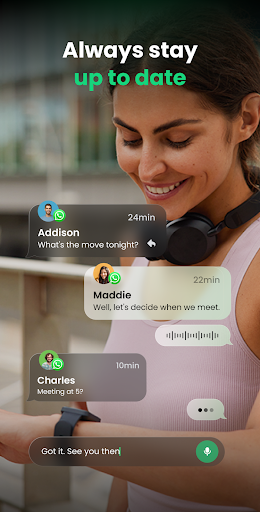
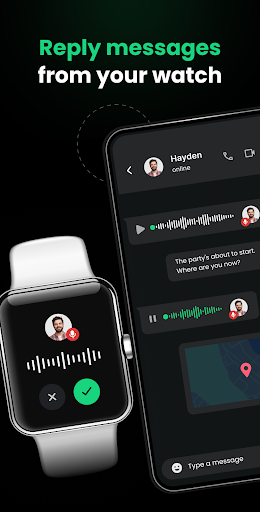
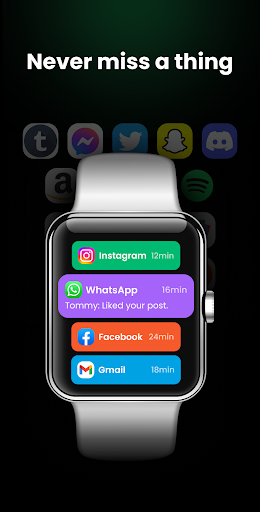
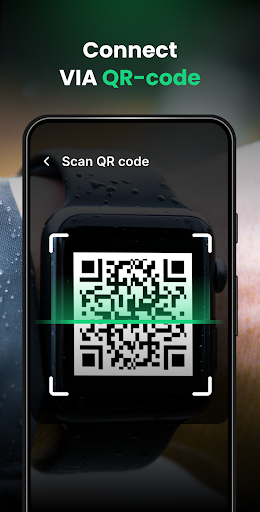
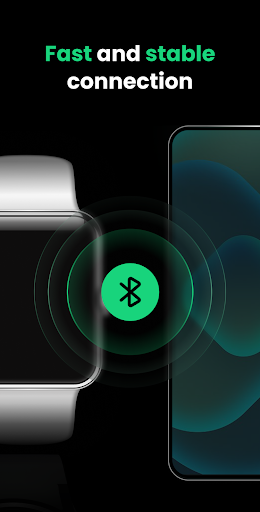
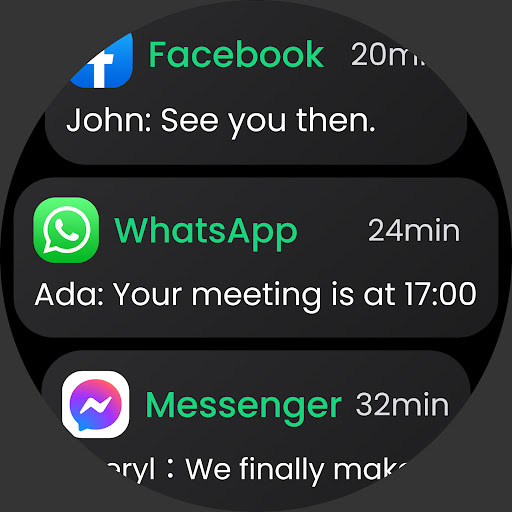
Connect your smartwatch and phone with just one touch through our Watch Mate. Make sure you never miss a mobile notification. Even if your smartwatch isn't compatible with your phone, we can help establish a connection. Our Wear OS app works seamlessly with all phone and watch brands, allowing you to connect your watch mobile to multiple phones. Stay connected, informed, and on top of notifications in real-time with our stable and convenient smart watch app. ✅Supports all Wear OS Don't worry about connection failure, our watch sync app is compatible with all smart watch brands, such as Fire-Boltt, Noise, BoAt, Garmin, Amazfit, HUAWEI, Samsung smart watches, Misfit, Grapes, Ticwatch, ZTE Quartz, Xiaomi Mi Watch, Fitbit smart watch, Fossil Smart Watch… 🔗 Fast and Stable Connection Pairing your smartwatch and mobile phone is a breeze with our smart watch app. We provide two connection methods: Bluetooth (BT sync) and QR code to ensure that all watches and mobile phones can be connected successfully. ♻️ Receive Multi-Device Messages With this smart watch app, you have the flexibility to connect your watch mobile to multiple phones. It enables you to effortlessly manage and handle BT notification in one place. Check messages in real-time without switching phones, ensuring you never miss an important alert! 💬 Customized App Notifications Personalize your BT notification preferences by choosing which apps you want to receive notifications from, avoiding message interference and enhancing your learning or work efficiency. 🔕 Intimate Quiet Time We've created a Do Not Disturb mode for you, allowing you to enjoy quiet time without any message interruptions. You can customize the do not disturb time, during which all messages on your smartwatch will be in silent mode. 🔗 Bluetooth Sync Guide ✦ Turn on Bluetooth on both your phone and smartwatch; ✦ Click "Connect a device" on the phone’s homepage; ✦ Select your watch mobile from the device list; ✦ Connected successfully! If you encounter Bluetooth connection issues, try the following method instead: ✦ Click the QR code icon on your smart watch; ✦ Click "Connect via QR" on your phone’s homepage; ✦ Scan the QR code on your smart watch; ✦ Connected successfully! 🏃Upcoming features ✧ Answer phone calls and reply to messages; ✧ Send and receive voice and video messages; ✧ Customize various watch wallpapers; ✧ Heart rate monitoring and health reminders. Don't miss out on this must-have smartwatch sync app that creates a secure and stable connection between your phone and Wear OS. Download Watch Mate now to sync your life, receive message and notifications wherever you are, and experience the perfect connection between your mobile phone and smartwatch. We're constantly improving our product, so be sure to follow our updates on Google Play! If you have any feedback or suggestions, please contact us at [email protected]. Watch Sync App & BT Notifier Easily connect your smartwatch with phone using…

What Watch Sync App - BT Notifier Is Used For

Watch Sync App - BT Notifier appears to be a phone app designed to help connect a smartwatch with an Android phone and manage notification syncing between the two devices. Based on the metadata, it is mainly used for pairing watches over Bluetooth, using a QR code if needed, and keeping phone alerts visible on the watch in real time. Because it is listed under Communication, the app seems focused on device-to-device notification handling rather than general messaging or fitness tracking.

Common use cases may include setting up a watch for the first time, linking one watch to multiple phones, and choosing which app notifications are sent to the watch. The description also mentions a Do Not Disturb mode, so it may be useful for reducing interruptions during work or quiet hours. Permissions such as Bluetooth access, network access, startup behavior, and sleep prevention are consistent with an app that maintains an ongoing connection and supports message synchronization in the background. Some listed permissions, like location, camera, and microphone, suggest broader device access, though the metadata does not fully explain how each is used.

Common uses

  • Pair a smartwatch with an Android phone over Bluetooth
  • Use QR code pairing when direct connection is difficult
  • Receive selected phone notifications on a watch
  • Manage alerts from multiple phones in one place
  • Set quiet hours with Do Not Disturb controls
  • Keep the watch connection active in the background
  • Adjust notification preferences for different apps
Best for:
watch owners notification syncing bluetooth pairing phone app wear os users multi-device users

App Details

Package:
wearos.smart.watch.bt.sync.notifier
Category:
Communication
Developer:
AceTools Team
Version:
Varies with device
Updated:
Dec 19, 2025
Min Android:
Varies with device
Age Rating:
Everyone
Contains Ads:
Yes
In-App Purchases:
Yes

Official Listing

  • Official listing available on Google Play
  • Package name: wearos.smart.watch.bt.sync.notifier
  • Age rating: Everyone

Explore More

Browse more apps in Communication or explore the Phone hub .

Related Communication Apps

Zepp icon

Zepp

Sports Zepp, Inc.

Personal Digital Health Management Platform

Version 10.0.9-play 285.9 MB ⭐ 4.40 10,000,000+ installs
VeryFit icon

VeryFit

Health & Fitness Smart Wearable Devices

This is an application that serves as a companion app for smart watch.

Version 2.8.6 135.4 MB ⭐ 4.35 5,000,000+ installs
Da Fit icon

Da Fit

Sports MO YOUNG LTD

Use Da Fit Band to set, track, and follow your health data day and night.

Version v2.7.5-6-g93f4f236b9-dirty 47.0 MB ⭐ 3.81 50,000,000+ installs
FitCloudPro icon

FitCloudPro

Health & Fitness topstep

FitCloudPro takes care of your health every minute.

Version 2.3.0 75.2 MB ⭐ 3.79 10,000,000+ installs

How to Download Watch Sync App - BT Notifier

If this app is not hosted directly on APKApps official link, then for the safest and most up-to-date version, install it from its official Google Play listing.