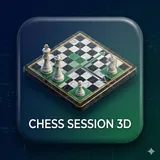
About Chess Session 3D
Key Features: ♞ Powerful Stockfish Engine Integration Take your game to the next level with built-in Stockfish versions :16,11,10,8 analysis. Adjustable Skill Level: Set the engine skill from 0 to 20 to match your proficiency. Deep Analysis: Configure calculation depth (1–50) and view multiple analysis lines (MultiPV) simultaneously. Real-time Evaluation: See the current evaluation score (CP/Mate) and "Best Line" suggestions as you play. Auto-Play Lines: Watch the engine play out suggested variations directly on the board with a single tap. Visualize the Game Understanding the board has never been easier with our dynamic visual aids. Dual View: Play in an immersive 3D environment or use the synchronized 2D board for a tactical overview. Smart Indicators: View color-coded move highlights. Analysis Arrows: Toggle visual arrows that display attack plans, quiet moves, and opponent responses directly on the screen. Interactive Camera: Orbit around the 3D board to see angles you might have missed, or lock the camera for a steady view. 📂 Advanced Session Management Never lose track of your progress. Save & Load Games: Save your current game sessions locally and load them back up instantly. Multi-Board Tabs: Manage multiple analysis boards at once using the tabbed interface. Experiment with different variations without losing your main game state. PGN Support: Paste PGN (Portable Game Notation) text to load famous games or your previous matches. Copy your current game's PGN to the clipboard to share or analyze elsewhere. Game History & Navigation Full Move Tree: Navigate through the game history using an interactive move tree. Jump to any previous position instantly. Undo/Reset: Made a mistake? Undo moves effortlessly or reset the board to start fresh. Engine Move: Stuck on a position? Ask the engine to make the best move for you. Customizable Settings Visual Toggles: Turn move glows and analysis arrows on or off based on your preference. Performance Control: Adjust engine parameters for each color to balance battery life and analysis depth,confront different engine configurations . toggle between 2d and 3d boards. Privacy & Offline Play Chess Session 3D is designed to respect your data. The app functions locally on your device, ensuring your analysis and sessions remain private.
What Chess Session 3D Is Used For
Chess Session 3D appears to be a chess analysis and play app for Android phones, based on its board-game category and the metadata’s focus on engine analysis, move history, and game session management. It may be used by people who want to review positions, test different lines, or play against a built-in engine while tracking evaluations and suggested continuations.
The app seems geared toward analysis more than casual play. Based on the metadata, it includes Stockfish engine integration, adjustable difficulty, depth settings, MultiPV analysis, and a move tree for navigating past positions. The 3D board, synchronized 2D view, arrows, and move highlights suggest it may help users visualize tactical ideas and board patterns more clearly. Its PGN import/export and local save/load features also indicate it could be useful for studying saved games, recording practice sessions, or reviewing previously played matches offline.
The listed permission is only Google Play license check, which does not indicate gameplay needs by itself, but the app’s features suggest a focus on local analysis and session handling on a phone device.
Common uses
- Analyze chess positions with a built-in engine and evaluation scores.
- Play against the engine at different skill levels.
- Review games using PGN import, move history, and a full move tree.
- Switch between 3D and synchronized 2D views for different board perspectives.
- Use arrows, highlights, and best-line suggestions to study variations.
- Save and reload local game sessions for continued analysis later.
- Manage multiple analysis boards in tabs when comparing positions.
How to Download Chess Session 3D
If this app is not hosted directly on APKApps official link,
then for the safest and most up-to-date version, install it from its official Google Play listing.