Autodesk Forma icon

Phone

Autodesk Forma

Business Autodesk Inc. ⭐ 3.10 1,000,000+
Version 8.0.0 Everyone

Screenshots

Autodesk Forma screenshot
Permissions Explained 14 permissions requested View details

This app requests 14 permissions. The table below explains what each permission may allow and what users should review before installing.

Status Permission What it means Why it may be used User safety note
ℹ️ Review Approximate Location (network Based) approximate location (network-based) This is an Android permission or app-specific permission requested by the app. The app may use this permission for features related to its category, device support, background behavior, storage, connectivity, or system integration. Review this permission before installing, especially if it does not match the app’s expected purpose.
ℹ️ Review Precise Location (gps And Network Based) precise location (GPS and network-based) This is an Android permission or app-specific permission requested by the app. The app may use this permission for features related to its category, device support, background behavior, storage, connectivity, or system integration. Review this permission before installing, especially if it does not match the app’s expected purpose.
ℹ️ Review Read The Contents Of Your Usb Storage read the contents of your USB storage This is an Android permission or app-specific permission requested by the app. The app may use this permission for features related to its category, device support, background behavior, storage, connectivity, or system integration. Review this permission before installing, especially if it does not match the app’s expected purpose.
ℹ️ Review Modify Or Delete The Contents Of Your Usb Storage modify or delete the contents of your USB storage This is an Android permission or app-specific permission requested by the app. The app may use this permission for features related to its category, device support, background behavior, storage, connectivity, or system integration. Review this permission before installing, especially if it does not match the app’s expected purpose.
ℹ️ Review Take Pictures And Videos take pictures and videos This is an Android permission or app-specific permission requested by the app. The app may use this permission for features related to its category, device support, background behavior, storage, connectivity, or system integration. Review this permission before installing, especially if it does not match the app’s expected purpose.
ℹ️ Review Record Audio record audio This is an Android permission or app-specific permission requested by the app. The app may use this permission for features related to its category, device support, background behavior, storage, connectivity, or system integration. Review this permission before installing, especially if it does not match the app’s expected purpose.
ℹ️ Review View Wi Fi Connections view Wi-Fi connections This is an Android permission or app-specific permission requested by the app. The app may use this permission for features related to its category, device support, background behavior, storage, connectivity, or system integration. Review this permission before installing, especially if it does not match the app’s expected purpose.
ℹ️ Review View Network Connections view network connections This is an Android permission or app-specific permission requested by the app. The app may use this permission for features related to its category, device support, background behavior, storage, connectivity, or system integration. Review this permission before installing, especially if it does not match the app’s expected purpose.
ℹ️ Review Full Network Access full network access This is an Android permission or app-specific permission requested by the app. The app may use this permission for features related to its category, device support, background behavior, storage, connectivity, or system integration. Review this permission before installing, especially if it does not match the app’s expected purpose.
ℹ️ Review Control Near Field Communication control Near Field Communication This is an Android permission or app-specific permission requested by the app. The app may use this permission for features related to its category, device support, background behavior, storage, connectivity, or system integration. Review this permission before installing, especially if it does not match the app’s expected purpose.
ℹ️ Review Run At Startup run at startup This is an Android permission or app-specific permission requested by the app. The app may use this permission for features related to its category, device support, background behavior, storage, connectivity, or system integration. Review this permission before installing, especially if it does not match the app’s expected purpose.
ℹ️ Review Draw Over Other Apps draw over other apps This is an Android permission or app-specific permission requested by the app. The app may use this permission for features related to its category, device support, background behavior, storage, connectivity, or system integration. Review this permission before installing, especially if it does not match the app’s expected purpose.
ℹ️ Review Control Vibration control vibration This is an Android permission or app-specific permission requested by the app. The app may use this permission for features related to its category, device support, background behavior, storage, connectivity, or system integration. Review this permission before installing, especially if it does not match the app’s expected purpose.
ℹ️ Review Prevent Device From Sleeping prevent device from sleeping This is an Android permission or app-specific permission requested by the app. The app may use this permission for features related to its category, device support, background behavior, storage, connectivity, or system integration. Review this permission before installing, especially if it does not match the app’s expected purpose.

About Autodesk Forma

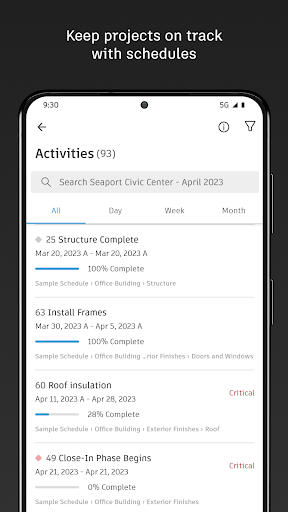
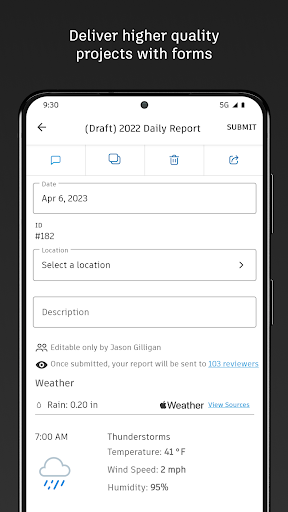
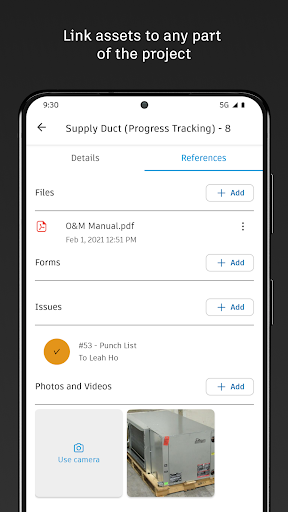
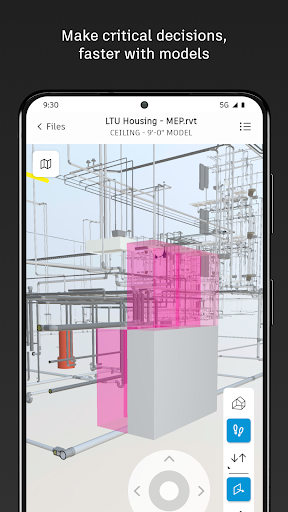
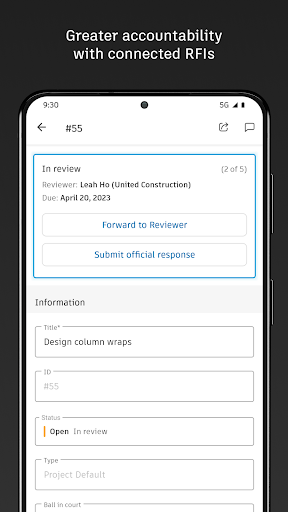
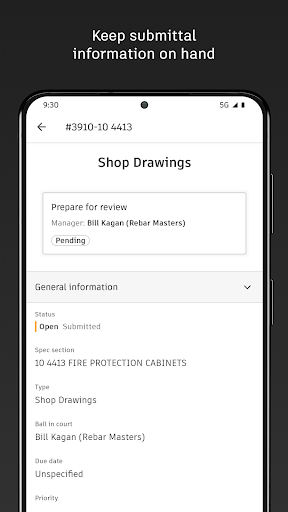
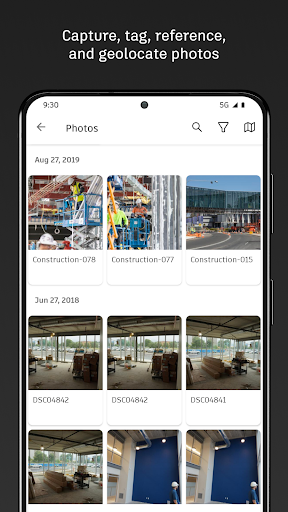
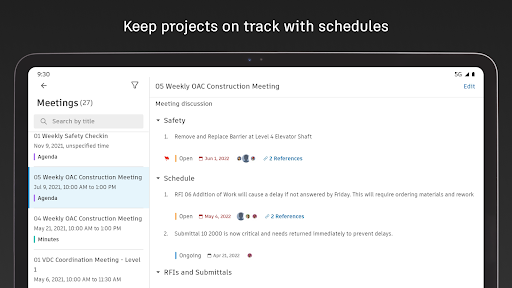
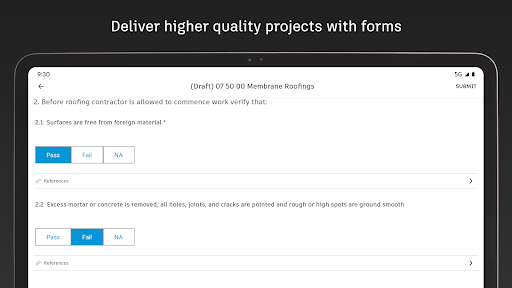
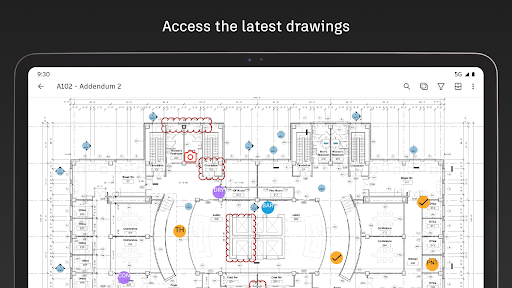
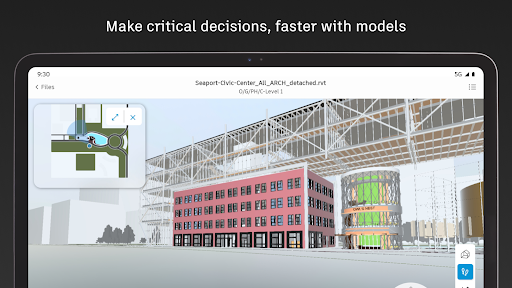
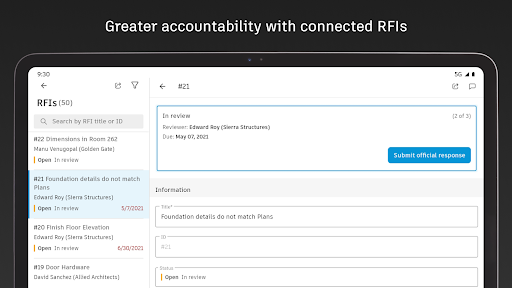
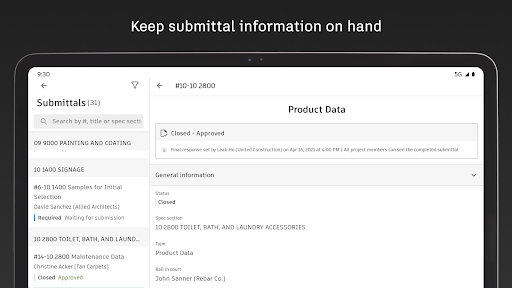
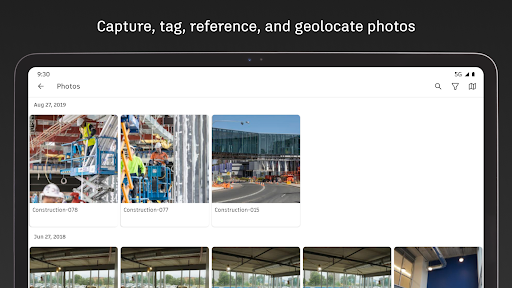
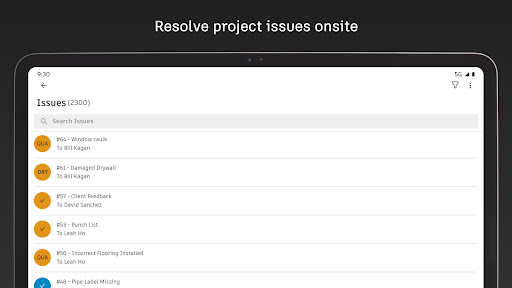
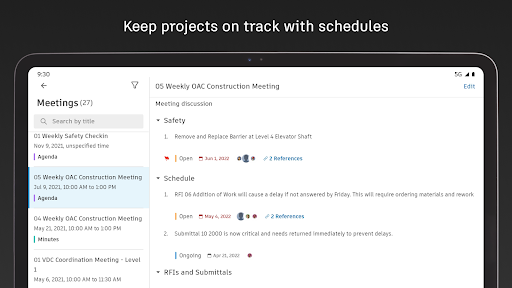
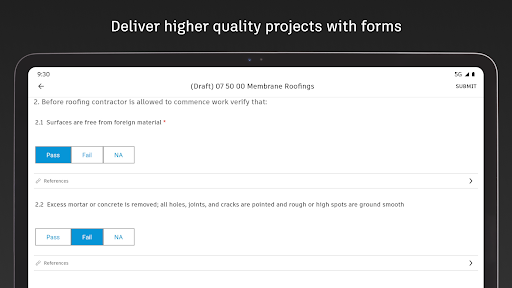
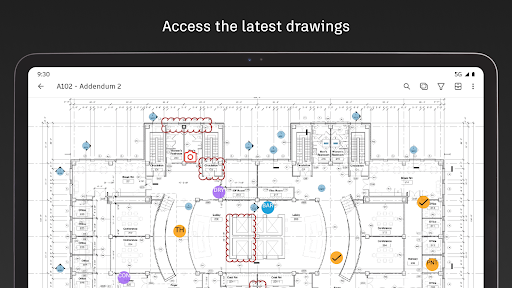
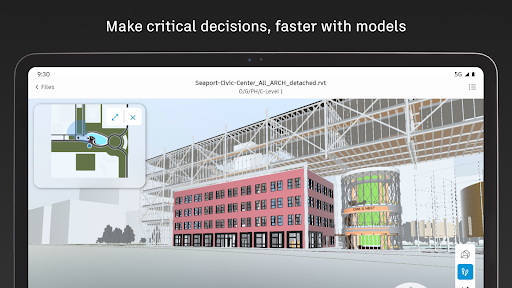
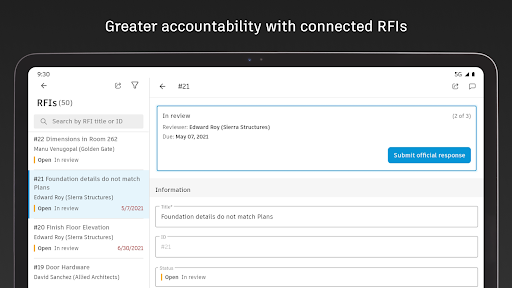
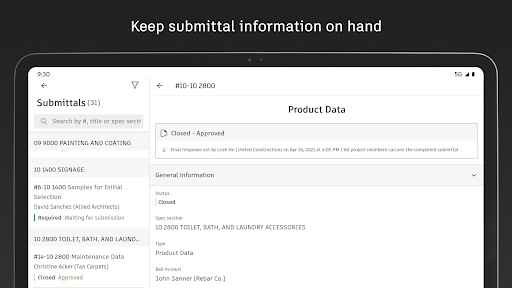
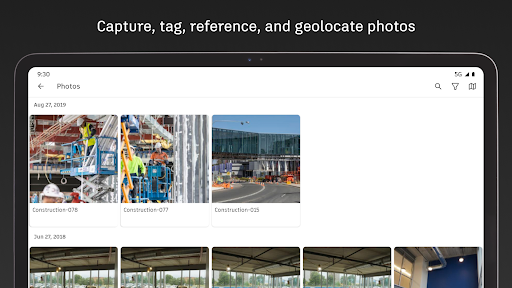
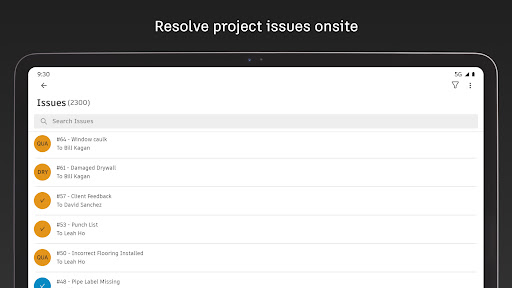
Autodesk Inc. Capture punch list items, markup drawings, log daily reports, view the latest sheets, and review 3D models from the jobsite with the Forma mobile construction app. The Forma mobile app puts the tools and project information you rely on in your hands. Stay connected to your crews on site, manage projects, and keep work moving. Make critical decisions faster with the Forma mobile construction app: • Forma Build Essentials for efficient, focused field execution • Forma Build for connecting field execution and project management Forma Build Essentials: Built for lean crews and growing jobs. Projects are quick to set up, easy to access, and designed for everyday work on site. • Capture punch list items and issues from the field • Complete daily reports, logs, and forms • View current construction sheets, drawings, files, and models • Open project files and documentation Latest sheets, files, and models View and mark up sheets directly from the jobsite. Access project files and review 3D models to understand design intent and context. Confirm the latest versions before work begins. • View and mark up drawings • Open project files, sheets, and construction documents • Review 3D models Punch list and issue tracking Capture punch list items and issues as you walk the jobsite. Track quality concerns. Log safety observations, near misses, and good catches. Assign responsibility and track work from open to closed. • Log issues with photos, locations, and references • Assign owners and due dates • Track progress from open to closed Daily reports, checklists, and forms Capture daily activity and site conditions, complete quality or safety inspections, and attach photos, signatures, and supporting files. • Complete daily reports and logs • Record site conditions and project information • Attach photos and signatures Fast mobile workflows Open a project and jump straight into work. • Access sheets, issues, forms, photos, and models quickly • Use shortcuts for common field actions • Keep project information accessible as connectivity changes Forma Build: With Forma Build, bring the office and field together to keep projects aligned and on track with connected project management workflows. • Includes core field capabilities • Review project schedules and work plans • Manage RFIs and track responses • Access approved submittals • Capture meeting notes and manage correspondence • Track project assets • Manage document and package reviews Connected across Forma: The Forma mobile app connects you to your Forma project information, construction documents, files, and 3D models across Forma Build Essentials, Forma Build, PlanGrid, Forma Design Collaboration, and Forma Data Management, while providing access to files created in Autodesk tools like Revit, Navisworks, and AutoCAD. See what our customers have to say: "The ability to access 3D models from the field eliminates confusion and allows us to come to a real-time resolution for any issues onsite. This…

What Autodesk Forma Is Used For

Autodesk Forma appears to be a mobile construction field app for Android phones, based on the Business category and the project-management features listed in the metadata. It is commonly used by crews and site teams to capture punch list items, log issues, mark up drawings, and keep track of the latest sheets, files, and models while working on a jobsite.

The app also seems designed for daily field documentation. Users may use it to complete daily reports, checklists, logs, and forms, along with attaching photos, signatures, audio, and location details when needed. The location, camera, microphone, storage, and network permissions fit that kind of on-site documentation and file access, including reviewing project information even as connectivity changes.

Based on the metadata, Autodesk Forma may be useful for keeping field and office teams aligned on construction work. It appears to support reviewing 3D models, tracking issues from open to closed, and helping workers confirm current project information before starting tasks. This makes it relevant for jobsite coordination, quality tracking, and day-to-day construction reporting on a phone.

Common uses

  • Capture punch list items and field issues on site
  • View the latest drawings, sheets, files, and 3D models
  • Complete daily reports, logs, checklists, and forms
  • Attach photos, signatures, and supporting files to records
  • Track issue status from open to closed with owners and due dates
  • Review project information from a phone while on the jobsite
  • Use location and media tools for jobsite documentation and reporting
Best for:
Field crews Construction managers Jobsite reporting Issue tracking Phone app

App Details

Package:
com.plangrid.android
Category:
Business
Developer:
Autodesk Inc.
Version:
8.0.0
Updated:
Mar 23, 2026
Min Android:
8.0
Age Rating:
Everyone
Contains Ads:
No
In-App Purchases:
Yes

Official Listing

  • Official listing available on Google Play
  • Package name: com.plangrid.android
  • Age rating: Everyone

Explore More

Browse more apps in Business or explore the Phone hub .

Related Business Apps

DWG FastView-CAD Viewer&Editor icon

DWG FastView-CAD Viewer&Editor

Productivity Gstarsoft Co., Ltd.

* Support 20+ kinds of 2D/3D CAD formats, Convert PDF to DWG or vice versa

Version 5.16.13 83.0 MB ⭐ 3.60 10,000,000+ installs
magicplan icon

magicplan

Productivity Sensopia Inc

Instantly create and share floor plans, field reports, and estimates.

Version 2026.13.0 186.9 MB ⭐ 4.20 10,000,000+ installs

How to Download Autodesk Forma

If this app is not hosted directly on APKApps official link, then for the safest and most up-to-date version, install it from its official Google Play listing.