ReS28 - Seasonal Watch Face icon

Phone

ReS28 - Seasonal Watch Face

Personalization RECREATIVE Watch Faces ⭐ 3.60 10,000+
Version Varies with device Everyone

Screenshots

ReS28 - Seasonal Watch Face screenshot
Permissions Explained 4 permissions requested View details

This app requests 4 permissions. The table below explains what each permission may allow and what users should review before installing.

Status Permission What it means Why it may be used User safety note
ℹ️ Review View Network Connections view network connections This is an Android permission or app-specific permission requested by the app. The app may use this permission for features related to its category, device support, background behavior, storage, connectivity, or system integration. Review this permission before installing, especially if it does not match the app’s expected purpose.
ℹ️ Review Full Network Access full network access This is an Android permission or app-specific permission requested by the app. The app may use this permission for features related to its category, device support, background behavior, storage, connectivity, or system integration. Review this permission before installing, especially if it does not match the app’s expected purpose.
ℹ️ Review Prevent Device From Sleeping prevent device from sleeping This is an Android permission or app-specific permission requested by the app. The app may use this permission for features related to its category, device support, background behavior, storage, connectivity, or system integration. Review this permission before installing, especially if it does not match the app’s expected purpose.
ℹ️ Review Receive Data From Internet receive data from Internet This is an Android permission or app-specific permission requested by the app. The app may use this permission for features related to its category, device support, background behavior, storage, connectivity, or system integration. Review this permission before installing, especially if it does not match the app’s expected purpose.

About ReS28 - Seasonal Watch Face

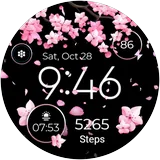
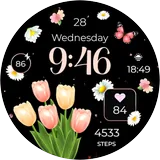
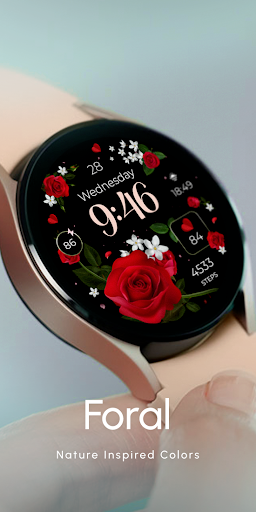
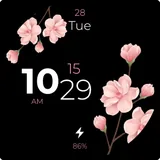
Wear OS watch face: A seasonal delight 🌸🌼☀️🍁❄️! Discover moods for saint patrick, spring, summer, fall, winter, Valentine's Day and the festive Christmas spirit 🎄. Perfect for everyone! Powered by Watch Face Format ⚙️ Phone App Features The phone app is simply a tool to facilitate installation and locating the watch face on your Wear OS watch. Only the mobile app contains ads. ⚙️ Watch Face Features - 12/24hr Digital Time - Date - Battery - Heart rate - Steps Count - 2 customizable shortcut - 2 customizable complications - Low Battery Consumption - 10 Backgrounds - Color Variations - Always ON Display 🎨 Customization 1 - Touch and hold display 2 - Tap on Customize option 🎨 Complications Touch and hold display to open customization mode. You can customize the field with any data you want. 🔋 Battery For better battery performance of the watch, we recommend disabling the "Always On Display" mode. ✅ Compatible devices include API level 33+ Google Pixel, Galaxy Watch 4, 5, 6, 7 and other Wear OS models. Installation and troubleshooting Follow this link: https://www.recreative-watch.com/help/#installation-methodes Watch faces don't automatically apply on your watch screen after the installation. That's why you must set it on your watch's screen. 💌 Write to [email protected] for assistance.

What ReS28 - Seasonal Watch Face Is Used For

ReS28 - Seasonal Watch Face appears to be a Wear OS personalization app used to install and manage a themed watch face on a compatible smartwatch. Based on the metadata, it is designed for devices such as Google Pixel Watch and Galaxy Watch models running Wear OS, and the phone app mainly helps with installation and finding the watch face on the watch itself.

The watch face may be used by people who want a seasonal style on their wrist, with designs that change around holidays and times of year such as spring, summer, fall, winter, Valentine’s Day, Saint Patrick’s Day, and Christmas. It also appears to show everyday smartwatch information like time, date, battery level, heart rate, and steps, while allowing a couple of shortcuts and customizable complications. The listed network permissions suggest the phone app can connect to the internet for setup or related functions, and the “prevent device from sleeping” permission may support background behavior during installation or operation.

Common uses

  • Install and apply the watch face on a Wear OS smartwatch
  • Show time, date, battery, heart rate, and step count
  • Switch between seasonal and holiday-themed styles
  • Customize backgrounds, colors, shortcuts, and complications
  • Use always-on display if you want constant visibility
  • Use the phone app for installation and watch-face discovery
Best for:
Wear OS users Smartwatch customization Seasonal themes Activity tracking display Large watch display

App Details

Package:
com.recreative.flowers2
Developer:
RECREATIVE Watch Faces
Version:
Varies with device
Updated:
Mar 26, 2026
Min Android:
Varies with device
Age Rating:
Everyone
Contains Ads:
Yes
In-App Purchases:
No

Official Listing

  • Official listing available on Google Play
  • Package name: com.recreative.flowers2
  • Age rating: Everyone

Explore More

Browse more apps in Personalization or explore the Phone hub .

Related Personalization Apps

How to Download ReS28 - Seasonal Watch Face

If this app is not hosted directly on APKApps official link, then for the safest and most up-to-date version, install it from its official Google Play listing.