About Seasonal Watch - Animated
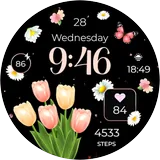
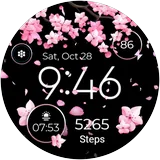
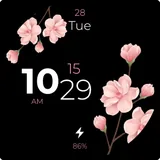
🌸🍂❄️ Experience the beauty of three seasons with the animated Wear OS Watch face! Watch spring & summer bloom, autumn leaves swirl, and winter snowflakes gently fall, bringing the magic of nature's transitions right to your wrist. Dive into a seasonal spectacle every time you glance. 🕰️🔄🍃 ⚙️ Phone App Features The phone app is simply a tool to facilitate installation and locating the watch face on your Wear OS watch. Only the mobile app contains ads. ⚙️ Watch Face Features • 12/24h Digital Time • Date • Battery • Steps Count • 2 customizable Shortcut • 2 customizable Complications • Animated Petals, Snow Flakes, Leaves • Always ON Display 🎨 Customization 1 - Touch and hold display 2 - Tap on Customize option 🎨 Complications Touch and hold display to open customization mode. You can customize the field with any data you want. 🔋 Battery For better battery performance of the watch, we recommend disabling the "Always On Display" mode. ✅ Compatible devices include API level 28+ Google Pixel, Galaxy Watch 4, 5, 6, and other Wear OS models. Installation and troubleshooting Follow this link: https://www.recreative-watch.com/help/#installation-methodes Watch faces don't automatically apply on your watch screen after the installation. That's why you must set it on your watch's screen. 💌 Write to
[email protected] for assistance.
What Seasonal Watch - Animated Is Used For
Seasonal Watch - Animated appears to be a Wear OS watch face app in the Personalization category. Based on the metadata, it is commonly used to change the look of a compatible smartwatch by showing an animated seasonal theme with spring, summer, autumn, and winter effects on the watch face.
The phone app seems to serve mainly as an installation and setup helper for the watch face on Wear OS devices, rather than as the primary experience itself. The watch face includes time, date, battery, step count, customizable shortcuts, and complications, so it may be useful for people who want both a decorative display and basic glanceable information on their wrist. The permissions for network access and preventing sleep also suggest the companion app may support downloading, account-free setup steps, or keeping the installation process active. It appears intended for Wear OS phones and watches, especially users who prefer animated, customizable watch faces.
Common uses
- Used to install and set up a Wear OS watch face on a compatible smartwatch
- Displays time, date, battery level, and step count at a glance
- Adds seasonal animated visuals such as petals, leaves, and snowflakes
- Supports two customizable shortcuts for quick access to watch functions
- Includes two customizable complications for personalized information
- May be suited for users who want a decorative watch face with practical status data
- Phone app appears to be a setup helper, while the watch face itself is the main feature
How to Download Seasonal Watch - Animated
If this app is not hosted directly on APKApps official link,
then for the safest and most up-to-date version, install it from its official Google Play listing.