About Nomad Sculpt
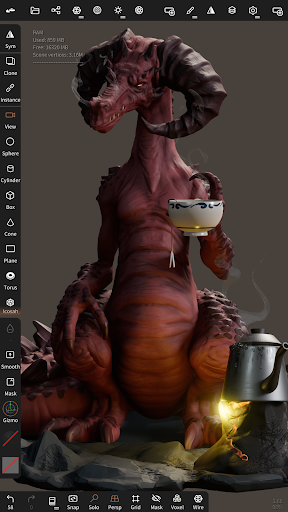
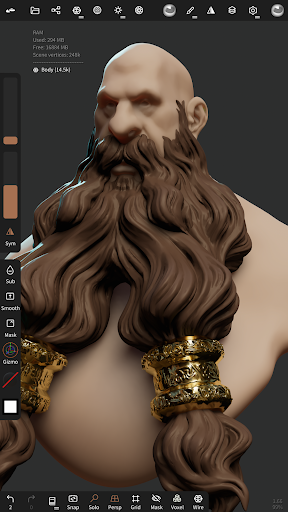
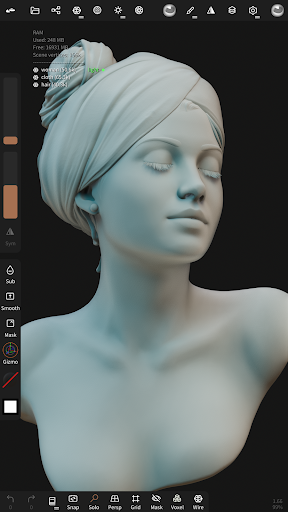
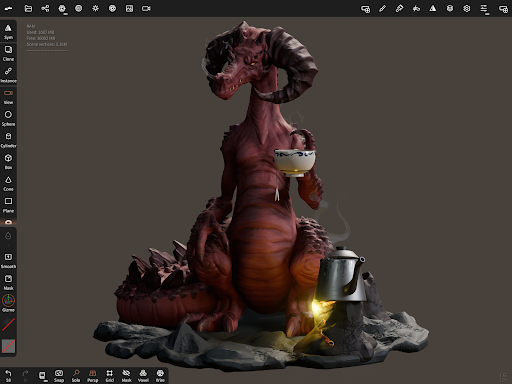
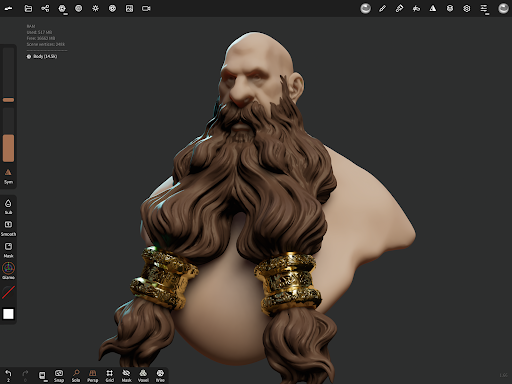
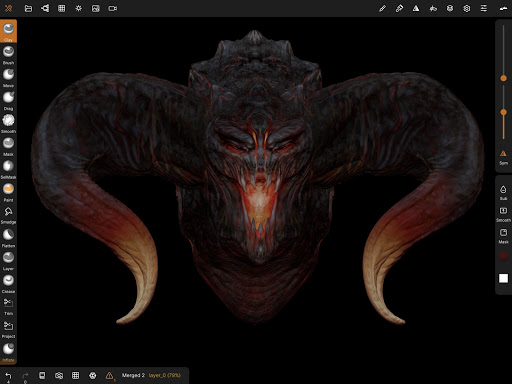
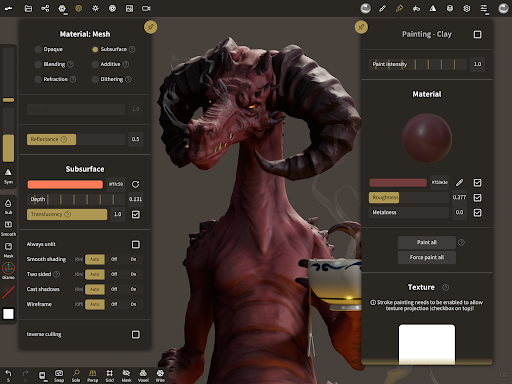
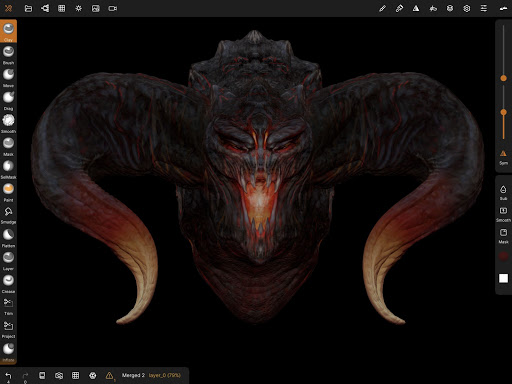
• Sculpting tools Clay, flatten, smooth, mask and many other brushes will let you shape your creation. You can also use the trim boolean cutting tool with lasso, rectangle and other shapes, for hardsurface purposes. • Stroke customization Falloff, alphas, tilings, pencil pressure and other stroke parameters can be customized. You can save and load your tools preset as well. • Painting tools Vertex painting with color, roughness and metalness. You can easily manage all your material presets as well. • Layers Record your sculpting and painting operations in separate layers for easier iteration during the creation process. Both the sculpting and painting changes are recorded. • Multiresolution sculpting Go back and forth between multiple resolution of your mesh for a flexible workflow. • Voxel remeshing Remesh quickly your mesh to get a uniform level of detail. It can be used to quickly sketch a rough shape at the beginning of the creation process. • Dynamic topology Refine locally your mesh under your brush to get an automatic level of detail. You can even keep your layers, as they will be automatically updated! • Decimate Reduce the number of polygons by keeping as many details as possible. • Face Group Segment your mesh into subgroups with the face group tool. • Automatic UV unwrap The automatic UV unwrapper can use face groups to control the unwrapping process. • Baking You can transfer vertex data such as color, roughness, metalness and small scaled detail in to textures. You can also do the opposite, transfering textures data into vertex data or layers. • Primitive shape Cylinder, torus, tube, lathe and other primitives can be used to quickly start new shapes from scratch. • PBR rendering Beautiful PBR rendering by default, with lighting and shadows. You can always switch to matcap for a more standard shading for sculpting purposes. • Post processing Screen Space Reflection, Depth of Field, Ambient Occlusion, Tone mapping, etc • Export and Import Supported formats include glTF, OBJ, STL or PLY files. • Interface Easy-to-use interface, designed for mobile experience. Customization is possible as well!
What Nomad Sculpt Is Used For
Nomad Sculpt appears to be a mobile 3D sculpting and painting app for creating digital models directly on Android phones. Based on the metadata, it is commonly used for shaping, refining, and coloring 3D artwork, especially when someone wants a portable sculpting workflow rather than a desktop modeling setup. The app category and feature list suggest it is aimed at artists, hobbyists, and 3D creators who want to build objects from scratch or iterate on existing meshes.
It may be especially useful for modeling organic forms, hard-surface shapes, and detailed surfaces with tools such as brushes, masking, layers, remeshing, and multiresolution editing. The permissions indicate internet access and network state support, while in-app billing suggests some features or content may be tied to purchases. Based on the metadata, the app also supports importing and exporting common 3D file formats, which makes it relevant for users who want to move work between mobile, 3D software, and other creative pipelines.
Common uses
- Create 3D sculptures on a phone using brush-based modeling tools.
- Paint models with vertex color and material controls such as roughness and metalness.
- Use layers to separate sculpting and painting edits during revision.
- Refine meshes with remeshing, decimation, and multiresolution workflows.
- Start from primitive shapes for quick concept modeling or base forms.
- Import and export common 3D formats like OBJ, STL, PLY, and glTF.
- Adjust the interface and tool settings for a mobile-first workflow.
App Details
Package:
com.stephaneginier.nomad
Developer:
Hexanomad
Version:
2.8
Updated:
Dec 22, 2025
Min Android:
8.0
Age Rating:
Everyone
Contains Ads:
No
In-App Purchases:
Yes
Official Listing
-
Official listing available on
Google Play
-
Package name:
com.stephaneginier.nomad
-
Age rating:
Everyone
Related Art & Design Apps
Art & Design
•
Canva
Graphic design and content creation app for mobile.
Version 2.354.1
43.1 MB
⭐ 4.80
500,000,000+ installs
Art & Design
•
ibis inc.
Version 14.0.0
⭐ 4.50
100,000,000+ installs
Art & Design
•
Sketchbook
Version Varies with device
41.2 MB
⭐ 4.00
100,000,000+ installs
Art & Design
•
Kutumb App
Get quotes with your name and photos daily
Version 10.6.4
168.5 MB
⭐ 4.60
100,000,000+ installs
Art & Design
•
Adobe
AI-powered photo & video creation—fast, fun, and effortless with Quick Actions
Version 30.0.0
99.6 MB
⭐ 4.60
100,000,000+ installs
Art & Design
•
Visual Blasters LLC
Kickstart your animation journey in a few moments!
Version 4.2.25
25.4 MB
⭐ 4.40
50,000,000+ installs
How to Download Nomad Sculpt
If this app is not hosted directly on APKApps official link,
then for the safest and most up-to-date version, install it from its official Google Play listing.