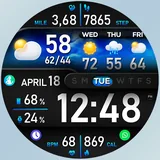
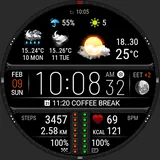
About [KNA015] CRESCENT
Wear OS Watch Face With Customizable Complications (for Wear OS 5+ devices) WATCH FACE INSTALLATION NOTES: (Please update your android to lastest version) Note : install Watch face via Wear OS Watch (If you cannot install via your smartphone) https://drive.google.com/file/d/1Ks0k68vwTua4eLPvMryORga0ZwViglWk/view?usp=drivesdk Check your watch's compatibility with WEAR OS before proceeding with the installation. (Note: Galaxy Watch 3 and Galaxy Active are not WEAR OS devices.) ✅ Compatible devices include API level 34+ for Wear OS 5+ devices 🚨 Watch faces don't automatically apply on your watch screen after the installation. That's why you MUST set it on your watch's screen. Features: - Digital Styles (12/24 Hour Time format) - Date , Day of week , Month - Realistic Weather - Weather forecast 4 Hours / 4 Days - Chance Of Precipitation - UV Index - Moon Phase - 6 Complications editable Widgets - AOD 2 stlyes (Analog/Digital) - Distance calculate editable (KM/MI) - Steps Count , Heart Rate , Battery Level , Message unread , Calories calculate and more Widgets Customization: 1. Touch and Hold Display 2. Tap on Customize Option Complications: You can customize with the any data you want. For example, you can select weather, world clock, sunset/sunrise, barometer etc. **Some features may not be available on some watches. For further support, please contact:
[email protected] Thank you for Your support.
What [KNA015] CRESCENT Is Used For
[KNA015] CRESCENT appears to be a Wear OS watch face app for customizing the look and data displayed on a smartwatch. Based on the metadata, it is meant for Wear OS 5+ devices and focuses on everyday at-a-glance information such as time, date, day, weather, moon phase, steps, heart rate, and battery level.
This type of app is commonly used to personalize a watch screen and add selectable complications, which may let the wearer choose different data shortcuts like weather, world clock, sunrise/sunset, or barometer details. The listed permissions for body sensors, vibration, and preventing sleep suggest it may interact with health-related watch data, provide haptic feedback, and help keep the watch face running smoothly while active. Since the app type is phone and the description mentions watch installation steps, it may be used from an Android phone to manage or install the watch face, then applied directly on the watch.
Common uses
- Personalize a Wear OS watch face with digital time styles
- Show everyday information like date, day, weather, and battery
- Track watch-based metrics such as steps, heart rate, and calories
- Use editable complications for shortcuts to data like world clock or sunrise/sunset
- Switch between always-on display styles in analog or digital layouts
- Choose metric or imperial distance display (KM/MI)
- Install and set the face on a compatible Wear OS 5+ watch
How to Download [KNA015] CRESCENT
If this app is not hosted directly on APKApps official link,
then for the safest and most up-to-date version, install it from its official Google Play listing.

![[KNA015] CRESCENT icon](https://cdn.apkapps.com/icons/app-icons/com.watchfacestudio.kna015.webp)
![[KNA015] CRESCENT screenshot](https://play-lh.googleusercontent.com/S_k4-VSkpW7dgFQB9a6m9sVjPItQ5YvlVPNl6T73qN1a2-G8W9kWPJa8P_ChevP66xU)
![[KNA015] CRESCENT screenshot](https://play-lh.googleusercontent.com/JN17F3eRo-0fshlWyr44PGeTk5y2KMLeKl-vzdAJq7B78lvIPQP8iewNbdoXHI1SMFw)
![[KNA015] CRESCENT screenshot](https://play-lh.googleusercontent.com/Ii2VTwLViRypRTV_qGYLdzVOZihDyzaEZ1_6BO7RZlNyzqSpEs4ZqBq3OvAyxyBeVt8)
![[KNA015] CRESCENT screenshot](https://play-lh.googleusercontent.com/ZMDaPbo3faEztBjgO8US26sKFzocINzS8PXWQC90dX-aA-w5IPQQUgRZ-H_Y4IlNgyI)
![[KNA015] CRESCENT screenshot](https://play-lh.googleusercontent.com/pCgBPwuIHgqIlBon9kfvZaxboT1Mn8tjQahwSlTSBzgKVhSyRu_ifTqkfhjwuGj3bi4)
![[KNA015] CRESCENT screenshot](https://play-lh.googleusercontent.com/UvvsKxeFDT8hm3iprOKAt9r-evXOPY-L1K_VZjZQZixrhivQafZM_LUhamJJkJm2eOk)
![[KNA015] CRESCENT screenshot](https://play-lh.googleusercontent.com/O8nRUM9UULGZajG3vibV0VJJoOM734UfbkWzBrZmS8ic3SPjyB2qhrGVLYi4ABQp1dU)
![[KNA015] CRESCENT screenshot](https://play-lh.googleusercontent.com/Kl2gAdN7YbhXx2_agM3UNMuKQPg9WZTT9xxVybNP2RnNx1I_h4-dBDcRM2Wmd3wcrmQ)
![[KNA015] CRESCENT screenshot](https://play-lh.googleusercontent.com/RpR33LkML542pBWB1qRtPz-0oL-uPwdf4LE2SduPRhscrQcKNZPnQtedLyryoV9qgF0)
![[KNA015] CRESCENT screenshot](https://play-lh.googleusercontent.com/11kO3VrYdcDcWloPlVB5yTOMnTue5JsqSK0F1ld6Dio2zOhKtP0CpI0cQ5BuAi-5EPk)
![[KNA015] CRESCENT screenshot](https://play-lh.googleusercontent.com/3I-OPPhgBXN57aWzNXsWtRlbgbPKKVue-wU6wDtsdW9MaKlwA-mdNS-bQFxBB5s2kVHw)
![[KNA015] CRESCENT screenshot](https://play-lh.googleusercontent.com/ktznzrMoItzZ9atw4hsvDITMHppqk5Seh7vEYe0Cq5ICzQWA4znU67LMv2z6ffvllrQP)
![[KNA015] CRESCENT screenshot](https://play-lh.googleusercontent.com/08IxUdqHV5P0Rdh_2UpqxGBdLVj1U1DoecFUvPdqiHbyYd9N1q3wH5vUKMVBhD53dyI)
![[KNA015] CRESCENT screenshot](https://play-lh.googleusercontent.com/y1PAzm3UjWvUp_WNmX7uHeHwURM7mKtNBJjbQJj29uypkaHulGQu58jt3AUB47X049X2)
![[KNA015] CRESCENT screenshot](https://play-lh.googleusercontent.com/xtB07VVgHIbG7RMydKdy2yukiS3Bsx9kcX2MAtkCy9_EnBMBnWqs-kuBJnqICf-hzQ)
![[KNA015] CRESCENT screenshot](https://play-lh.googleusercontent.com/9Quk3JVnVucSY5EFG_xXmM7BaNNyXPnQFC673jGE2OSnZjpCnKiJCpOiAZWF8wXRoQ)
![[KNA015] CRESCENT screenshot](https://play-lh.googleusercontent.com/KLrblEwiUHODafNVj6XJdzUF2xF_DY9nZ5l08PnG7cqM1-_T46zJsPtgPXlr09KfyVU)
![[KNA015] CRESCENT screenshot](https://play-lh.googleusercontent.com/GsFI4ZZ4X5xOCYoY-8w4kr6qeJqIKOOLMQgiHmNNXfGlH6nrXGLuLNFZ04WR9kzr7vY)
![[KNA015] CRESCENT screenshot](https://play-lh.googleusercontent.com/YLFYI0y8ddOwOgMrEB3rsKPtVHr_Rm_F7gmo9maT29Z0L-zr6Sp1bVCI6xcIWTbJbg)
![[KNA015] CRESCENT screenshot](https://play-lh.googleusercontent.com/NvLuOLnmXHqWRfFAqkZAQKZZzv0Jwff3kzbw9xZuhSxh20OcGy3jmiHHopoEWowSDHQ)
![[KNA015] CRESCENT screenshot](https://play-lh.googleusercontent.com/qH_-v0PR4N4L95HAYtYuMlmrj23k3m6K5GDF0psw4niMIavVwL_TeSnEnk2CSW021AKS)
![[KNA015] CRESCENT screenshot](https://play-lh.googleusercontent.com/bvnb2W7XPKi7Eh-CYZdWgRjkY21YoasgKvVwcAdZ7aww7WtgSiVZXfSJGb3QVJNWxt4)
![[KNA015] CRESCENT screenshot](https://play-lh.googleusercontent.com/2aaNwbxHq3WsZtujC9_V8S3AoXfT2RAeMEVWyBoSerWsU8P_9DFAKfH1BsdXPXlsAw)
![[KNA015] CRESCENT screenshot](https://play-lh.googleusercontent.com/dCaFD3hELd-Ubv0oNxZtZnUzLDaqOhlmdL3nJnRK8lsR-ZXFL2zfj2llcRDCe_EBjnHr)
![[KNA015] CRESCENT screenshot](https://play-lh.googleusercontent.com/SJ1Ftm2A3WvmpfBJEeeGDxzvr4sNM4Le8rED3RD5r87Omr4ZnRQg00Ze0_bByhJq4k4)
![[KNA015] CRESCENT screenshot](https://play-lh.googleusercontent.com/VWoad4YEf6N1d8PHFjQu-YvAPrRBFpFM1VJCBCw1etAkQfFMhU1roGxTom3_3TRY7Q)
![[KNA015] CRESCENT screenshot](https://play-lh.googleusercontent.com/vTGMyXr6zSqlRan2AZGVJ7Nxqha0TSw6xkgzfN0SMl6zKuYpbMiIDZa-zMnTuM9voQ)
![[KNA015] CRESCENT screenshot](https://play-lh.googleusercontent.com/sOVpdSu8AhyBh4J7g861YibIEERZ59iwgwZxyDzcfUr7XjAJ-_obCwjONwFLMt-AE6RG)
![[KNA015] CRESCENT screenshot](https://play-lh.googleusercontent.com/bp8nI7zKbAR34eFW7llbbdGVmEOiQ83YFQteBYY7ztCaPVCZ1dWIo9i0N2fnEyDU3Z0)
![[KNA015] CRESCENT screenshot](https://play-lh.googleusercontent.com/CW3g1oNfGHON8VIVJyewu002LnMnGDYmAFSEMBL1_ayHIQUdwFVySNV6bHb9RoExTg8)
![[KNA015] CRESCENT screenshot](https://play-lh.googleusercontent.com/gE39U_PGLwsAMd4ExNlRtuYdOL2Pwzvr75oD3YSlPDj2gLXZdnOsdgkJ5sC1qU0ZNlsN)
![[KNA015] CRESCENT screenshot](https://play-lh.googleusercontent.com/TLcG1EzbSebHO26sCkfVknSYZS9aa6PtuuBOtE8rNUBwLa9yX-9ZsLl4Pch0_LRJHI4)
![[KNA015] CRESCENT screenshot](https://play-lh.googleusercontent.com/Ag1QxeMebuqDzTy8pJWd0EfHuKGSlwUt4ok_sAdmOZaExFqhmI5bsaKBQjg5G195qvY)
![[KNA015] CRESCENT screenshot](https://play-lh.googleusercontent.com/XmECcsVseJJTdKsrASBIZYRHTCQF5sQUPzfwj2ZHPmDFX627JUp8hdWjHpiAKvkRKfDY)