About Artist's Aid to Color Mixing
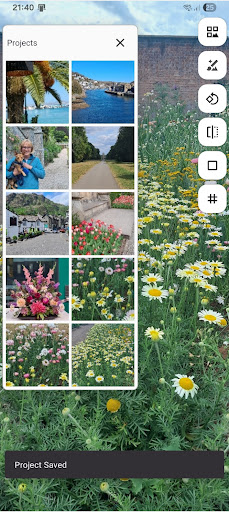
The ‘Palette Composer - An Artist's Aid to Color Mixing’ is the ideal companion for artists who need a little help with mixing colors. After selecting a color from an image, the Palette Composer will search your palette of colors to find the best mix solutions that match the chosen color. It will provide up to 100 solutions for you to choose from. By studying the solutions, you will soon be able to see how colors work together. Making it an excellent tool to help with learning color theory. It not only tells you which colors to mix, as each color is added, it shows the required result before and after adjusting the tint. Giving you a step-by-step guide to creating your chosen color, enabling you to mix colors with more confidence. Colors can be added to the app's palette either by selecting pre-defined colors from a catalog or by defining new colors. You can also create your own catalogs by importing colors from an image of your color samples. If a color cannot be matched closely enough using the colors in your palette, you can ask it to mix the color using both the palette and a catalog, helping you identify colors in the catalog you could add to your color palette. Start a project by selecting an image of the picture you want to use. You can also frame it to match your canvas dimensions and add a grid to help draw it. When you have chosen a mix solution, and you have mixed it on your palette board, you can add the mixed color to your palette, enabling the app to use it for mixing other colors. The mix and the colors used to make it are marked as ‘preferred’. Preferred colors are prioritized in the mix results, helping to reduce wastage. Note: Some solutions may give a better result than others, so always try the mix prior to applying to your artwork. This is especially important when using mediums that are blended on the artwork. A generic catalog has been provided within the Palette Composer, containing a selection of standard artist paint colors. It should be noted that differences in these colors can occur across the different paint manufacturers. If you find some discrepancies, you can import your own colors into your own catalogs by using the 'Import Colors from Image' function. After creating a catalog, it can be exported to an external file to share across your devices and to share with your friends, family, and students. If you have any suggestions on how we can improve this app, please get in touch. Happy color mixing. The mystery is solved - now enjoy the magic! Supported Languages: English, French, German, Spanish, Swedish, Italian
What Artist's Aid to Color Mixing Is Used For
Artist's Aid to Color Mixing appears to be a phone app for artists who want help planning and comparing color mixes. Based on the metadata, it is centered on matching a target color from an image or reference and suggesting possible ways to recreate that color from a chosen palette. That makes it useful for painting, illustration, and general color-theory practice when you want a structured way to think through mixing rather than guessing by eye.
The app also seems geared toward building and managing color catalogs. Users may add predefined colors, define custom colors, or import colors from sample images, then use those libraries to search for mix solutions. It can also frame a project image to canvas dimensions and add a grid, which suggests it may help with planning artwork setup as well as color matching. The network permission may relate to online licensing or app functions, but the metadata does not indicate the app depends on constant internet use.
Common uses
- Suggesting possible paint mixes for a chosen target color
- Helping artists study how colors combine and adjust tint
- Building custom color palettes and catalogs from predefined or imported colors
- Comparing mix options before applying them to artwork
- Adding a grid or canvas framing to a project image
- Marking preferred mixes so they can be reused later
- Supporting color-theory practice for painting and illustration
App Details
Package:
jmg.colmix
Developer:
Gujomo Apps
Version:
Varies with device
Min Android:
Varies with device
Age Rating:
Everyone
Contains Ads:
No
In-App Purchases:
No
Official Listing
-
Official listing available on
Google Play
-
Package name:
jmg.colmix
-
Age rating:
Everyone
Related Art & Design Apps
Art & Design
•
Canva
Graphic design and content creation app for mobile.
Version 2.354.1
43.1 MB
⭐ 4.80
500,000,000+ installs
Art & Design
•
ibis inc.
Version 14.0.0
⭐ 4.50
100,000,000+ installs
Art & Design
•
Sketchbook
Version Varies with device
41.2 MB
⭐ 4.00
100,000,000+ installs
Art & Design
•
Kutumb App
Get quotes with your name and photos daily
Version 10.6.4
168.5 MB
⭐ 4.60
100,000,000+ installs
Art & Design
•
Adobe
AI-powered photo & video creation—fast, fun, and effortless with Quick Actions
Version 30.0.0
99.6 MB
⭐ 4.60
100,000,000+ installs
Art & Design
•
Visual Blasters LLC
Kickstart your animation journey in a few moments!
Version 4.2.25
25.4 MB
⭐ 4.40
50,000,000+ installs
How to Download Artist's Aid to Color Mixing
If this app is not hosted directly on APKApps official link,
then for the safest and most up-to-date version, install it from its official Google Play listing.