NetShare - no-root-tethering icon

Phone

NetShare - no-root-tethering

Communication NetShare Softwares ⭐ 4.30 10,000,000+

Share your internet or extends your existing Wifi connection as a WiFi Repeater

Version 2.46 1.2 MB Everyone

Screenshots

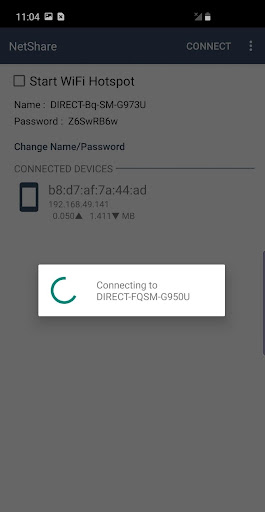
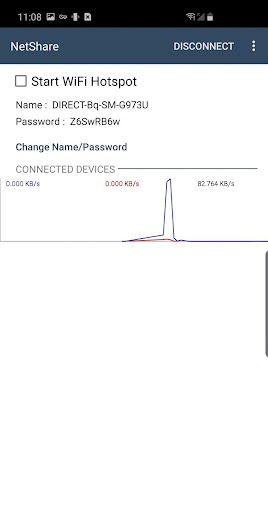
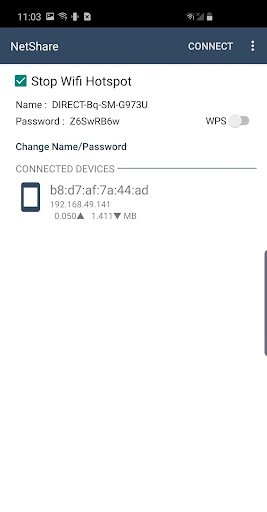
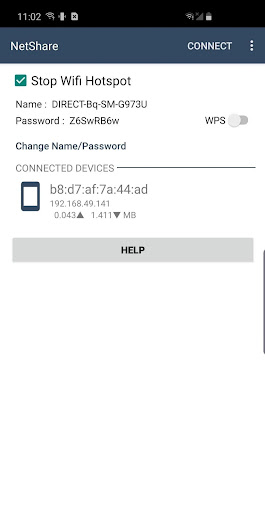
NetShare - no-root-tethering screenshot
Permissions Explained 10 permissions requested View details

This app requests 10 permissions. The table below explains what each permission may allow and what users should review before installing.

Status Permission What it means Why it may be used User safety note
ℹ️ Review Change Network State android.permission.CHANGE_NETWORK_STATE This is an Android permission or app-specific permission requested by the app. The app may use this permission for features related to its category, device support, background behavior, storage, connectivity, or system integration. Review this permission before installing, especially if it does not match the app’s expected purpose.
ℹ️ Review Change Wifi State android.permission.CHANGE_WIFI_STATE This is an Android permission or app-specific permission requested by the app. The app may use this permission for features related to its category, device support, background behavior, storage, connectivity, or system integration. Review this permission before installing, especially if it does not match the app’s expected purpose.
Common View network status android.permission.ACCESS_NETWORK_STATE Allows the app to check whether the device is connected to Wi-Fi, mobile data, or another network. Often used to avoid loading content when offline or to adjust loading based on connection quality. Generally low risk by itself.
Common Internet access android.permission.INTERNET Allows the app to open network connections and communicate with online services. Commonly used for streaming, syncing, login, ads, analytics, downloads, cloud features, and app updates. Common permission. Review the app’s behavior if it does not appear to need online access.
ℹ️ Review Access Wifi State android.permission.ACCESS_WIFI_STATE This is an Android permission or app-specific permission requested by the app. The app may use this permission for features related to its category, device support, background behavior, storage, connectivity, or system integration. Review this permission before installing, especially if it does not match the app’s expected purpose.
ℹ️ Review Vending Billing com.android.vending.BILLING This is an Android permission or app-specific permission requested by the app. The app may use this permission for features related to its category, device support, background behavior, storage, connectivity, or system integration. Review this permission before installing, especially if it does not match the app’s expected purpose.
ℹ️ Review Foreground Service android.permission.FOREGROUND_SERVICE This is an Android permission or app-specific permission requested by the app. The app may use this permission for features related to its category, device support, background behavior, storage, connectivity, or system integration. Review this permission before installing, especially if it does not match the app’s expected purpose.
ℹ️ Review Keep device awake android.permission.WAKE_LOCK Allows the app to prevent the device from sleeping while a task is running. Used for media playback, downloads, navigation, alarms, calls, or long-running background tasks. Review battery usage if the app keeps the device awake too often.
ℹ️ Review Send notifications android.permission.POST_NOTIFICATIONS Allows the app to send notifications to the device. Used for alerts, reminders, messages, account activity, updates, or media controls. Review notification settings if the app sends too many alerts.
ℹ️ Review Nearby Wifi Devices android.permission.NEARBY_WIFI_DEVICES This is an Android permission or app-specific permission requested by the app. The app may use this permission for features related to its category, device support, background behavior, storage, connectivity, or system integration. Review this permission before installing, especially if it does not match the app’s expected purpose.

About NetShare - no-root-tethering

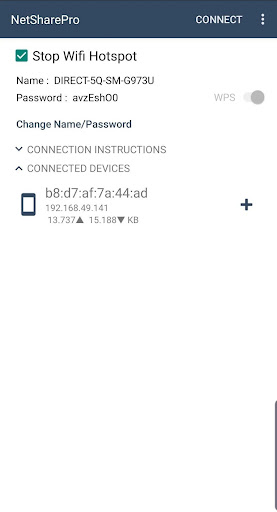
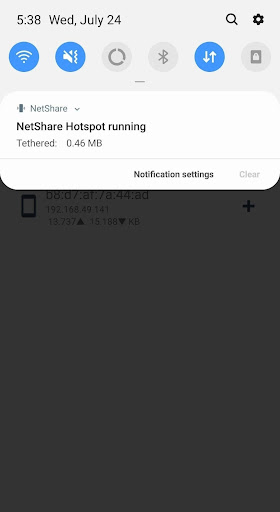
Create WiFi Hotspot to share cellular data or extend your existing WiFi connection just as a WiFi Repeater. NO TETHERING PLAN OR Tether fees required. Support android 6 and above Work in android 6 and above in which hotspot / tethering features are blocked. Bypass tethering / hotspot block. Your tethering is completely hidden & undetectable. Create portable WiFi Hotspot while connected to WiFi network to share WiFi connection from your device to other devices as a WiFi Repeater. Using WiFi Tether which is more faster than Bluetooth, and C libraries to make WiFi Tether faster than ever. Extend weak WiFi signal Using your phone. Facebook page https://Facebook.com/NetShareApp NetShare use VPN in the connected device service for routing ip packets to NetShare to provide full internet access to the device

What NetShare - no-root-tethering Is Used For

NetShare - no-root-tethering appears to be a communication app focused on sharing internet access from an Android phone. Based on the metadata, it may be used to create a Wi‑Fi hotspot for other devices, or to extend an existing Wi‑Fi connection in a repeater-like setup. The app description also suggests it is intended for Android 6 and above, including cases where built-in tethering features may be limited or blocked on some devices.

In practical use, this kind of app is usually chosen when someone wants to connect a laptop, tablet, or another phone to the internet through their Android device. The listed permissions support this networking role, including Wi‑Fi state, network state, foreground service, wake lock, and nearby Wi‑Fi device access. The metadata also mentions VPN-based routing on the connected device side, which suggests the app may rely on network routing to pass internet traffic between devices.

Common uses

  • Share cellular data with nearby devices over Wi‑Fi
  • Extend an existing Wi‑Fi connection from a phone
  • Set up a portable hotspot when built-in tethering is limited
  • Support temporary internet access for another phone or laptop
  • Use on Android 6+ devices with Wi‑Fi and network permissions
  • Keep the app active in the foreground while routing traffic
Best for:
hotspot sharing Wi-Fi repeater use phone users network sharing

App Details

Package:
kha.prog.mikrotik
Category:
Communication
Developer:
NetShare Softwares
Version:
2.46
Updated:
Mar 31, 2026
Min Android:
6.0
Age Rating:
Everyone
Contains Ads:
No
In-App Purchases:
Yes

Official Listing

  • Official listing available on Google Play
  • Package name: kha.prog.mikrotik
  • Age rating: Everyone

Explore More

Browse more apps in Communication or explore the Phone hub .

Related Communication Apps

TP-Link Tether icon

TP-Link Tether

Tools TP-LINK SYSTEMS INC.

TP-Link Tether provides the easiest way to access and manage your devices.

Version 4.13.7 156.0 MB ⭐ 4.70 50,000,000+ installs

How to Download NetShare - no-root-tethering

If this app is not hosted directly on APKApps official link, then for the safest and most up-to-date version, install it from its official Google Play listing.