USB Media Explorer icon

Phone

USB Media Explorer

Photography Homesoft, LLC ⭐ 3.80 500,000+
Version 11.5.2 Everyone

Screenshots

USB Media Explorer screenshot
Permissions Explained 7 permissions requested View details

This app requests 7 permissions. The table below explains what each permission may allow and what users should review before installing.

Status Permission What it means Why it may be used User safety note
ℹ️ Review Read The Contents Of Your Usb Storage read the contents of your USB storage This is an Android permission or app-specific permission requested by the app. The app may use this permission for features related to its category, device support, background behavior, storage, connectivity, or system integration. Review this permission before installing, especially if it does not match the app’s expected purpose.
ℹ️ Review Modify Or Delete The Contents Of Your Usb Storage modify or delete the contents of your USB storage This is an Android permission or app-specific permission requested by the app. The app may use this permission for features related to its category, device support, background behavior, storage, connectivity, or system integration. Review this permission before installing, especially if it does not match the app’s expected purpose.
ℹ️ Review View Wi Fi Connections view Wi-Fi connections This is an Android permission or app-specific permission requested by the app. The app may use this permission for features related to its category, device support, background behavior, storage, connectivity, or system integration. Review this permission before installing, especially if it does not match the app’s expected purpose.
ℹ️ Review View Network Connections view network connections This is an Android permission or app-specific permission requested by the app. The app may use this permission for features related to its category, device support, background behavior, storage, connectivity, or system integration. Review this permission before installing, especially if it does not match the app’s expected purpose.
ℹ️ Review Full Network Access full network access This is an Android permission or app-specific permission requested by the app. The app may use this permission for features related to its category, device support, background behavior, storage, connectivity, or system integration. Review this permission before installing, especially if it does not match the app’s expected purpose.
ℹ️ Review Prevent Device From Sleeping prevent device from sleeping This is an Android permission or app-specific permission requested by the app. The app may use this permission for features related to its category, device support, background behavior, storage, connectivity, or system integration. Review this permission before installing, especially if it does not match the app’s expected purpose.
ℹ️ Review Google Play License Check Google Play license check This is an Android permission or app-specific permission requested by the app. The app may use this permission for features related to its category, device support, background behavior, storage, connectivity, or system integration. Review this permission before installing, especially if it does not match the app’s expected purpose.

About USB Media Explorer

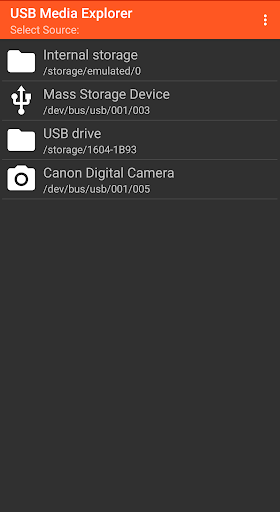
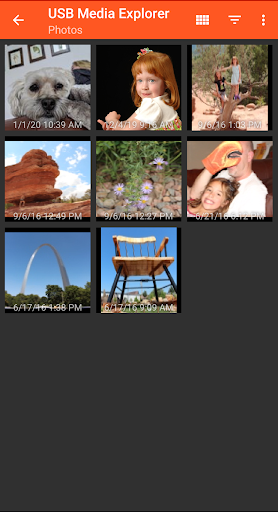
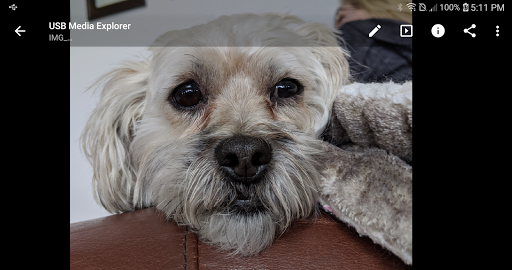
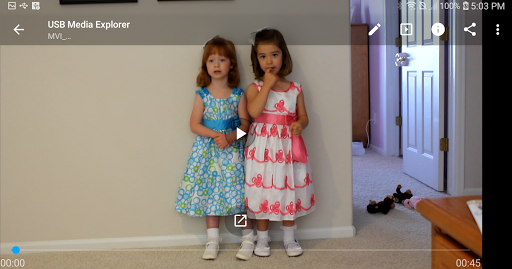
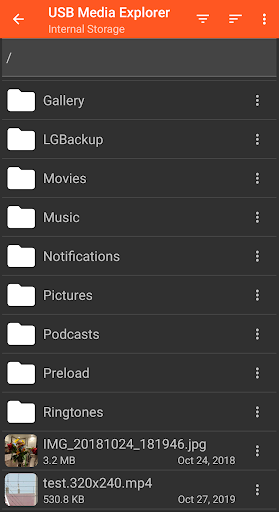
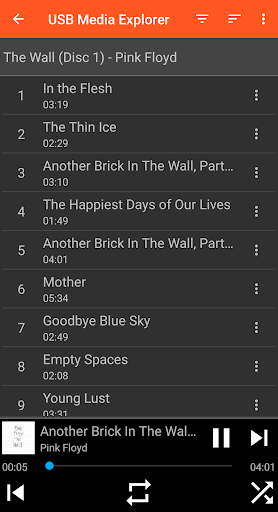
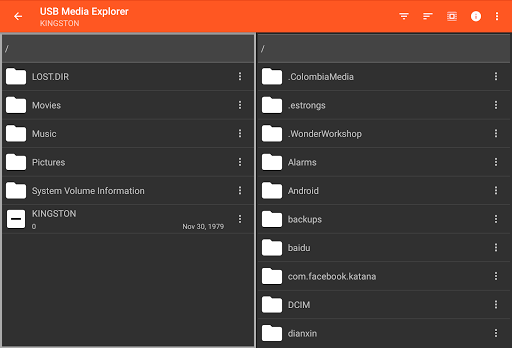
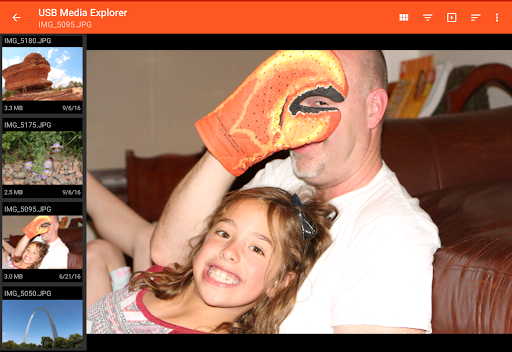
USB Media Explorer (UME), formerly known as Nexus Media Importer, allows you view photos (Jpeg and Raw), stream videos1, listen to music, and view documents from USB storage devices and cameras. Specialized screens for photos, videos, music, documents and file management. Copy files to and from the USB device. View full size photos and videos without importing! Supported Devices: - Flash/Pen Drives - Card Readers - Hard Drives2 - Cameras3 - Other Android devices4 - MTP/UMS audio players5 - Some DVD drives6 Additional Hardware Requirements: - Connecting most devices will require a microUSB OTG cable or USB C to USB adapter. These are available from most major retail websites. Notes: 1. Video and audio formats not natively supported by Android (AVI, Dolby, DTS, WMV) may require a third party player like VLC. 2. Hard drives require considerable power and may require an external power source, like a powered USB hub. 3. Only cameras with storage are supported. Live image devices like endoscopes and webcams are not supported. 4. To access another Android device, put the target device in MTP/File Transfer Mode. 5. Most “i” devices use a proprietary protocol. These are NOT supported. 6. Only DVD drives that support AV Connect mode or similar are supported. See your DVD drive manual. Commercial DVDs are not supported. Support: - If you have an issue, you can tap "Homesoft" from the About screen for email support. I read and reply to reviews, but due to their one way nature, it’s difficult to resolve issues. If you have a support request, please include the Android device you are using, the USB device you are trying to use and a description of the problem.

What USB Media Explorer Is Used For

USB Media Explorer appears to be a phone app for browsing and managing media stored on USB-connected devices. Based on the metadata, people commonly use it to view photos, play videos and music, and open documents directly from USB storage without first copying everything to the device. It also includes dedicated screens for photos, videos, music, documents, and file management, which suggests it is meant to make external media easier to navigate on Android.

The app is especially relevant for users connecting flash drives, card readers, hard drives, cameras, or other supported USB devices through an OTG cable or USB-C adapter. The listed permissions for reading and modifying USB storage fit its file access and transfer features, and the network-related permissions may be used for licensing or related app functions. Based on the description, it may be useful when you want to inspect files on the go, move content between a USB device and your phone, or preview full-size images and videos without importing them first.

Common uses

  • Browse photos, videos, music, and documents on USB storage
  • Preview full-size images and videos without importing files
  • Copy files to or from a connected USB device
  • Manage content from flash drives, card readers, and some hard drives
  • Access camera storage from supported USB-connected cameras
  • Use specialized file screens for different media types
  • Handle external storage through OTG or USB-C adapter connections
Best for:
USB file browsing Photo viewing Media playback File transfer Phone app

App Details

Package:
com.homeysoft.nexususb.importer
Category:
Photography
Developer:
Homesoft, LLC
Version:
11.5.2
Updated:
Aug 22, 2025
Min Android:
6.0
Age Rating:
Everyone
Contains Ads:
No
In-App Purchases:
No

Official Listing

  • Official listing available on Google Play
  • Package name: com.homeysoft.nexususb.importer
  • Age rating: Everyone

Explore More

Browse more apps in Photography or explore the Phone hub .

Related Photography Apps

USB Audio Player PRO icon

USB Audio Player PRO

Music & Audio eXtream Software Development
Version 7.1.0.6 12.2 MB ⭐ 4.10 100,000+ installs
ASTRO File Manager icon

ASTRO File Manager

Tools ST Pulse

Organize your files and manage your cloud storage with ASTRO File Manager

Version 8.13.5 10.8 MB ⭐ 4.07 50,000,000+ installs
Explorer icon

Explorer

Productivity Speed Software

Fast, lightweight and easy to use file manager.

Version 3.12.3 4.1 MB ⭐ 4.00 10,000,000+ installs
Total Commander icon

Total Commander

Tools C. Ghisler

Android version of the desktop file manager Total Commander (www.ghisler.com).

Version 3.50d 2.7 MB ⭐ 3.94 10,000,000+ installs

How to Download USB Media Explorer

If this app is not hosted directly on APKApps official link, then for the safest and most up-to-date version, install it from its official Google Play listing.