About Find my stuff: Home inventory
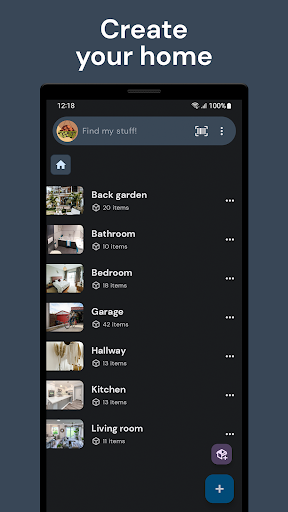
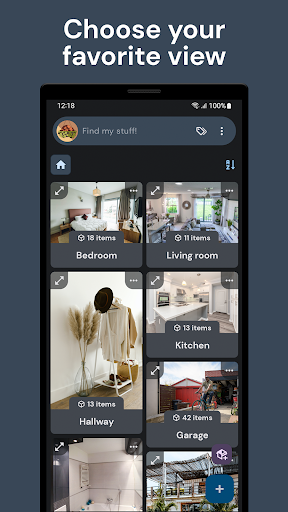
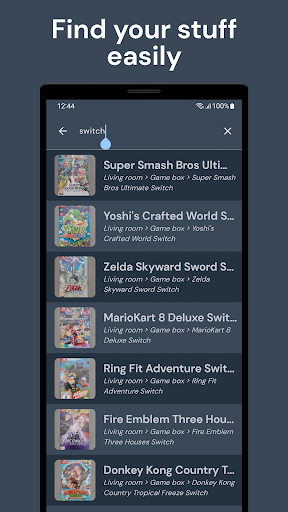
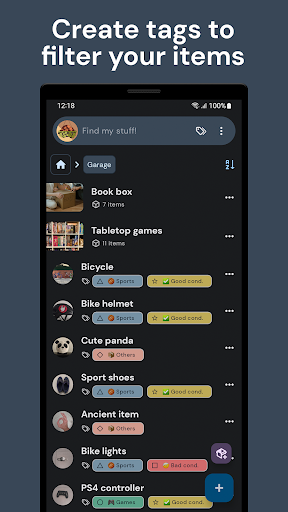
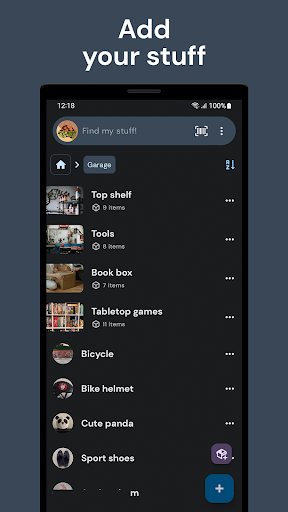
Find my stuff is an easy and powerful home inventory app. Create an inventory of your belongings, furniture, appliances, clothing, tools, collections, or anything you want to keep organized. Perfect for personal use, small businesses, and anyone who needs a clear and accessible inventory. It’s ideal for: • Organizing a complete home inventory • Managing a move or relocation so you know exactly what you have and where it goes • Cataloging collections like books, games, art, or collectibles • Tracking inventory for rentals, Airbnb, or other accommodations Start by creating a location (Bedroom, Garage, Kitchen…), add your items with photos, and store all the details you need. Your home inventory will always be up to date and easy to access. Free main features: • Complete inventory with photos, quantities, prices, descriptions, and useful links • Save important dates: expiration, warranty, purchase, or loans • Export an Excel with inventory and photos • Advanced search to filter items by multiple characteristics • Custom tags to organize and find things quickly • Built-in barcode and QR code scanner • Show or hide only the fields you need • Works fully offline (online connection only needed for Google Drive backups) Advanced paid features: • NFC scanner to identify your belongings instantly • Save advanced searches to filter your inventory in seconds • Remove the photo limit per item (more than 3) With Find my stuff, you can keep a detailed home inventory, manage stock for a small business, prepare for a move, catalog your collections, or control warehouse storage. Keep everything organized, save time searching for things, and never lose track of important information about your belongings. Organize, find, and control everything you own. Your inventory, always at hand.
What Find my stuff: Home inventory Is Used For
Find my stuff: Home inventory appears to be a personal inventory and organization app for Android phones. Based on the metadata, people may use it to catalog household items such as furniture, appliances, clothing, tools, books, games, and collectibles, along with details like photos, quantities, prices, descriptions, and important dates. It also seems useful for organizing items by location, such as a bedroom, garage, kitchen, storage area, or rental property.
The app may be especially helpful when you need to keep track of what you own during a move, manage inventory for a small business, or maintain records for rentals and accommodations like Airbnb. Permission context supports some of these uses: camera access may be used to add photos, NFC control may support item identification, and network access may be needed for cloud backup features such as Google Drive. The offline-first design suggests it can be used without constant internet access, with online connectivity mainly needed for backup-related functions.
Common uses
- Create a home inventory for household belongings
- Track items by room, storage area, or property
- Add photos and details for furniture, tools, clothing, and collections
- Record dates such as purchase, warranty, loan, or expiration
- Use barcode, QR, or NFC scanning to identify items
- Export inventory data to Excel for review or sharing
- Manage stock for small businesses, rentals, or moving prep
App Details
Package:
com.miquelcms.homeorganizer
Developer:
Miquel Martinez
Version:
1.21.4
Updated:
Feb 26, 2026
Min Android:
8.0
Age Rating:
Everyone
Contains Ads:
No
In-App Purchases:
Yes
Official Listing
-
Official listing available on
Google Play
-
Package name:
com.miquelcms.homeorganizer
-
Age rating:
Everyone
Related House & Home Apps
Business
•
Dext
Version 5.4.3
⭐ 4.70
500,000+ installs
Lifestyle
•
Planter
Version 3.6.44
⭐ 4.60
500,000+ installs
House & Home
•
Houzz Inc.
Home Ideas | Renovation Advice | Local Pros. Go From Dream to Home with Houzz.
Version 24.4.22
259.4 MB
⭐ 4.69
10,000,000+ installs
How to Download Find my stuff: Home inventory
If this app is not hosted directly on APKApps official link,
then for the safest and most up-to-date version, install it from its official Google Play listing.